Your account
Deleting your account
How to delete your account and everything in it, and what happens to shared songs when you do.
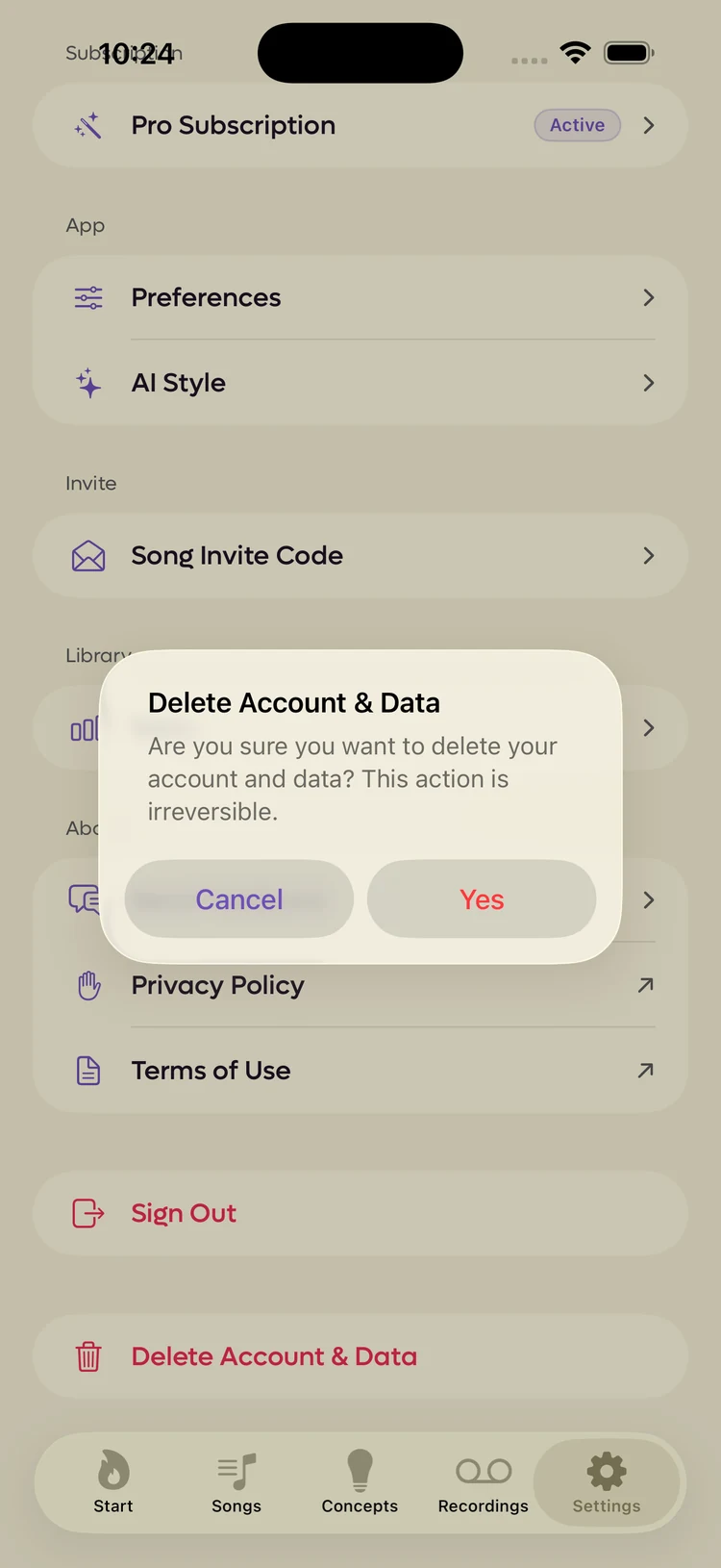
Delete Account & Data is at the very bottom of the Settings tab, below Sign Out, in red.
It does what it says. This page exists so you know exactly what you are agreeing to before you tap it.
What it asks you#
The app checks three times, in three different ways, because the action cannot be taken back.
 1
1
- 1Tapping Yes here is not the end of it
- Are you sure? The alert above, which says plainly that it is irreversible.
- Confirm deletion. A second alert warning that your song data will be unrecoverable.
- Prove it is you. A sign-in sheet, because deleting an account is not something a borrowed phone should be able to do.
Only after all three does anything happen. Cancel is available at every step.
While it runs#
A full-screen progress view counts through the work: fetching your songs, deleting them one by one, cleaning up invitations, then your user data, then the account itself.
It asks you not to close the app while this happens, and that is worth honouring. Stopping halfway leaves some of it done.
What happens to shared songs#
Songs you own that have collaborators on them do not vanish from those collaborators. Each of them keeps a personal copy under a new title, so the work they did survives. They are told the collaboration ended.
Songs somebody else owns are unaffected. You simply stop being on them.
What is not deleted#
Your subscription. Deleting your account does not cancel it, whether you bought Pro in the iOS app or on the web.
Cancel first, where you subscribed: the App Store, under your Apple ID, for a subscription bought in the app, or Settings in the web app for one bought on the web. See Plans and Pro.