The five tabs
The Settings tab
Everything that is about you rather than about a song: your account, your plan, and how the app behaves.
Showing the iOS appweb app
The Settings tab is the one tab that holds no songs. It is where your account, your subscription and the app's own behaviour live, grouped into six short sections.
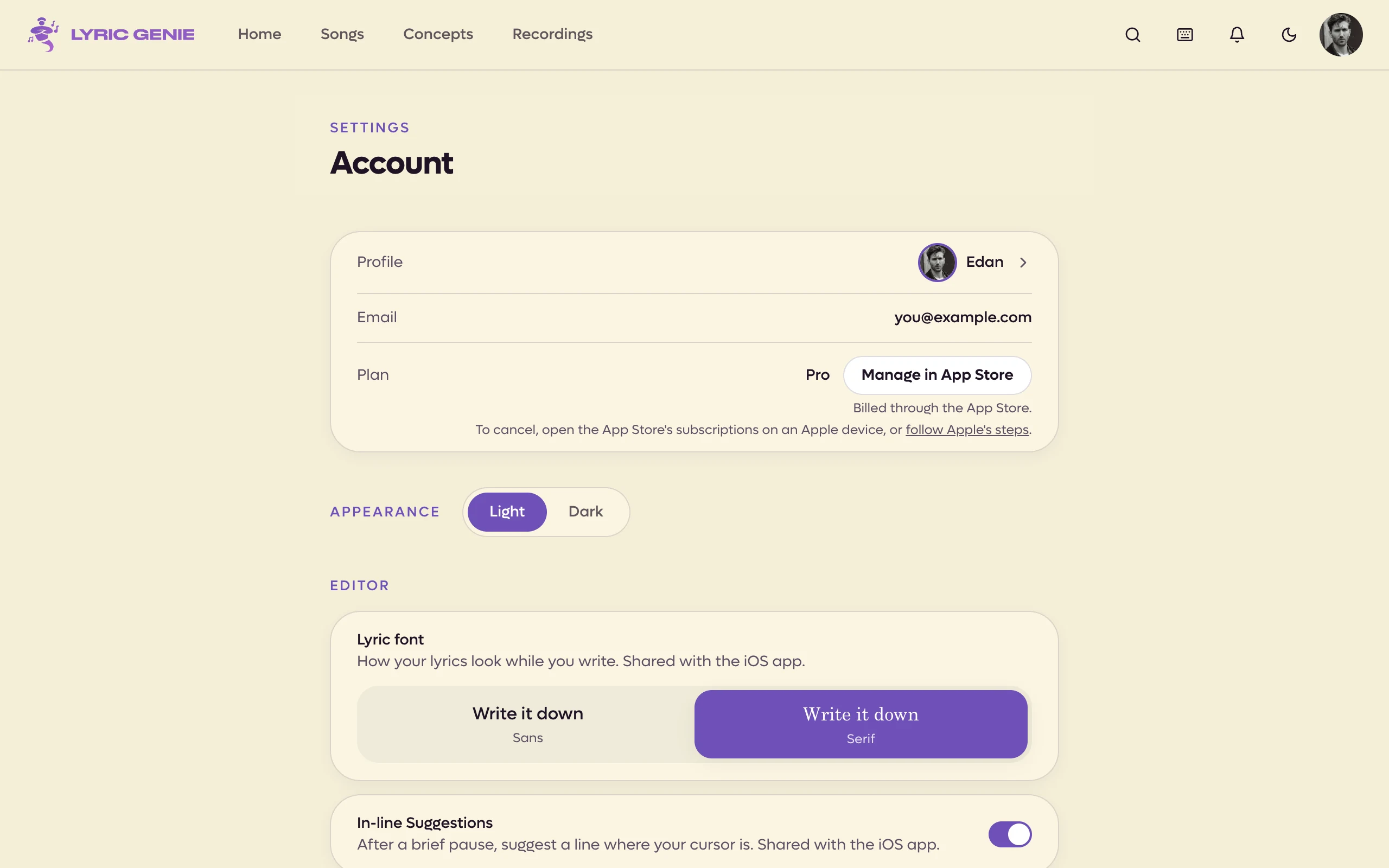
On a desktop, open Settings from the menu under your avatar in the top right of the page. On a phone it is the last tab in the bottom bar. The page is a single column with fewer rows than iOS. Each section is listed below.
The same avatar menu has Help & support, which opens these docs, and on a desktop Keyboard shortcuts, which opens the list of shortcuts. Both open in a new tab.
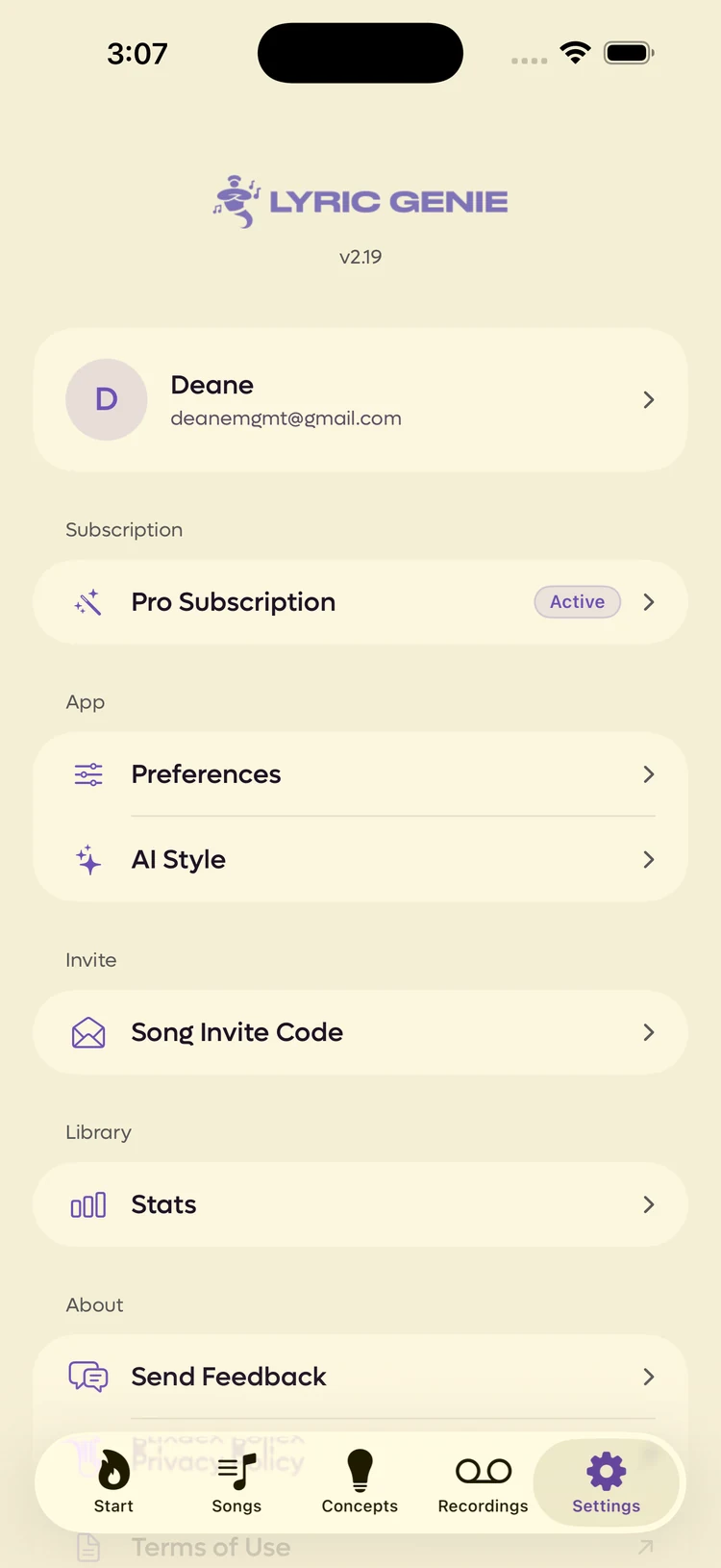 1234
1234
- 1Quote this when you email about a problem
- 2Tap to edit how you appear to others
- 3Your plan, and the way to change it
- 4Enter a code a collaborator sent you
| Row | What it is for |
|---|---|
| Your name and email | Opens your profile. |
| Pro Subscription | Your plan. See Plans and Pro. |
| Preferences | How the app behaves. See Preferences. |
| AI Style | Standing instructions for the AI. See AI Style. |
| Song Invite Code | Join a song someone shared. See Inviting a collaborator. |
| Stats | What you have written. |
| Original Files | Pro. Audio files you imported, kept exactly as they were. See Original files. |
| Send Feedback | Tell us something. |
| Privacy Policy, Terms of Use | Open in a browser. |
| Sign Out | Asks first. |
| Delete Account & Data | See Deleting your account. |
| Section | What it is for |
|---|---|
| Profile | Your display name and writer credits. Opens your profile. |
| Shown for reference. | |
| Plan | Your plan, with Upgrade, or Manage and Cancel subscription if you subscribed on the web. An App Store subscription is managed on an Apple device. See Plans and Pro. |
| Appearance | Light or Dark. The sun and moon in the top bar do the same. |
| Editor | Lyric font, In-line suggestions, the floating Genie and whether Genie can chime in. See Preferences. |
| AI Style | Standing instructions for the AI. See AI Style. |
| Usage & Stats | Your AI use, your recording storage and what you have written. See below. |
| Original Files | Pro. Audio files you uploaded, kept exactly as they were, with how many and how much space. Shown on Pro, or while you still have some. See Original files. |
| Lyric Sheets | Every lyric sheet you have published, with how many. See below. |
| Send Feedback | Tell us something. |
| Join a Song | Enter a code a collaborator sent you. See Inviting a collaborator. |
| Sign out | Signs you out of the web app. |
Usage & Stats Web app only#
Usage & Stats used to be called Stats. It has three parts, in this order.
AI Usage has two meters, each showing what you have used against your plan's allowance:
- AI calls: Genie, Wish Workshop, Spark and the other writing tools.
- Quick AI calls: the lighter features, which are in-line suggestions and AI rhyme picks. On the free plan, when these run out those features stop, and your AI calls are kept for the tools you choose. On Pro they carry on with your AI calls.
On Pro both reset every month. On the free plan they are a total. The numbers are on Plan limits.
Voice Recording Usage shows the recording time you have used: your own takes, in your songs and your Ideas.
Your Songs counts your songs: the total, how many are solo and how many are collaborative.
Lyric Sheets Web app only#
Lyric Sheets opens a page listing every sheet you have published, with the song and the writers on it. Search them by song or writer. Each row has Open, which opens the sheet in a new tab, Copy link, and a bin to take the sheet down. Taking one down stops its link working for everyone; the song itself stays.
Your sheets also turn up in search.