What you make
Concepts
Ideas you have not turned into songs yet, and the one AI feature that makes them for you.
Showing the iOS appweb app
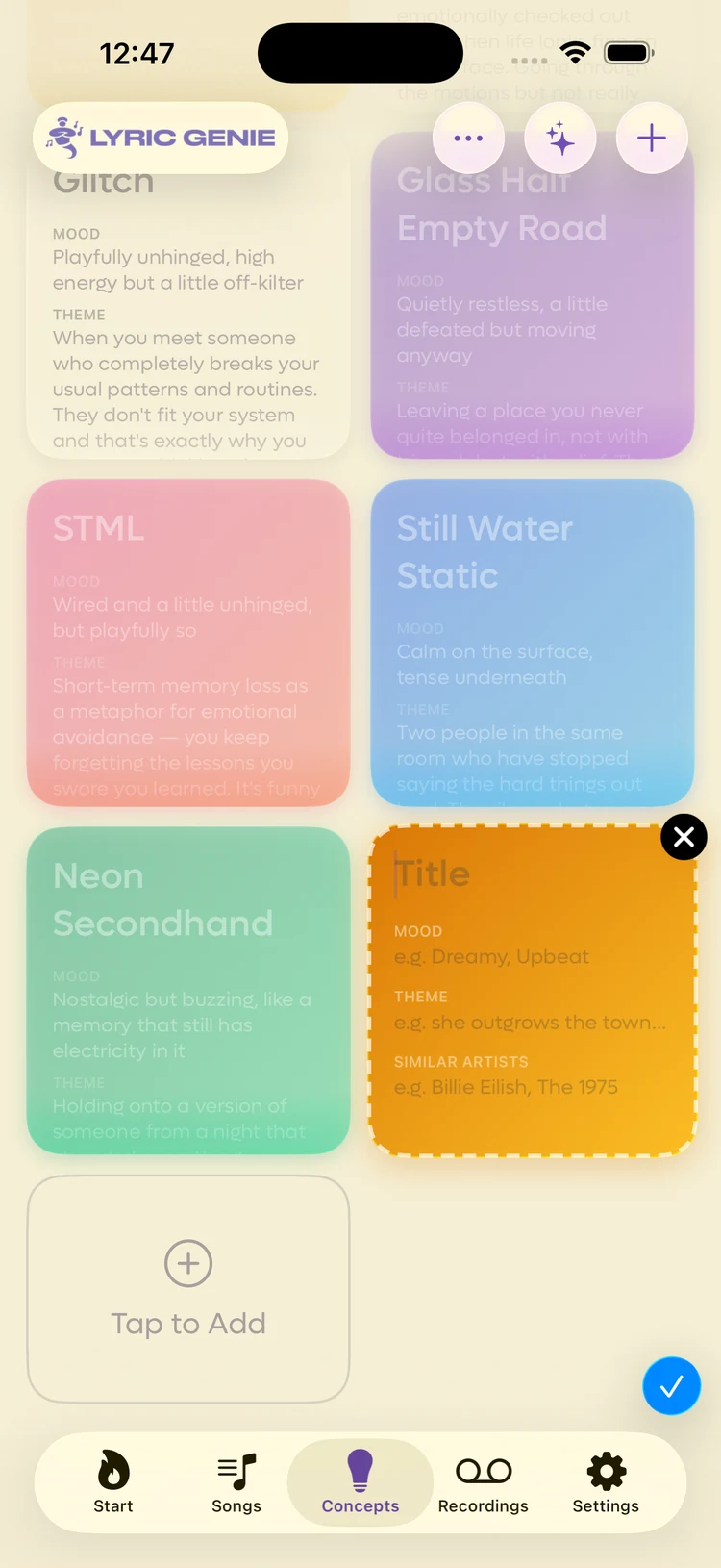
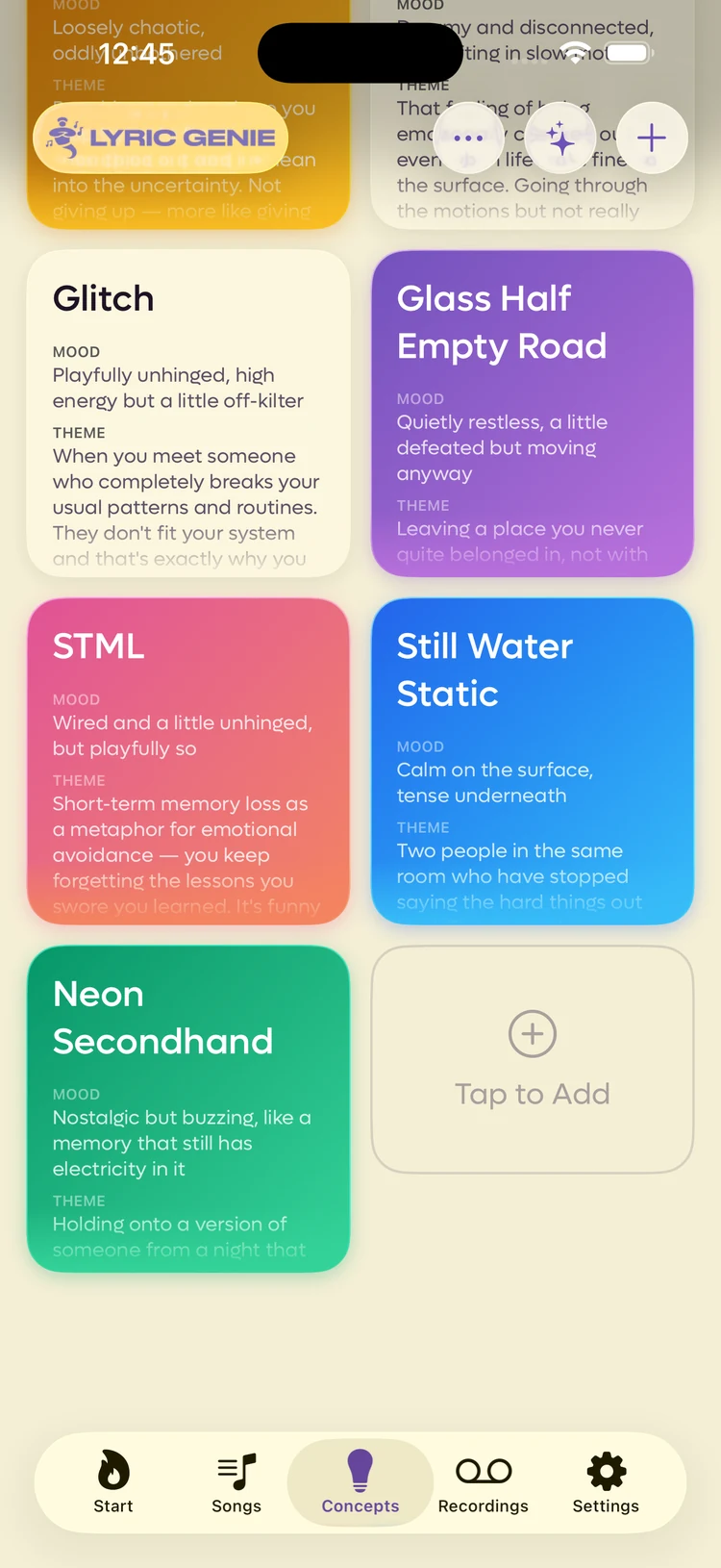
A concept is a song idea before it is a song. It holds a title, a mood, a theme and some similar artists. It does not hold lyrics, because an idea with lyrics is a song.
The app's own description is the clearest one: concepts are creative starting points that shape a song before you write a single word.
Concepts live in their own tab so a half-formed idea does not clutter your list of real work in progress.
They are laid out as a grid of cards. See The Concepts tab.
Writing one#
Tap + on the Concepts tab and a blank card appears in place, with the four fields on it.
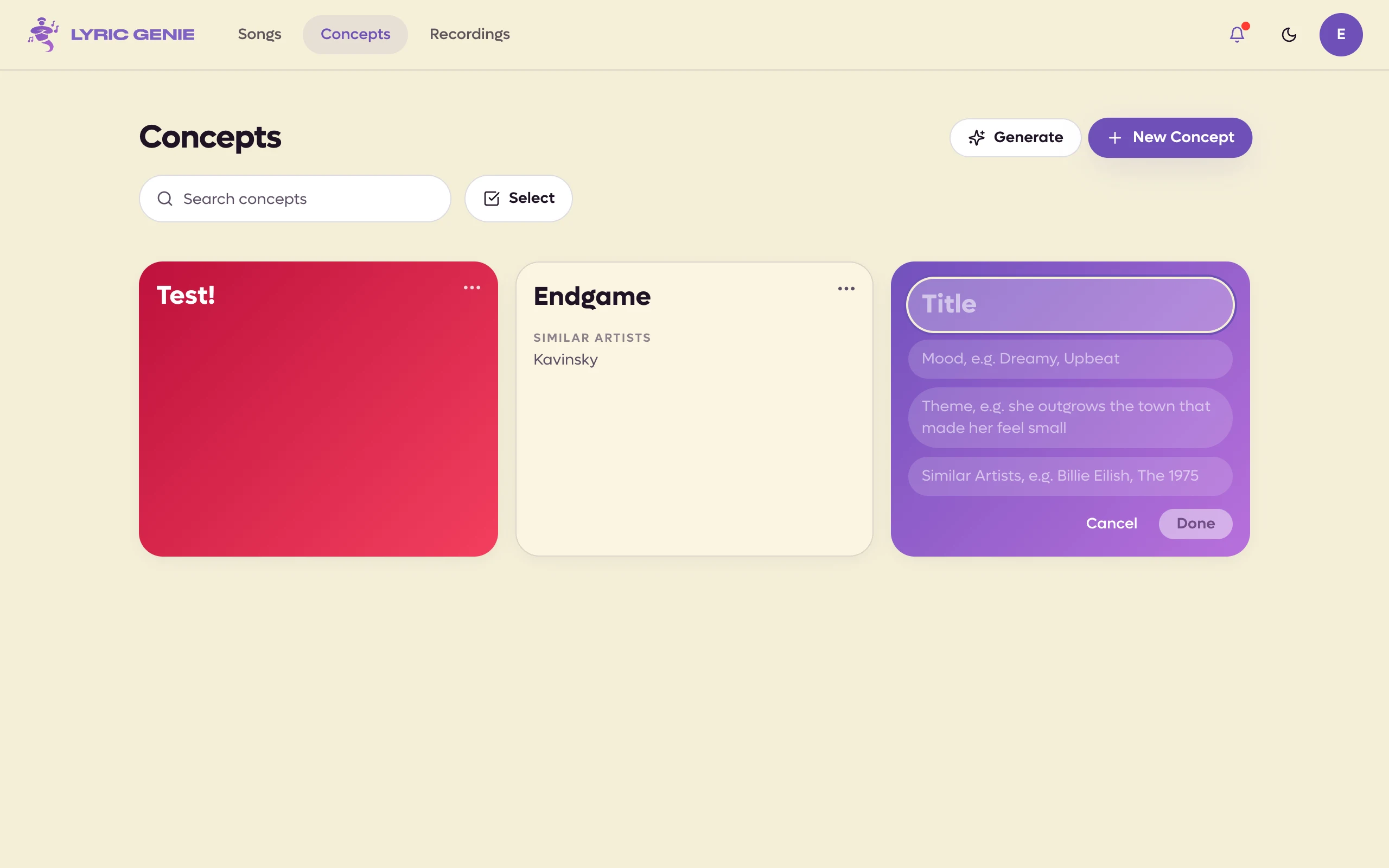
Click New Concept on the Concepts page, or the empty Click to Add card at the end of the grid, and a blank card opens in place with the four fields on it. Cancel drops it and Done keeps it.
 1
1
- 1Only the title is required
 12
12
- 1Give it a title
- 2Cancel or Done
Only the title is required. Whatever you fill in carries across when the concept becomes a song, and lands in that song's AI Context.
Letting the app write them#
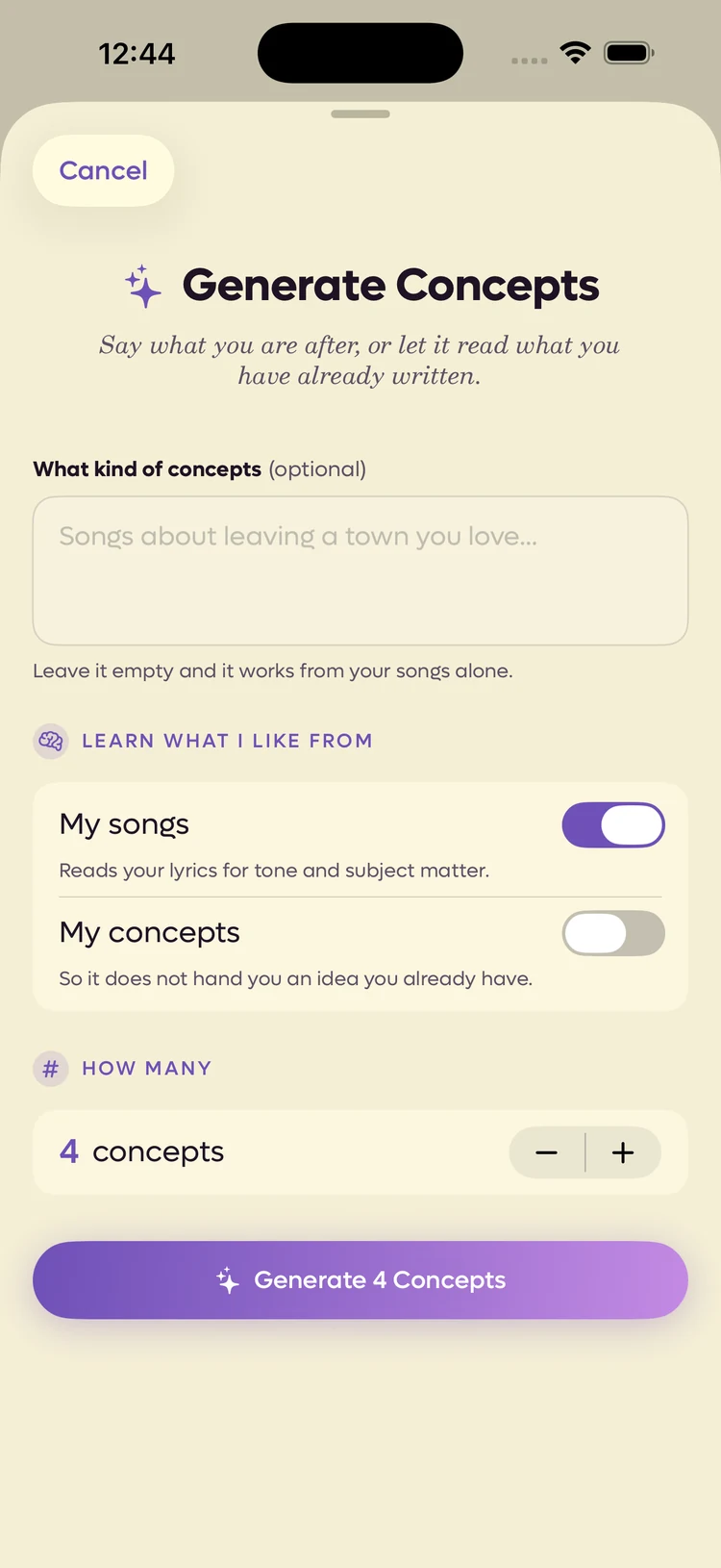
The sparkle button in the top right generates concepts from what you have already written.
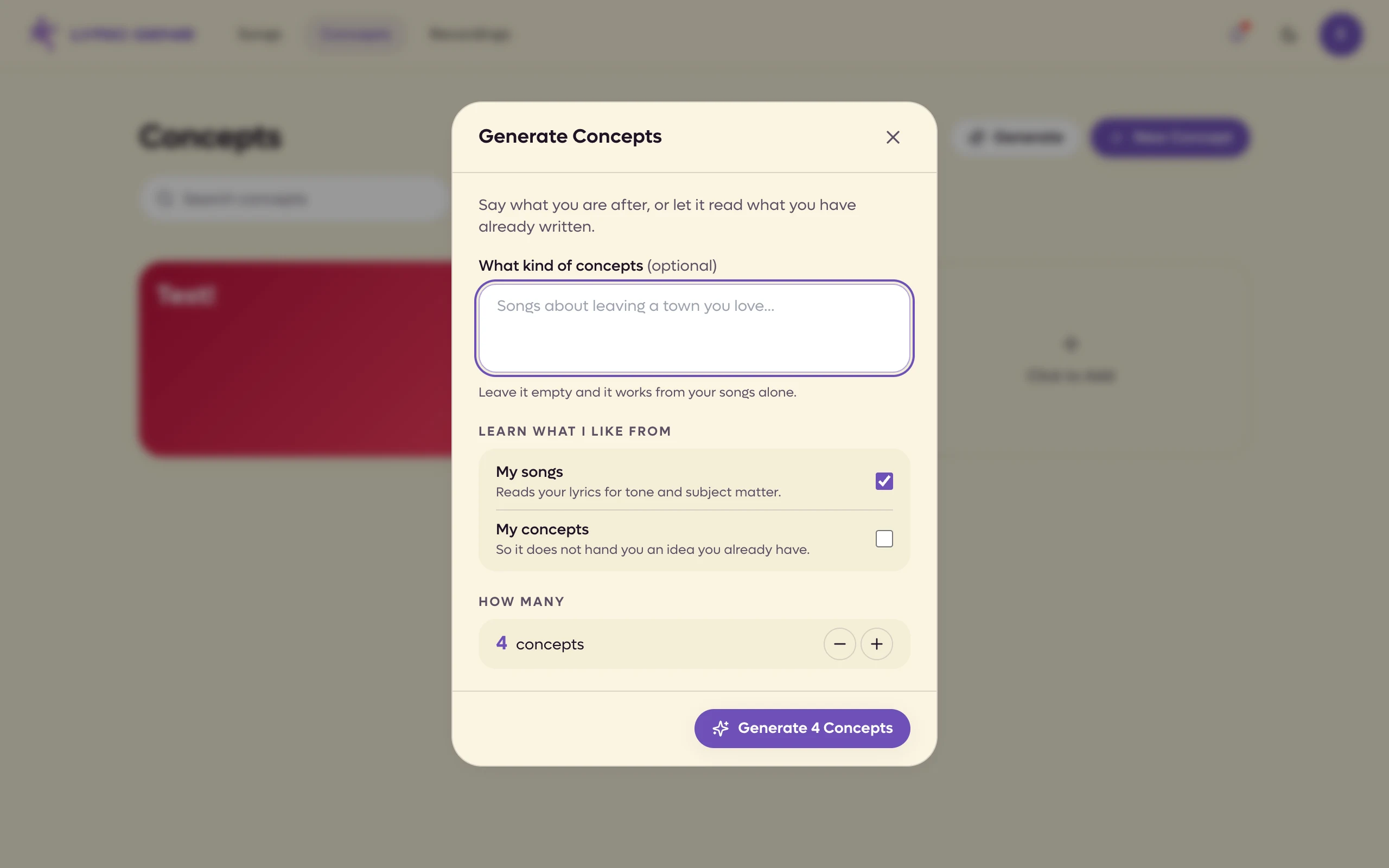
The Generate button in the page header generates concepts from what you have already written.
 123
123
- 1Say what you are after, or leave it blank
- 2What it reads to learn your taste
- 3Four by default
 123
123
- 1Say what you are after, or leave it empty
- 2My songs, My concepts
- 3How many
Learn what I like from my existing songs is on by default, and it is what makes the results sound like you rather than like nobody. Turn it off and you get generic ideas.
The web dialog has two switches under Learn what I like from: My songs, which is on by default once you have at least three songs, and My concepts, which keeps it from handing you an idea you already have. My songs is what makes the results sound like you rather than like nobody. Turn it off and you get generic ideas. A stepper sets how many to generate, four to start with.
Reading and using one#
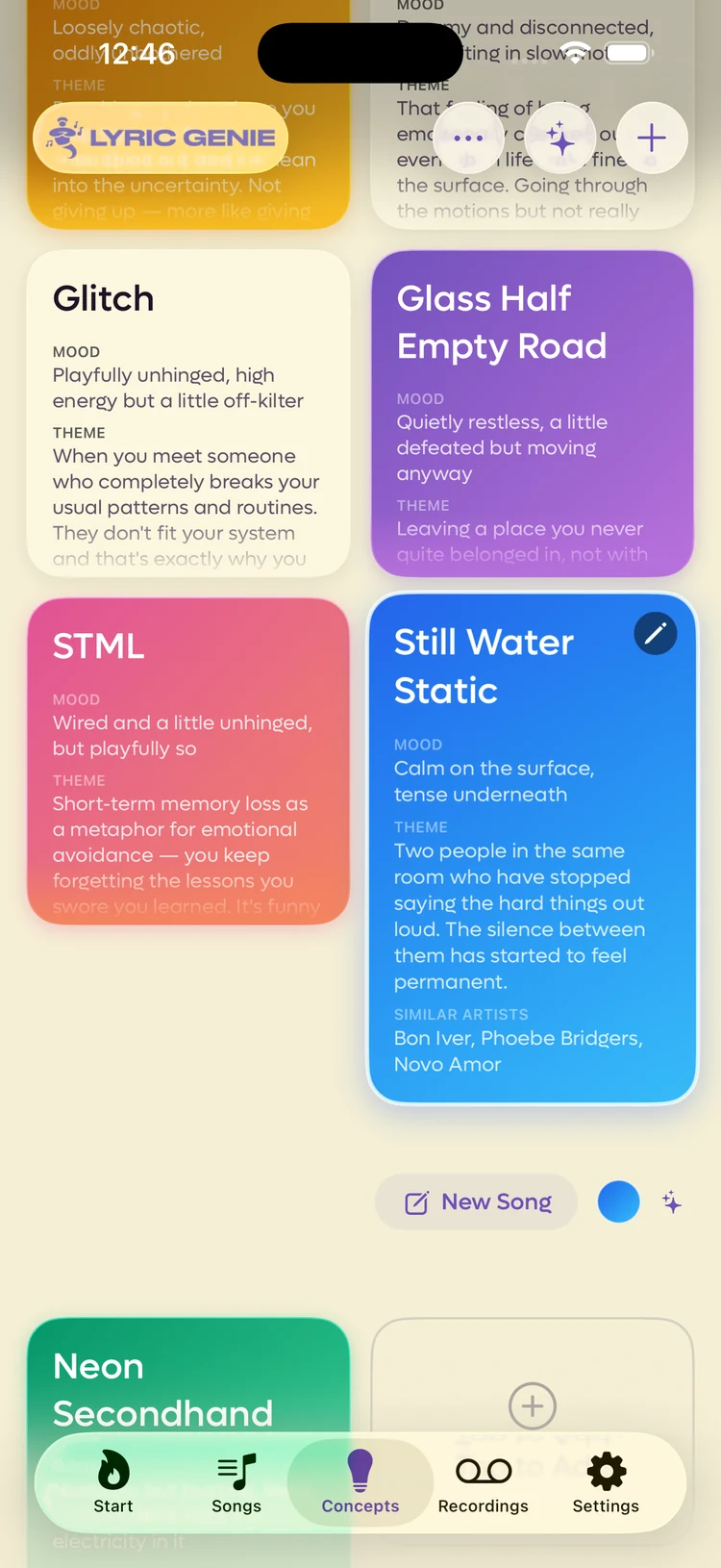
Tap a card and it expands to show the whole thing, with the actions underneath.
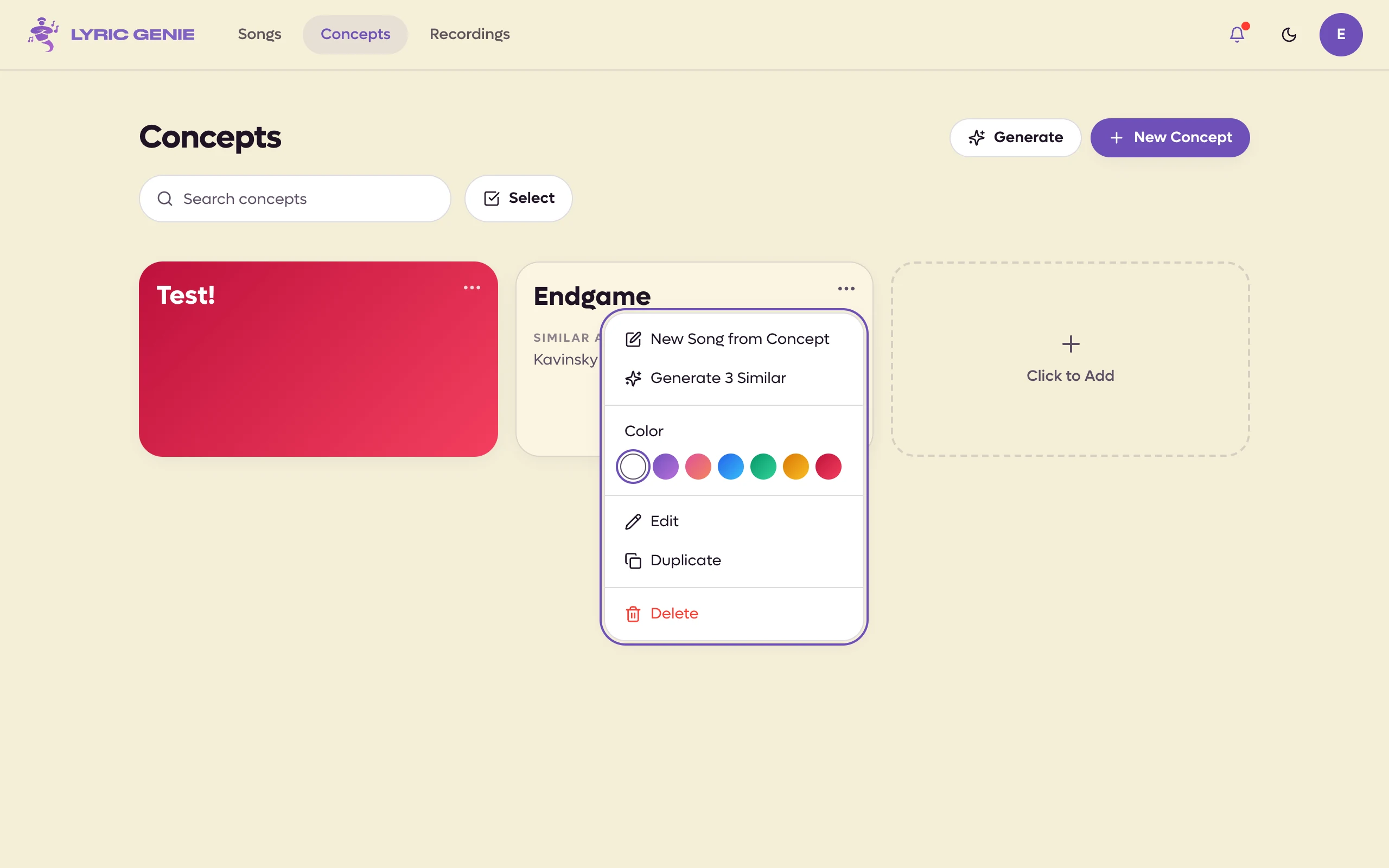
Click a card and it expands to show the whole thing, with the actions underneath: New Song, the colour circle, 3 Similar, and a ⋯ menu with Edit, Duplicate and Delete. Clicking an open card again also edits it.
 123
123
- 1Edit the fields
- 2Turn it into a song
- 3Colour tag
 123
123
- 1The ⋯ menu
- 2New Song from Concept
- 3Colour
New Song is the point of the whole tab. The new song opens with its AI Context already filled in, so the writing tools have something to work with from the first line you type.
The circle beside it is the card's colour. You do not have to set one: every new concept takes the next colour along from the last one you made, and a generated batch walks the same seven, so a full tab reads as a grid of colours without anyone choosing them. Tap the circle to step that card on to the next colour yourself (click it, on the web). It is purely visual — nothing sorts or filters by it.
Where else concepts come from#
Press and hold any song in the Songs tab and you get two more routes.
Open the ⋯ menu on any song in the Songs page and you get two more routes.
- Add to Concepts turns that song back into an idea. Useful when a song turns out to be something you are not ready for.
- Generate 3 Similar Concepts reads the song in front of you and proposes three adjacent ideas.
Both appear on a concept's own card too, as 3 Similar for that concept. You can also drag cards to put them in the order you want.
Deleting one#
The X on a card asks before it deletes, and the deletion is permanent. There is no archive for concepts the way there is for songs.
Delete in a card's ⋯ menu asks before it deletes, and the deletion is permanent. There is no archive for concepts the way there is for songs.