Collaboration
Sending lines to a collaborator
Move lyrics between writers on a shared song. Lines you send arrive in the song's chat, and nothing lands in someone's tab until they add it.
Showing the iOS appweb app
Your tab is yours alone, so getting a line from your tab into a collaborator's means sending it. They decide whether to take it.
That is the whole design. Nothing lands in anybody's tab without them agreeing to it.
Sending#
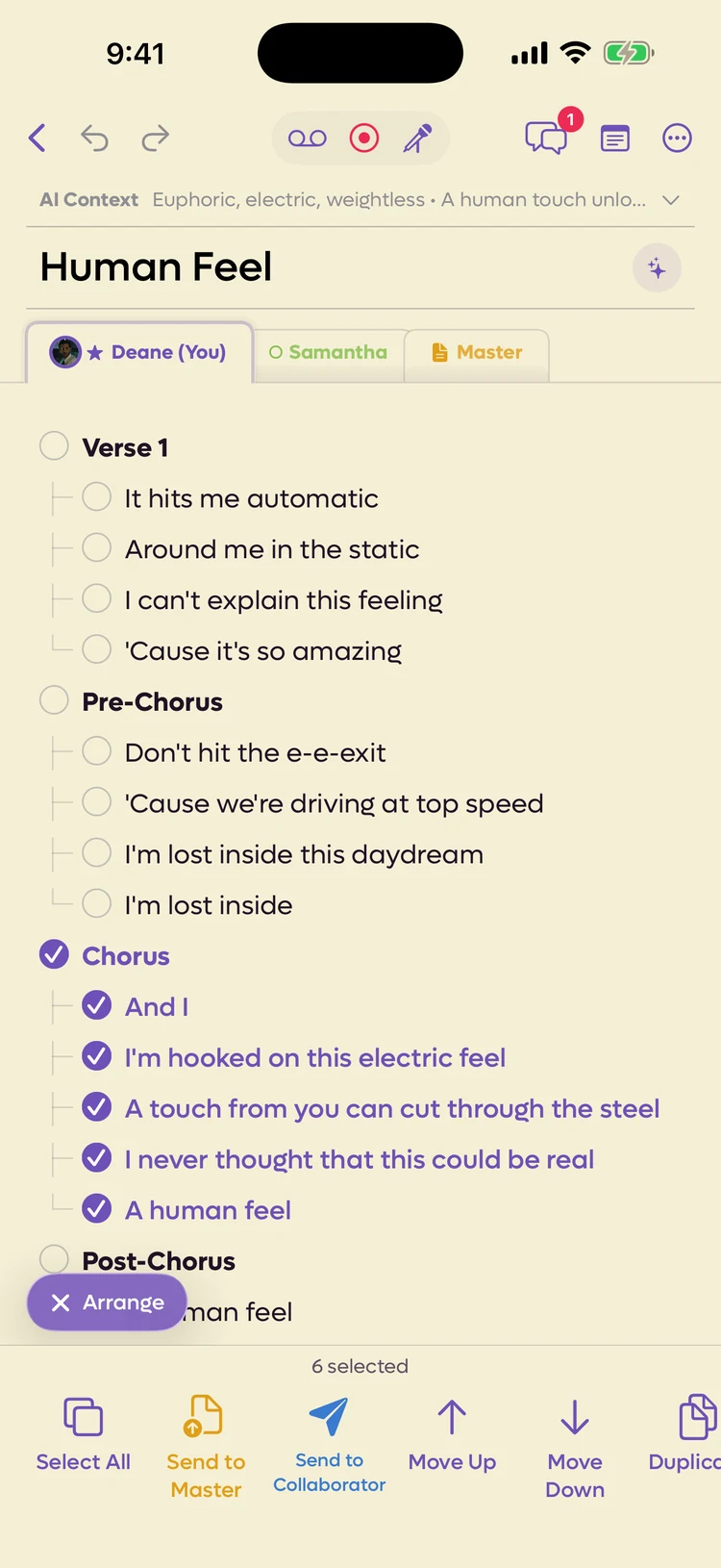
Select the lines you want. The bar at the bottom of the screen turns into a row of actions: scroll it sideways to To Collaborator…, and choose who should get them.
You can also open Arrange mode with Arrange in the bar, select the lines, and choose Send to Collaborator. Tapping a section header there takes the whole stanza.
 12
12
- 1Into the agreed version
- 2To a collaborator
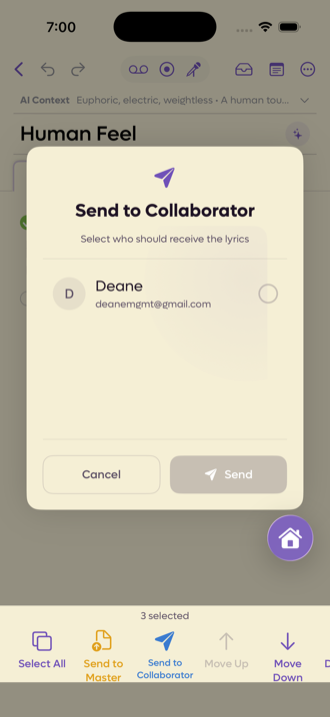
Select the lines and click Send to… on the floating toolbar. With one collaborator on the song, the lines go to them straight away. With more, a list asks who should get them: tick one or several and click Send.
Send to… sends whole lines, widening your selection to the start and end of each line.
On someone else's tab, To Me pulls their lines into your own tab instead. Same idea, other direction. (In Arrange mode it is Send to Me.)
Where sent lines arrive#
Lines you are sent arrive in the song's chat as a card: Sam sent you 4 lines, with the lines themselves. Long ones fold after four lines, with Show all to read the rest.
You also get a notification, the same as for a chat message: Sent you 3 lines, and the first of them. See New messages.
The card has three buttons.
- Add to my lyrics puts the lines at the end of your tab, switches to your tab and opens Arrange mode with the new lines already selected, so you can move them straight into place.
- Add to Master puts them at the end of the Master instead, the same way Send to Master does. If someone else is editing Master right then, try again in a moment.
- Decline turns them down, and the sender sees that it was declined.
Lines waiting for you count toward the red number on the chat, so they are hard to miss.
Keeping track of what you sent#
Lines you sent show in the chat on your side too, as You sent 4 lines to Sam, with what happened to them:
| Status | What it means |
|---|---|
| Waiting | They have not answered yet. |
| Added | It is in their tab. |
| Added to Master | They put it in the Master instead. |
| Declined | They passed. |
| Expired | It sat too long. |
Sending to the agreed version instead#
To Master skips all this and puts the lines straight into the shared version. Nobody has to accept it, because Master is the song rather than anyone's personal tab. See The Master.