The song editor
In-line suggestions
A suggested next line appears at your cursor while you write. Tap to take it, or keep typing to ignore it.
Showing the iOS appweb app
Stop typing for a moment and Lyric Genie offers a line where your cursor is. It sits there in purple, and it is not part of your song until you tap it.
This is the one AI feature that comes to you rather than waiting to be asked.
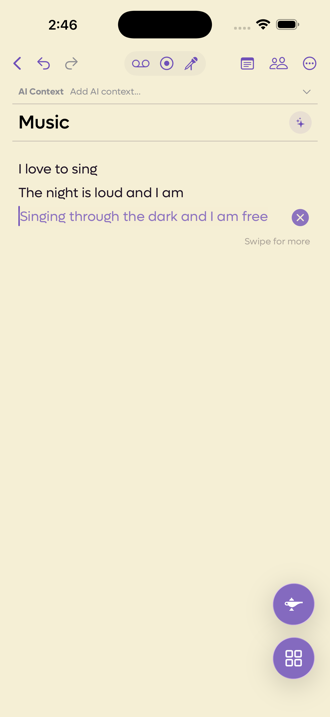 123
123
- 1Tap the line to take it
- 2Or send it away
- 3Swipe sideways for a different one
What you can do with it#
| Action | What happens |
|---|---|
| Tap the suggestion | It becomes part of your lyrics at the cursor. |
| Swipe sideways | Shows the next suggestion, when there is more than one. |
| Tap the cross | Dismisses it. |
| Keep typing | It disappears on its own. |
| Action | What happens |
|---|---|
| Tab or click the suggestion | It becomes part of your lyrics at the cursor. A click only counts a moment after the suggestion appears, so a stray click does not take it. |
| Alt+Right, Alt+Left | Shows the next or previous suggestion, when there is more than one. With a mouse, small arrows beside the suggestion do the same. On a touchscreen you swipe. |
| Esc, or click the cross | Dismisses it. |
| Keep typing | It disappears on its own. |
All the shortcuts are listed in Keyboard shortcuts.
It also goes away if you move the cursor, leave the editor, or a collaborator edits the song. Nothing is inserted unless you tap.
Turning it off#
Preferences, from the ⋯ menu in the song editor or from Settings, has the switch.
On the web the switch is In-line Suggestions under Editor in Settings. It is the same setting as the app's, so turning it off in one turns it off in the other.
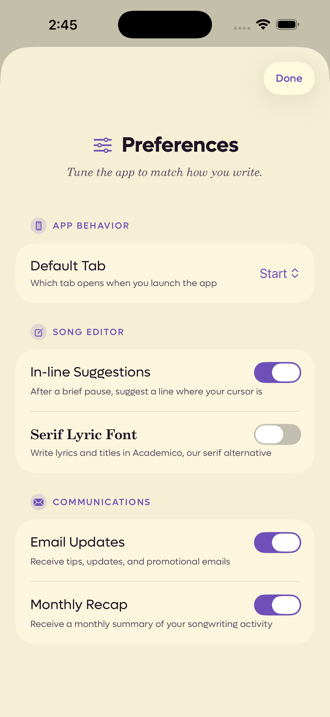 1
1
- 1The switch, under Song Editor
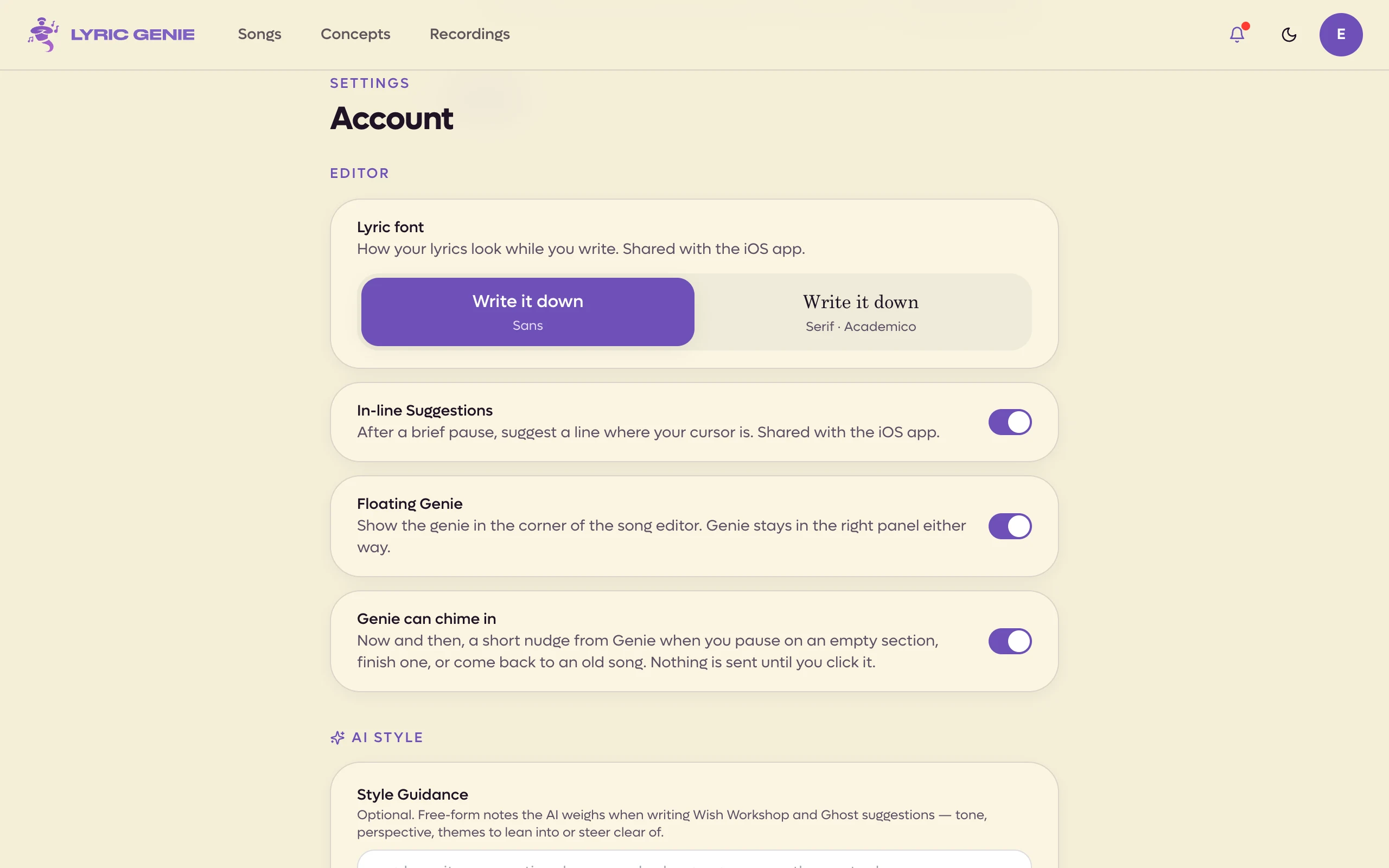 1234
1234
- 1Lyric font
- 2In-line Suggestions
- 3Floating Genie
- 4Genie can chime in
Plenty of writers turn it off. A suggestion that arrives while you are thinking is either helpful or an interruption, and which one depends entirely on how you work.
It reads your settings#
Suggestions are not generic. Before writing one, the app reads:
- The song's mood, theme and similar artists, from the editor's AI Context bar.
- Your AI Style guidance and your list of words to avoid.
A song with no context gets noticeably blander suggestions, which is the same rule that applies everywhere else in the app.
If nothing ever appears#
On an account without AI access the feature is silent. It does not nag, it does not show a paywall while you are writing, and nothing appears at the cursor. The switch in Preferences is replaced by a row that says it needs AI access, and tapping that row is what opens the upgrade screen.
That silence is deliberate. Interrupting someone mid-line to sell them something would be the worst possible moment.