The five tabs
The Concepts tab
A grid of song ideas that are not songs yet.
Showing the iOS appweb app
The Concepts tab holds ideas before they are songs. The app's own description is the clearest one: concepts are creative starting points that shape a song before you write a single word.
They live here rather than in your song list so a half-formed idea does not sit alongside real work in progress.
 12
- 1Write one, or have them generated
- 2Tap a card to open it out
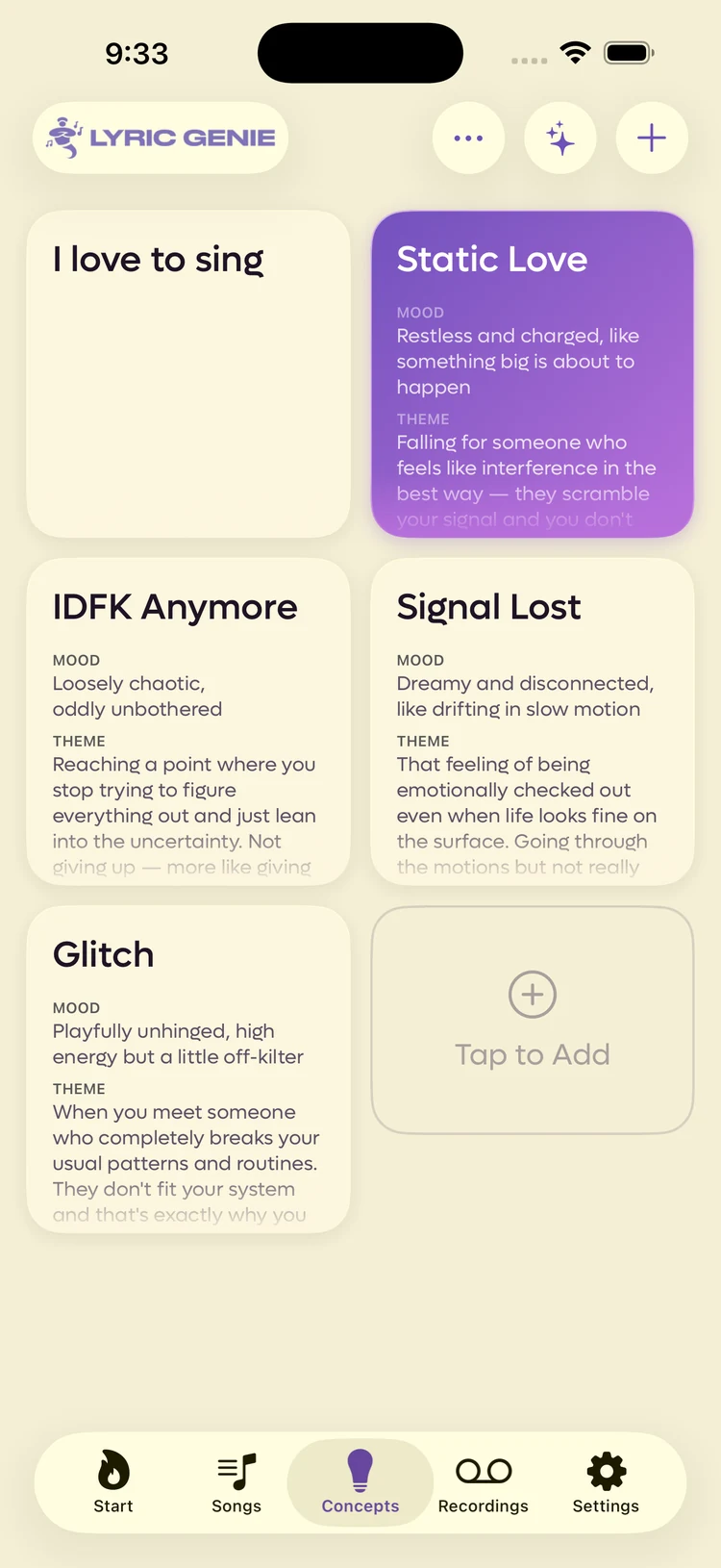
Each card is a title plus a mood, a theme and some similar artists. Tap one and it expands to show the whole thing, with a button to turn it into a song.
The two buttons in the corner are the whole tab: + writes a concept by hand, and the sparkle generates a batch from songs you have already written.
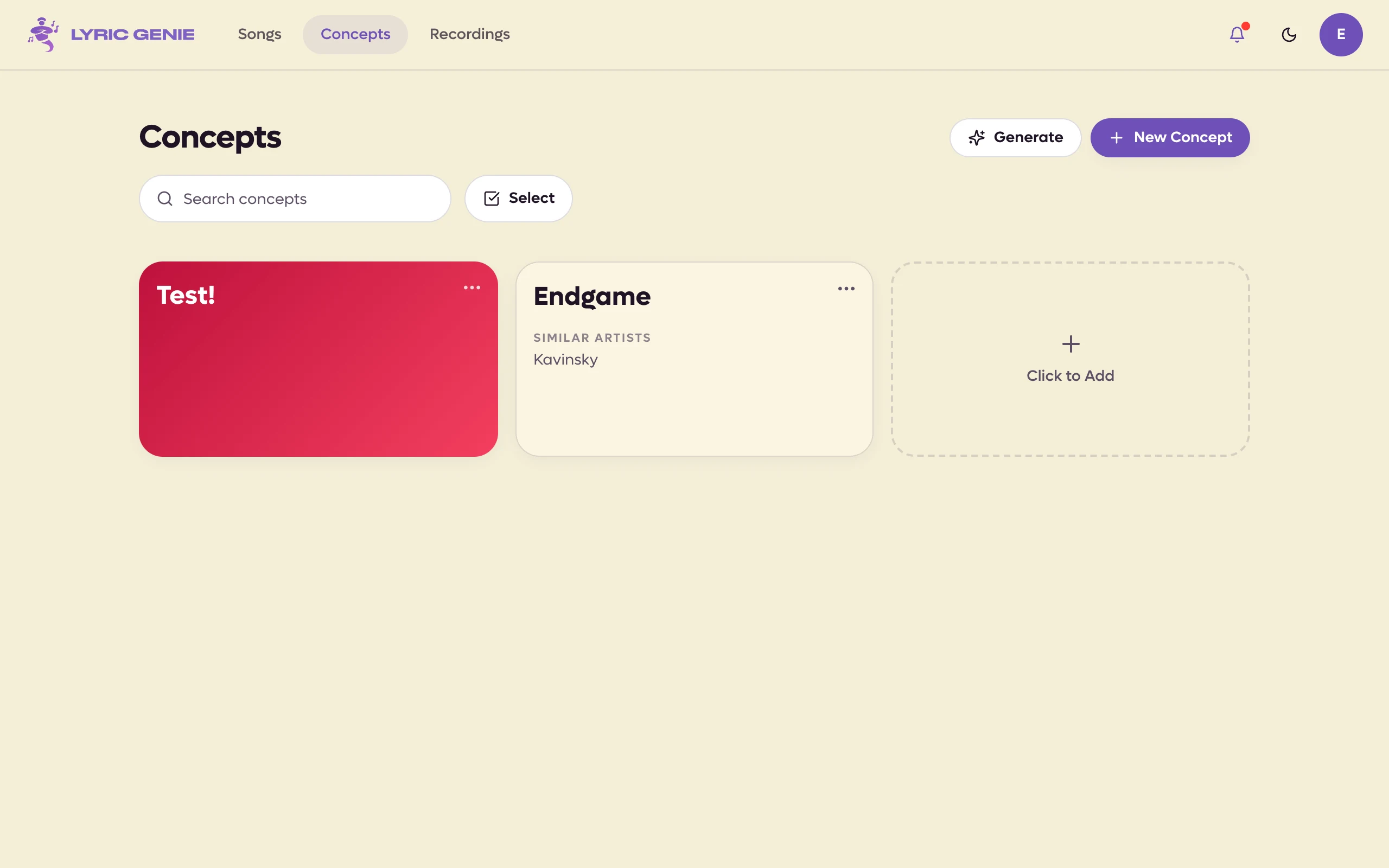
Each card shows its title with the mood, theme and similar artists underneath, labelled, so you can read a concept without opening it. Cards in a row share the height of the tallest. Click a card to edit it in place; its boxes grow to fit whatever you write.
Every card has a ⋯ menu in its corner: New Song from Concept, Generate 3 Similar, a row of colours to pick from, Edit, Duplicate and Delete. Cards are in the order you put them, and you can drag a card to a new place in the grid. There is a search field above the grid.
Two buttons sit in the page header: New Concept writes one by hand, and Generate proposes a batch from songs you have already written. The empty card at the end of the grid, Click to Add, does the same as New Concept.
Press Select (or ⌘-click or Ctrl-click a card) to pick several. Shift-click takes a run, and ⌘A or Ctrl+A takes every card shown. The bar at the bottom recolours, duplicates or deletes them together.
Where to go from here#
- Concepts for the fields, the generator and its switches, and what happens when a concept becomes a song.
- The song wizard for the other end of the same idea, which asks you three questions instead of proposing answers.