The song editor
Selecting and editing lines
Select a lyric and the editor offers rhymes, synonyms, syllable changes and a rewrite. What appears depends on how much you selected.
Showing the iOS appweb app
Selecting text is how you point a tool at a particular line. Nothing in the editor works on your selection until you make one, and what the app offers back depends on how much you picked.
Select some text and the bar along the bottom of the editor turns into a row of actions for that selection. Since iOS 2.22 every tool is in that one row. The menu on the selection itself keeps only the system's own Cut, Copy and Paste.
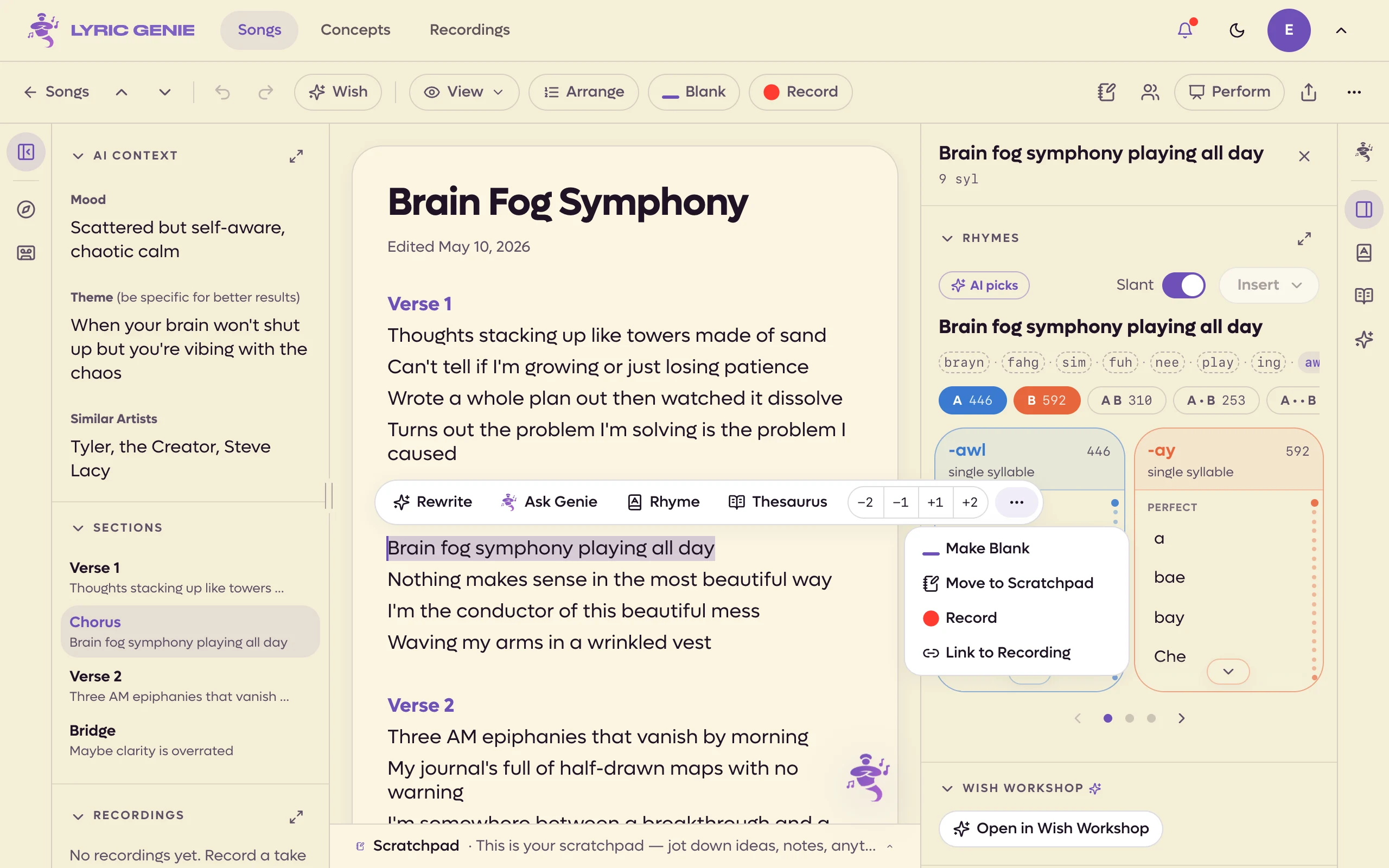
On the web there is one bar. Select text and a floating toolbar appears just above the selection, holding every tool described below. On a phone browser the same buttons sit in a row docked above the keyboard, and the less-used ones sit in that row instead of under More.
The selection bar#
The floating toolbar holds, left to right:
| Button | What it does | Available when |
|---|---|---|
| Rewrite | Hands the selection to Wish Workshop to change. | The selection is six lines or less, on a tab you can edit. |
| To Master | Sends the selected lines to the Master tab. See The Master. | The song is shared, and you are not on the Master tab. |
| To Me | Adds the selected lines to the end of your own tab. | You are looking at a collaborator's tab or the Master. |
| Send to… | Sends the selected lines to a collaborator, who gets them in the song's chat. See Sending lines. | The song is shared. |
| Ask Genie | Opens Genie with the selection attached. | There is a selection. |
| Rhyme | Opens the rhyme tool for what you selected. | The selection is one line or less. |
| Thesaurus | Opens synonyms and related words. | The selection is one line or less. |
| ⋯ More | Note, Make Blank, Move to Scratchpad, Record, Link to Recording. In the Scratchpad it also offers Move to Lyrics. | Each item appears when it applies. |
| −2 −1 +1 +2 | Rewrites the line with fewer or more syllables. See Syllables. | The selection is a single line on a tab you can edit. +1 needs a syllable to start from, −1 needs two, −2 needs three. |
To Master, To Me and Send to… send whole lines, widening your selection to the line starts and ends, the same as Arrange mode does.
Rhyme and Thesaurus open in the right-hand panel next to your lyrics rather than over them.
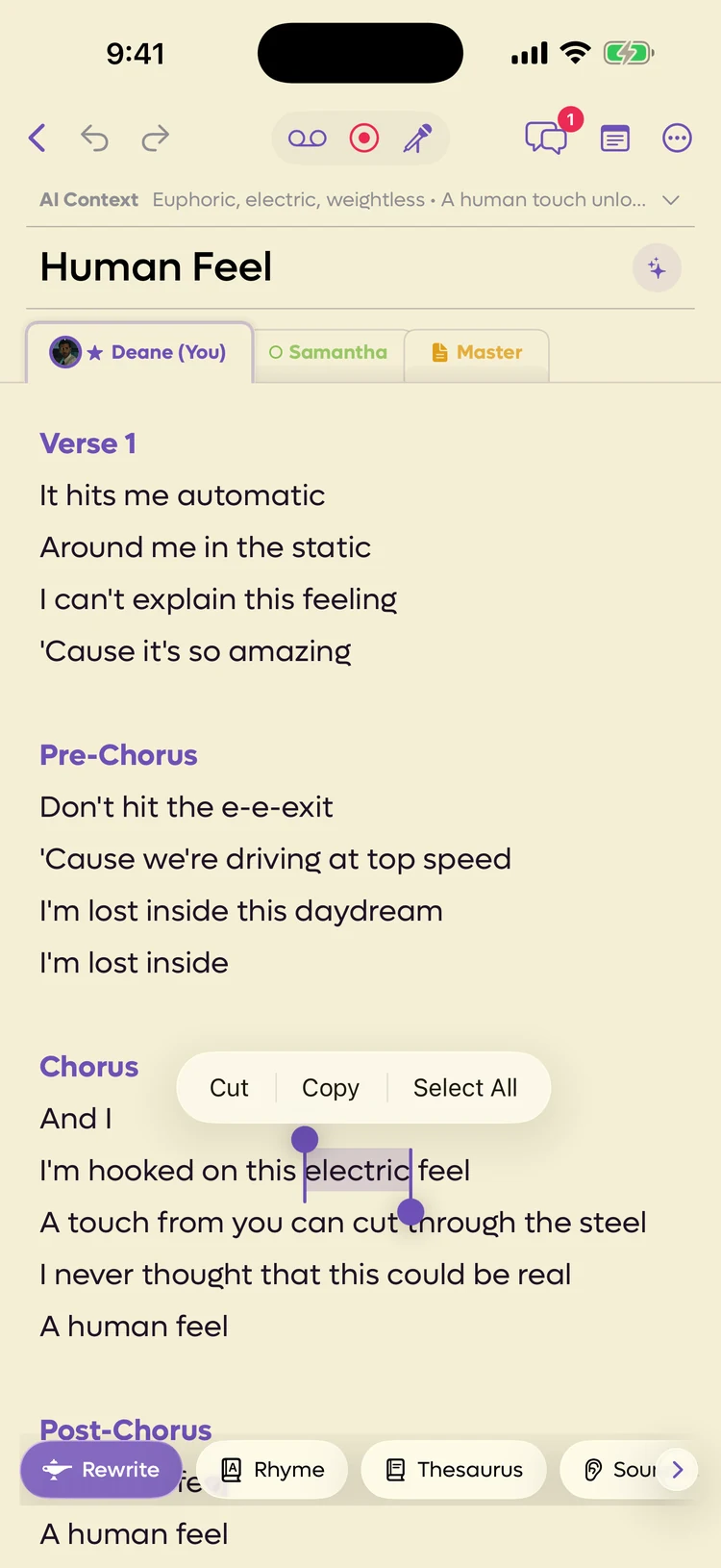 1234
1234
- 1Rewrite (Wish Workshop)
- 2Rhymes
- 3Thesaurus
- 4More tools: the row scrolls sideways
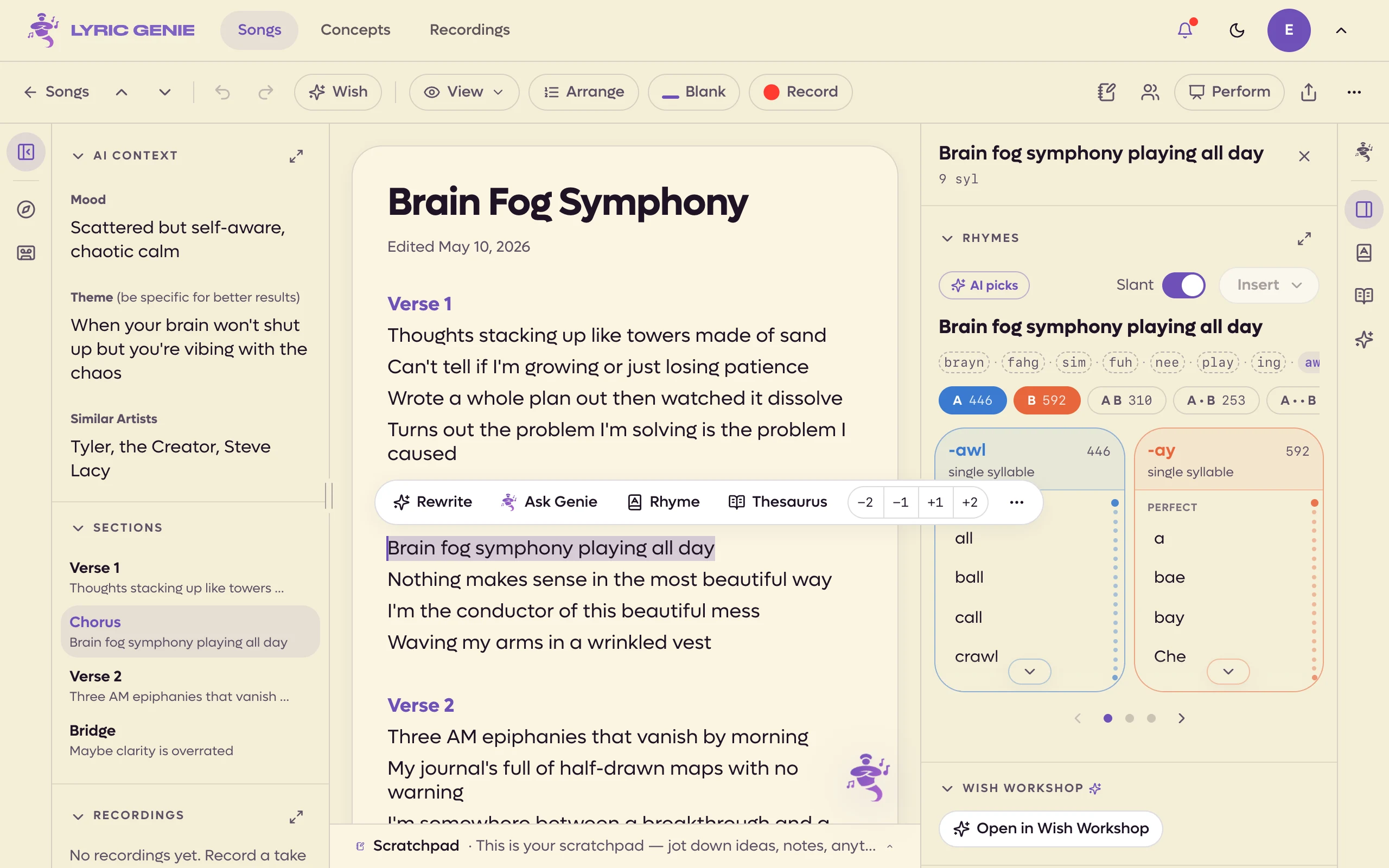 123456
- 1Wish Workshop on this line
- 2Ask Genie about it
- 3Rhymes
- 4Thesaurus
- 5Two syllables shorter to two longer
- 6More
The row reads left to right, and scrolls sideways when it is longer than the screen. Done, pinned at the right, puts the keyboard away.
| Button | What it does | Available when |
|---|---|---|
| Rewrite | Hands the selection to Wish Workshop to change. | Your own tab. Up to six lines. |
| Rhyme | Opens the rhyme sheet for what you selected. | The selection is one line or less. |
| Thesaurus | Opens synonyms and related words. | The selection is one line or less. |
| Sounds Like | Words that sound like the selection. | Three words or fewer. |
| Word Associations | Words that go with it. | Three words or fewer. |
| +1 Syllable, -1 Syllable | Rewrites the line one syllable longer or shorter. See Syllables. | A single line on your own tab. -1 needs two syllables. |
| Make Blank | Swaps the words for a blank of the same length. | A single line on your own tab. |
| Move to Scratchpad | Cuts the selection out of the lyrics into the Scratchpad. | Your own tab. |
| Note | Leaves a note on the words. | Any tab. |
| Record | Starts a recording anchored to these lines. | Your own tab. |
| Link to Recording | Ties an existing take to these words. | Any tab but the Master. |
| Save to Concepts | Files the selection as a concept. | Always. |
| Arrange Lines | Opens Arrange mode with these lines ticked. | Always. |
| To Master | Sends the lines to the Master. See The Master. | A shared song. |
| To Me | Adds the lines to the end of your own tab. | A collaborator's tab or the Master. |
| To Collaborator… | Sends the lines to a collaborator, who gets them in the song's chat. See Sending lines. | Your own tab on a shared song. |
| Genie | Opens Genie with the selection attached. | Any tab. |
To Master, To Me and To Collaborator… send whole lines, widening your selection to the line starts and ends.
On a collaborator's tab or the Master the row keeps only what reads or sends: lookups, notes, sends and Genie. Anything that would change their words is left off. Since iOS 2.23 the bar also appears there; before, it only showed on your own tab.
Why the buttons go grey#
Rhyme and Thesaurus do not disappear when the selection is too long. They dim, so you can see what you are missing. The other actions are left off the row when they do not apply.
Rewrite, Rhyme and Thesaurus dim on the web too. To Master, To Me and the syllable buttons are different: they are left off the bar when they do not apply.
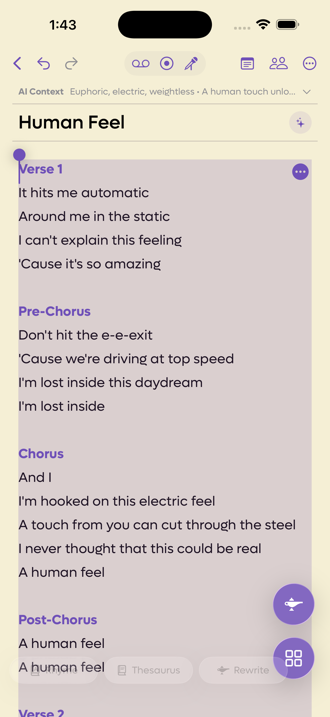
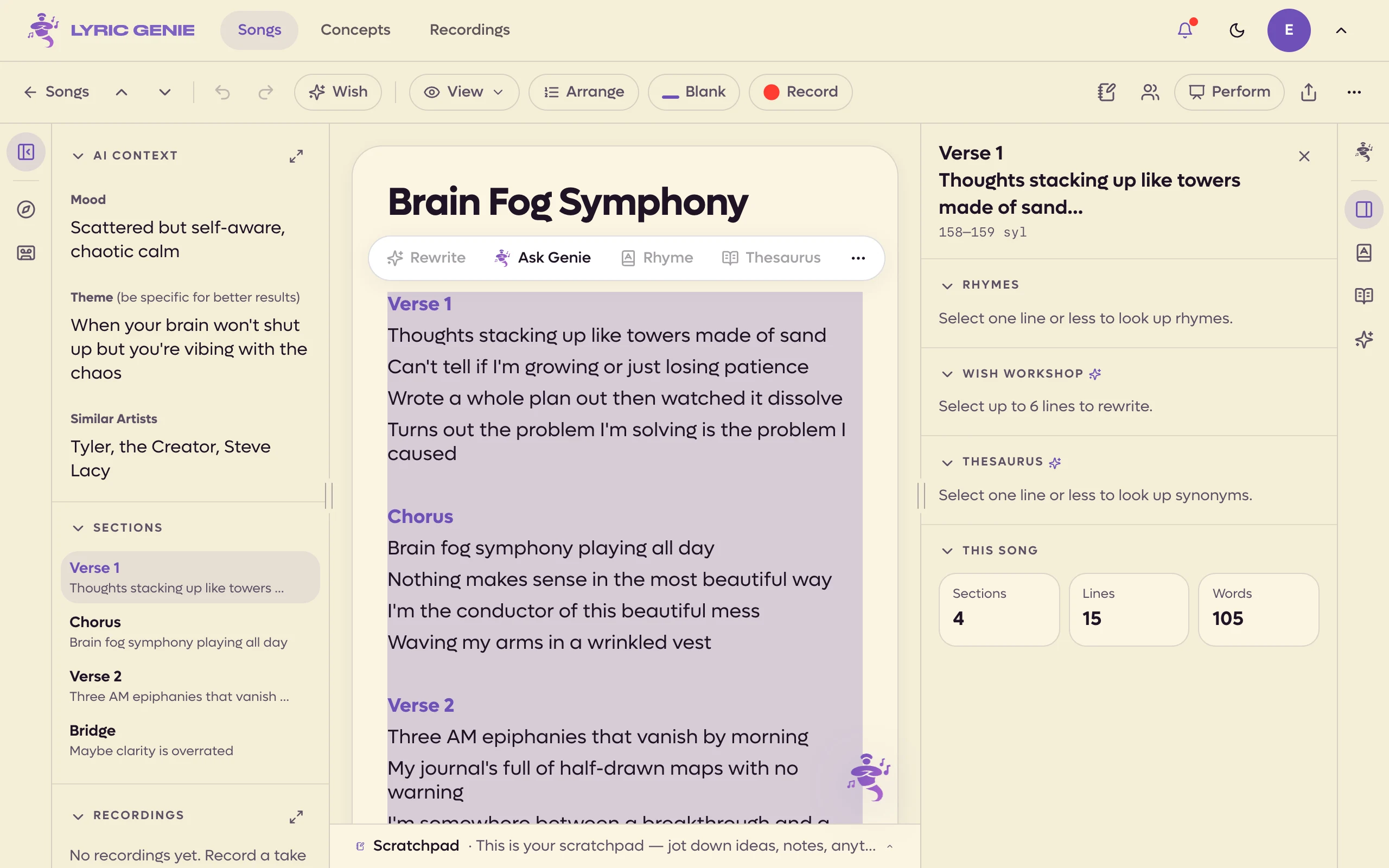 12
12
- 1Rewrite, Rhyme and Thesaurus dimmed, no syllable buttons
- 2The panel says why
If you ask for a rewrite on more than the app can handle, it tells you rather than sending it. The cap is six lines and 500 characters. For a long verse, work through it a few lines at a time.
The menu on the selection#
Long-press a selection and you get the system's own menu: Cut, Copy, Paste and Select All. Everything else that used to be in this menu moved to the bar along the bottom in iOS 2.22.
Record and Link to Recording are the two people miss. They tie audio to specific words rather than to the song as a whole, so you can play back the take that belongs to a particular line. See Recordings.
The web has no separate menu on the selection. Cut, Copy, Paste and Select All are your browser's own, from the right-click menu or the keyboard. The extra tools are in the floating toolbar's ⋯ More menu:
| Item | When it appears |
|---|---|
| Note | Leaves a note on the selected words for everyone on the song. See Notes on lyrics. |
| Make Blank | You can edit this tab, and the selection can be turned into a blank. |
| Move to Scratchpad | You can edit this tab. Cuts the selection out of the lyrics into the Scratchpad. |
| Record | You can edit this tab. Starts a recording anchored to this line. |
| Link to Recording | You can edit this tab and the song has a take to link. |
| Move to Lyrics | You are in the Scratchpad. Moves the selection to the end of your lyrics. |
Sounds Like, Word Associations and Save to Concepts from the app's menu are not on the web selection toolbar.
 1
1
- 1The extra tools
Moving whole lines instead#
Everything above edits text. When you want to reorder, duplicate or delete whole lines rather than rewrite them, use Arrange mode: Arrange at the left of the bar along the bottom of the editor, or Arrange Lines on a selection.
On the web it is the Arrange pill in the song bar.
The difference is worth holding on to. Selecting text points a writing tool at your words. Arrange mode moves your words around without changing them.