Start here
How it fits together
Five tabs, four kinds of object, and the relationships between them.
Showing the iOS appweb app
Lyric Genie has five tabs. Four of them hold a different kind of object, and the fifth is Settings.
The web app has five places, which work the same way as the iOS tabs: Home,
Songs, Concepts, Recordings and Settings. On a desktop, Songs,
Concepts and Recordings run across the top bar, Home is the logo on the left, and
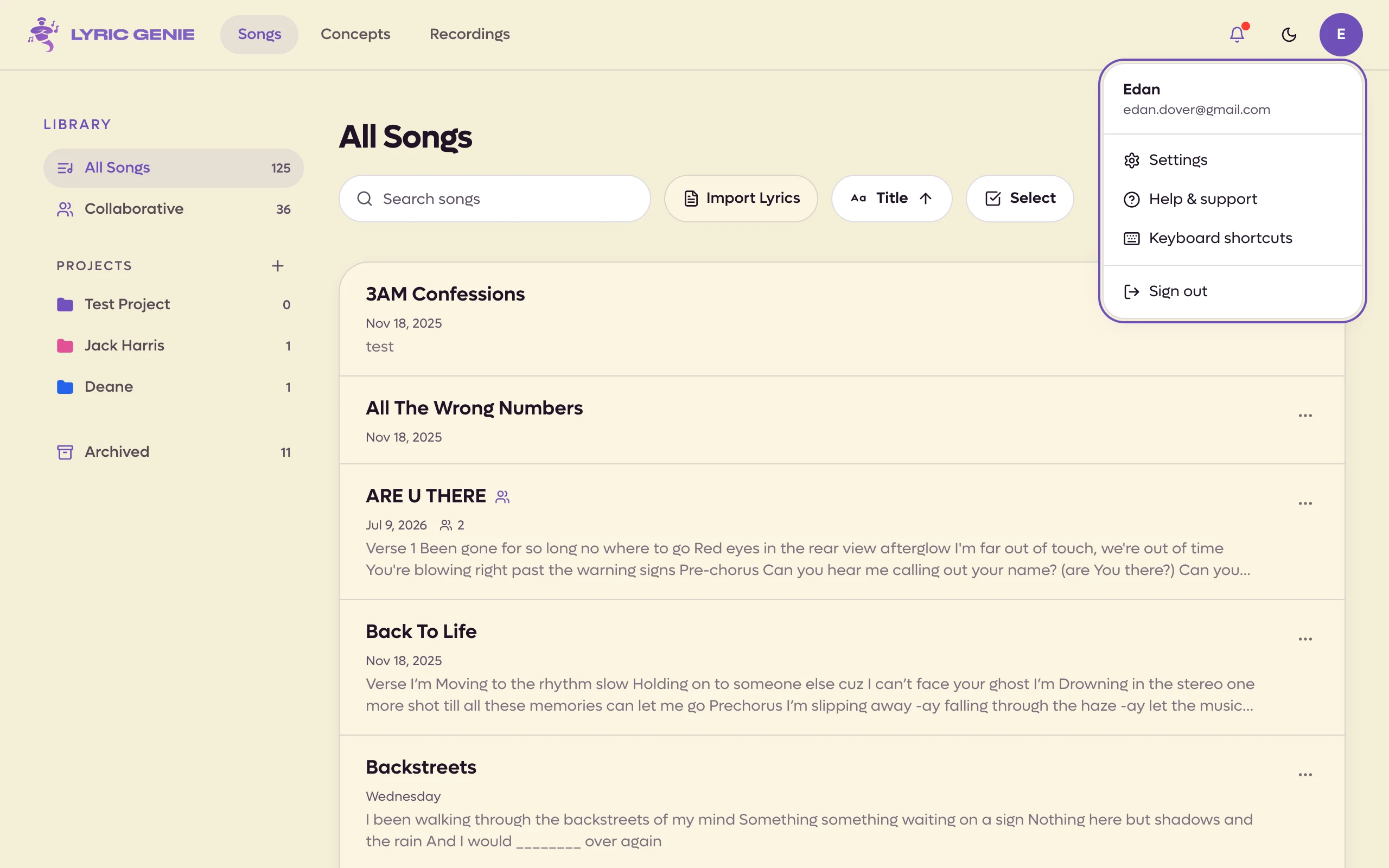
Settings is in the menu under your avatar in the top right. In a narrow browser
window all five become a bar along the bottom, as on iPhone. Four of them hold a
different kind of object, and Settings is the fifth. The magnifying glass in
the top bar, or ⌘ K, searches all of them at once. See
Search everything.

 1
1
- 1Settings is in the account menu
Each one has a page of its own. Start with whichever tab you are standing in.
| Tab | Holds | What it is |
|---|---|---|
| Start | nothing of its own | The launch pad. Jump straight into writing or recording. |
| Songs | Songs | The documents you write lyrics in. |
| Concepts | Concepts | Ideas you have not turned into songs yet. |
| Recordings | Recordings | Every piece of audio you have captured, in one list. |
| Settings | — | Account, plan, preferences. |
| Page | Holds | What it is |
|---|---|---|
| Home | nothing of its own | Where you pick up your last song, search everything, or start something new. |
| Songs | Songs | The documents you write lyrics in. |
| Concepts | Concepts | Ideas you have not turned into songs yet. |
| Recordings | Recordings | Every piece of audio you have captured, in one list. |
| Settings | — | Account, appearance, writing preferences. Opened from your avatar on desktop. |
The rest of this page is the part the tab pages do not cover: how the things in them relate to each other.
The one relationship that matters#
A Recording belongs to a Song. Not to the Recordings tab.
The Recordings tab is a view across all your audio, the way a photo library is a view across photos that also live in albums. When you record from inside a song, the audio is attached to that song and also appears in the Recordings list. When you record from the Start tab, there is no song yet, so the audio lands in the Recordings list unattached until you assign it.
That single fact explains most of the "where did my recording go" confusion. If you recorded something and cannot find it in a song, it is almost certainly sitting unattached in Recordings, waiting to be assigned.
The rest of the shape#
Concepts sit upstream of songs. A concept is a title, a mood, a theme, and optionally some similar artists. It is the note you make when you have the idea but not the song. When you are ready, a concept becomes a song.
Projects sit above songs. A project is a named, colour-tagged folder that holds a list of songs. An album, an artist you write for, a session. A song can be in several projects at once, or in none.
Collaborators sit inside a song. Each collaborator gets their own tab and their own colour, so you can see who wrote what, and there is a Master tab where the agreed version gets assembled.
So, reading from smallest to largest:
Concept ──becomes──▶ Song ──grouped into──▶ Project
                      │
                      ├── Lyrics (yours, plus a tab per collaborator, plus Master)
                      └── Recordings ──also listed in──▶ the Recordings tab
Where your work is stored#
Everything syncs to your account, so the same songs and recordings appear on any device you sign in on. Signing in is what makes that work. If you are not signed in, you are not syncing.
That includes the iOS app. Sign in to the web app with the same Google or Apple account you use on your iPhone and you see the same songs, concepts, projects and recordings, and a change made in one shows up in the other.
Open a song on a desktop browser and the editor becomes a workspace with panels on either side of your lyrics. See The desktop workspace.