The five tabs
The Songs tab
Your library. The list you land in, the collections behind it, and the controls along the top.
Showing the iOS appweb app
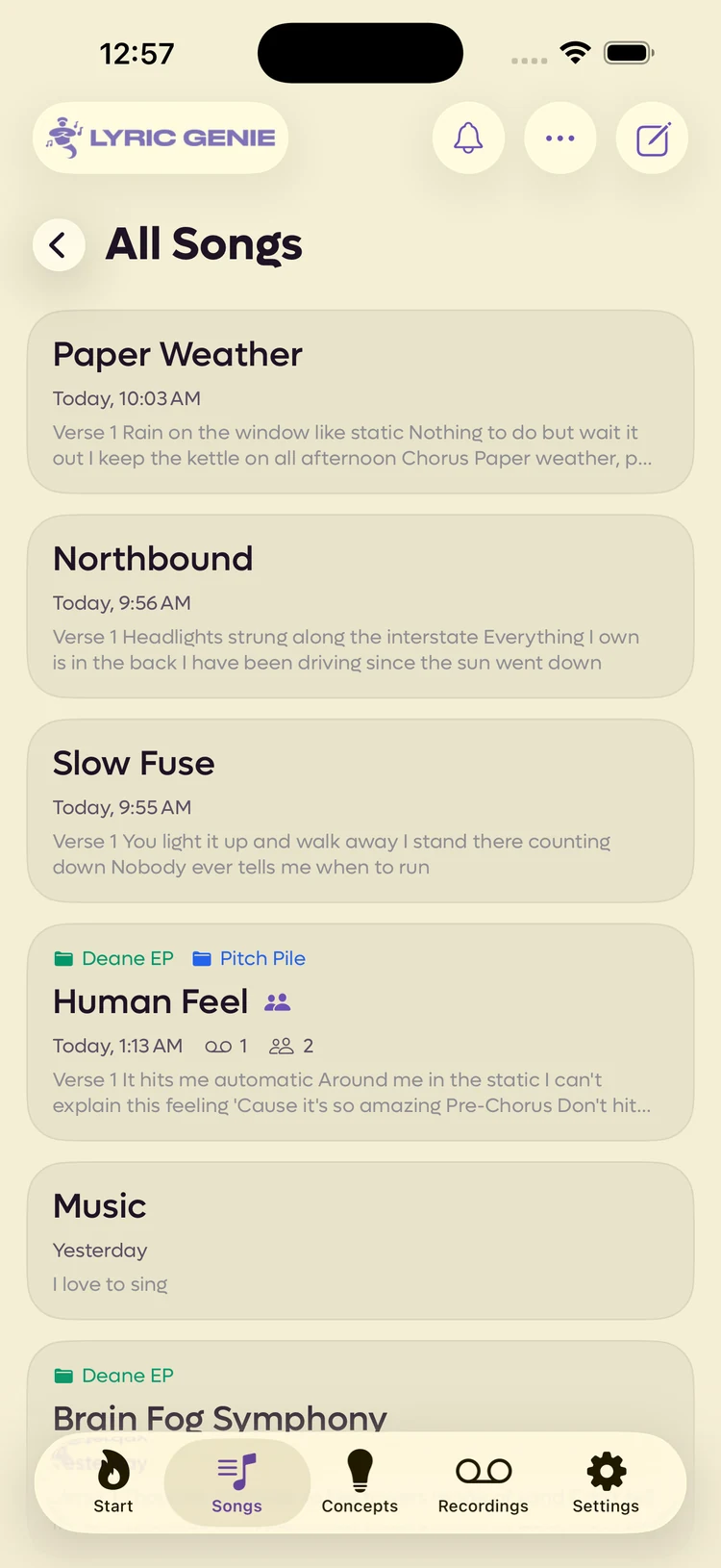
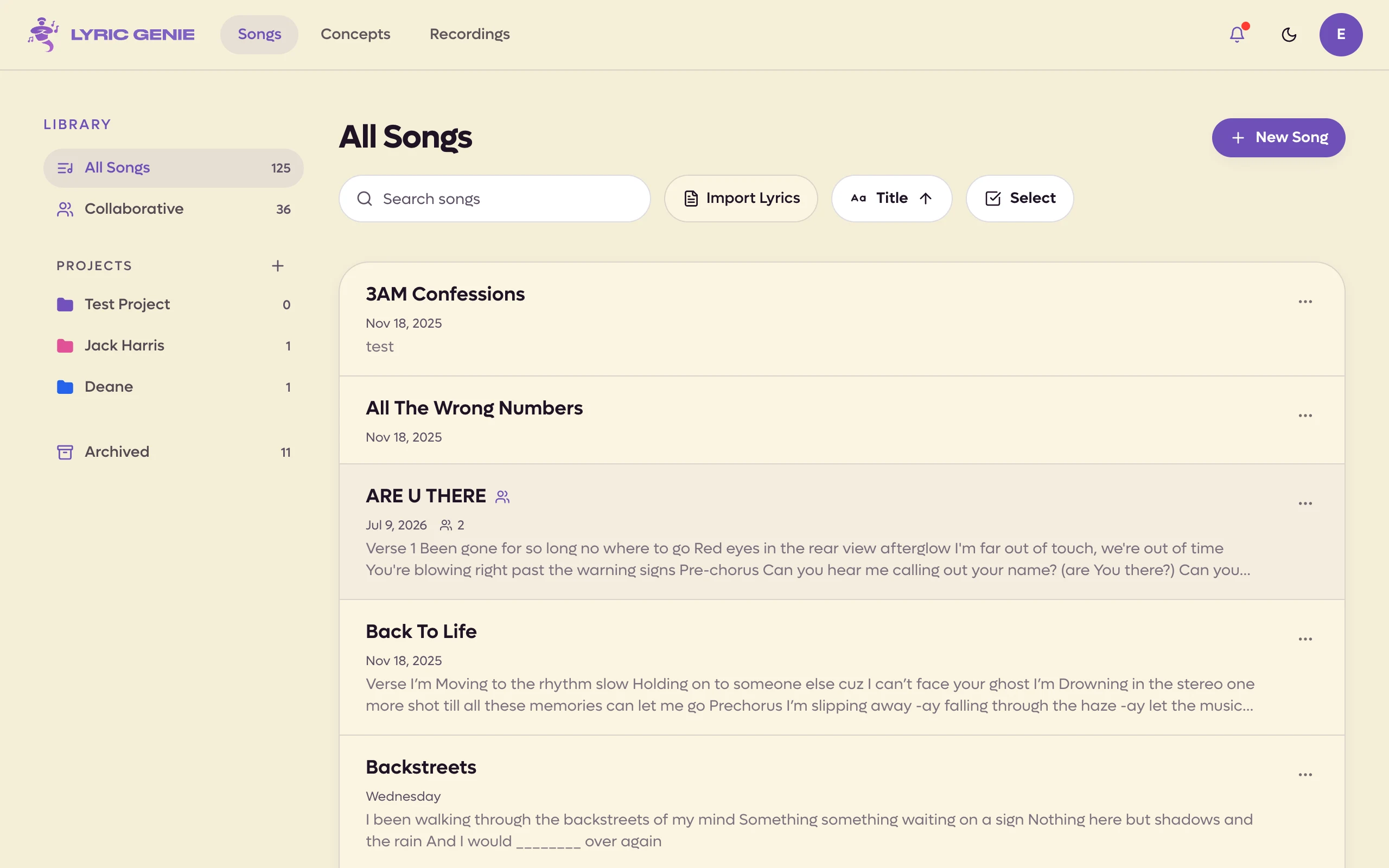
The Songs tab is where your writing lives. It opens on All Songs, newest first, and that is the list most people never leave.
 123
123
- 1Sort and select, or start a song
- 2Opening lines, so you can tell them apart
- 3A shared song, marked
 12
12
- 1Search, import, sort, or start a song
- 2Each row shows the song's opening lines
Click a row to open the song. The ⋯ at the right of a row holds everything else you can do to it, including Duplicate as a new song. Along the top are a search field, Import Lyrics, Join with code, a sort menu, Select and New Song.
Join with code, or J, opens the box for an invite code a collaborator sent
you. See Inviting a collaborator.
Select lets you act on several songs at once. Click rows to pick them, Shift-click to take a run, and press ⌘A or Ctrl+A for every song in view. The bar at the bottom offers Add to Project, Remove from Project (inside a project), Duplicate, Archive (or Unarchive in Archived) and Delete. Duplicate makes a copy of each as a new song of yours. See Duplicating a song. Delete only removes solo songs you own; shared songs are kept and counted, since a shared song can only be archived. Press Esc or Done to stop.
A row gives you the title, when you last touched it, and the opening lines, so you rarely have to open a song to know which one it is. A icon beside a title means that song is shared.
On the web the shared icon sits after the title. A row also counts the recordings and writers on the song, and a green number at the right means other writers are in it right now.
Under a shared song's title you see:
- Small avatars of everyone on the song, yours included.
- A chat bubble with a red number when there are chat messages you have not read. It clears when you read the chat. See Collaborator chat.
- What is new since you last opened it, such as Sam made changes to their lyrics. Opening the song clears it.
A shared song opens on the tab you were last on: your own, a collaborator's or the Master. The web app remembers this per browser, and the iPhone app per device (iOS 2.23).
If the song is filed in a project, a line above the title names it in that project's colour. A song in several projects lists them, and a song in none has no line at all. Inside a project the line only names the other projects a song is in, since the screen is already titled with this one. See Projects.
The buttons along the top are a bell for notifications, a ⋯ for sorting and multi-select, and a compose button that starts a new song.
Behind the back arrow#
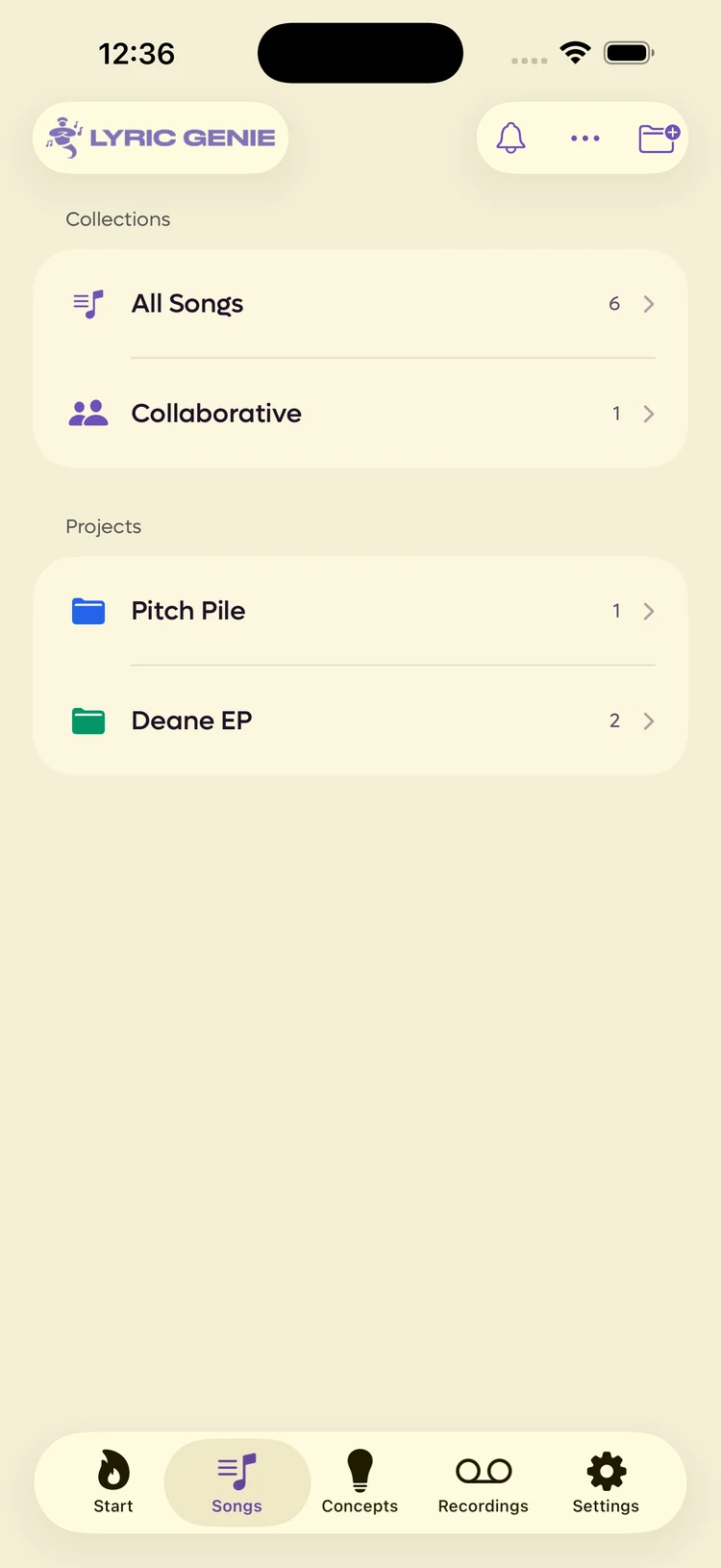
The ‹ beside the title is easy to miss, and it is the only way to the rest of the tab. It opens Collections, which is where All Songs itself lives alongside everything else your songs are filed in.
The search field matches titles, your lyrics, the mood, theme and artists, and collaborators' names. The sort menu offers Date Created, Last Edited or Title, ascending or descending, and the web app remembers your choice in that browser.
The Library panel#
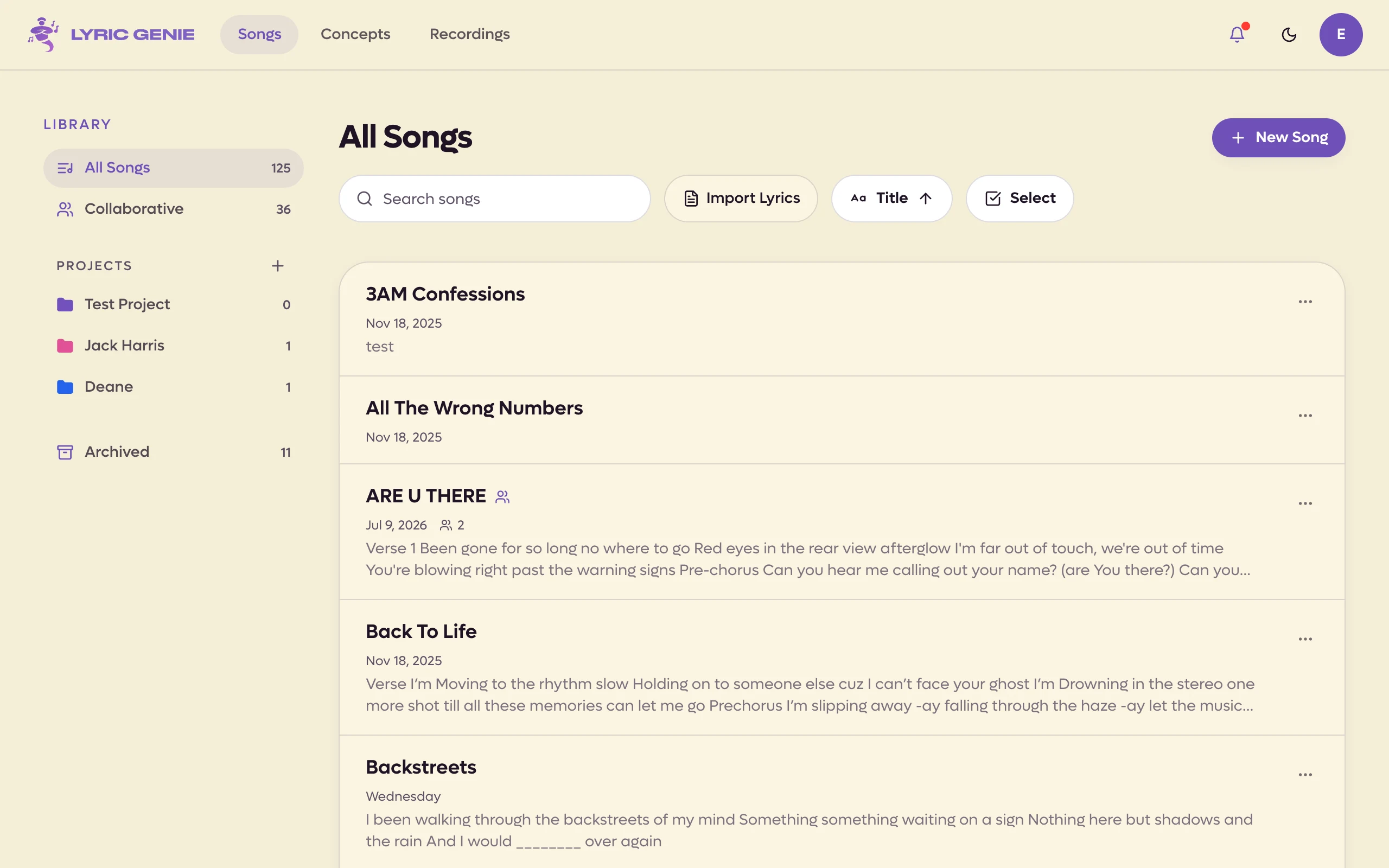
On a desktop, the Library panel runs down the left of the page and is how you move between collections. In a narrow window it becomes its own screen, reached by ‹ Library above the title.
 12
12
- 1Two collections you always have
- 2Folders you make yourself
 123
123
- 1Everything, plus the songs shared with you
- 2Your projects; + makes a new one
- 3Songs you have put away
| Row | What is in it |
|---|---|
| All Songs | Everything you have not archived. |
| Collaborative | Songs with more than one writer. A song joins the moment it gains an invite code, so you never put anything here by hand. |
| Projects | Folders you make. An album, a client, a session. |
| Archive | Songs you have set aside. Hidden until you archive something. |
On the web the last row is called Archived and is always listed.
The count beside each row is how many songs are in it.
The tab remembers where you were, so if you last looked at a project, that is where it opens next time rather than at All Songs.
Where to go from here#
- Songs for what a song holds, how to make one, and the difference between archiving and deleting.
- Projects for the folders.
- The song editor for the screen you land in when you open one.
- Importing files for lyrics you wrote somewhere else. That action lives in this tab's ⋯ menu, which is not where people look. Web app only On the web it is the Import Lyrics button next to the search field.