Collaboration
Notifications
What Lyric Genie tells you about, how it reaches you, and where those messages live once you have missed them.
Showing the iOS appweb app
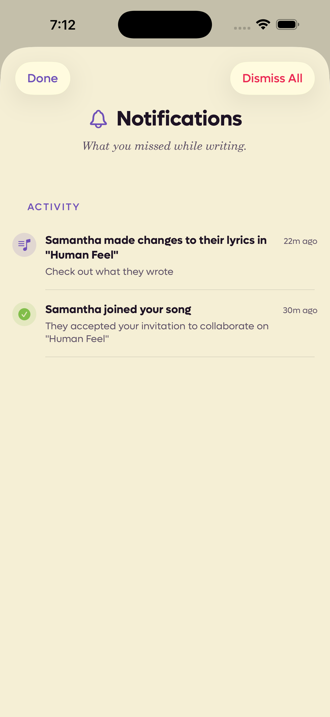
The bell on the Start tab collects everything that happened while you were not looking. A red dot means something is waiting.
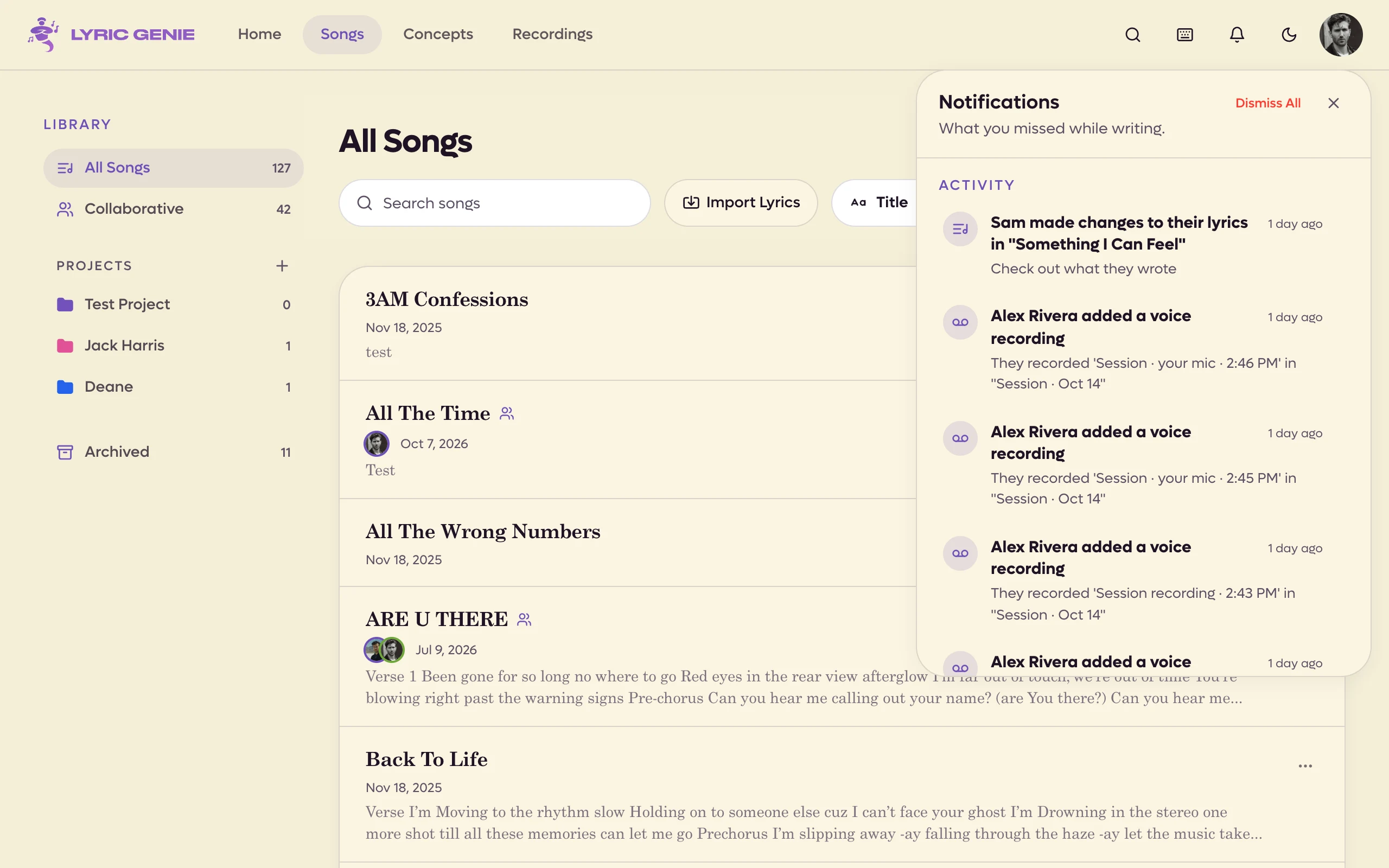
On the web the bell is in the app's top bar. Click it and the list opens over the page. Everything shown is marked read a few seconds after you open it.
 12
12
- 1What a collaborator did, and when
- 2Grouped by kind, newest first
 123
123
- 1What happened, and when
- 2Grouped by kind
- 3Dismiss All
What is in there#
Notifications are grouped, and the groups appear in this order.
| Group | What lands in it |
|---|---|
| Invitations | Someone asking you onto a song, or into a session. |
| Activity | What your collaborators did. |
| News iOS app only | Announcements from us. See below. |
| Reminders | Nudges to pick a song back up. |
| Offers | Occasional offers on Pro. |
The web shows the same groups, with news among the Activity. An offer cannot be redeemed there: opening one tells you to redeem it in the iOS app.
Collaboration events#
Most of what you see comes from shared songs.
- Someone joined your song after accepting an invitation.
- A collaborator changed their lyrics.
- New messages in a song's chat, and lines a collaborator sent you. These are gathered into one item per song, such as 3 new messages in Midnight Drive · From Sam and Alex. It keeps count as more arrive, and it clears itself once you have read the chat, on any device. Opening it opens the chat.
- Someone changed the title, or the mood, theme and similar artists.
- A collaborator added a recording. Opening it shows the song's recordings with that take highlighted.
- A collaborator started a session on a song. Opening it takes you to the session's camera and microphone check. See Sessions.
- A collaboration ended, because you were removed, you left, or the owner deleted their account. You keep a personal copy either way, and the message says so.
Pop-ups while you work#
You do not have to open the bell to see something new. Wherever you are in the app, a new notification slides in at the top right, stays a few seconds, and slides out again. Point at it to keep it there. Click it to go where the bell would take you.
Two kinds stay until you deal with them, as cards:
- An invitation, such as Sam invited you to write a song, or to a session on one. Click Accept (or Join, for a session) or Decline. The × hides the card for this visit, and the invitation waits in the bell. Invitations still waiting show as cards when you open the app.
- A session started. When a collaborator is in a session on one of your recent shared songs, a card says so, for example Sam is in a session on the song, with Join and Not now. It does not show for the song you are on, or for a session you are already in.
Push notifications#
On the iPhone, chat reaches you even when the app is closed. Each message arrives as a push titled with the sender's name, with the song underneath. Lines a collaborator sends you push the same way: Sent you 3 lines, and the first of them.
Reading the chat, on your iPhone or on the web, clears the song's chat notifications from your lock screen and Notification Centre.
Chat pushes need version 2.22 or later of the iPhone app.
News from Lyric Genie#
Now and then an announcement from us, such as a new feature, appears with a megaphone icon. iOS app only On the iPhone they sit under their own News heading, and tapping one opens it in a sheet. On the web they sit among your Activity; click one to open the page it links to.
Announcements only go to people who have Email Updates switched on in Preferences.
Reminders#
Two kinds arrive on their own.
Keep writing. A song you left unfinished, usually with a suggestion attached, like adding a chorus or a bridge with Wish Workshop.
Turn a recording into a song. A voice memo you captured and have not done anything with yet, with its title and length.
Clearing them#
Swipe left on anything to dismiss it. On an invitation, swiping left declines it and swiping right accepts it, so you can deal with one without opening it.
Hover a notification and click the small cross to dismiss it. An invitation has Accept and Decline buttons.
Dismiss All empties the list. It does not undo anything, it only clears the messages.
Turning them off#
Push notifications are a system permission, so they live in the iOS Settings app under Lyric Genie. Email is separate and lives in Preferences, where Email Updates and Monthly Recap can each be switched off. iOS app only
The web app does not send push notifications to your computer. The pop-ups and the bell are where these messages appear while the app is open.