The song editor
Lyric sheets
Turn a finished song into a shareable web page with proper writer credits.
Showing the iOS appweb app
A lyric sheet is a web page of your finished lyrics with the writer credits underneath. You send someone a link and they read the song. No app, no account, no file to open.
It is what you send a publisher, a collaborator's manager, or an artist you are pitching to.
Making one#
From the ⋯ menu in the song editor, choose Lyric Sheet.
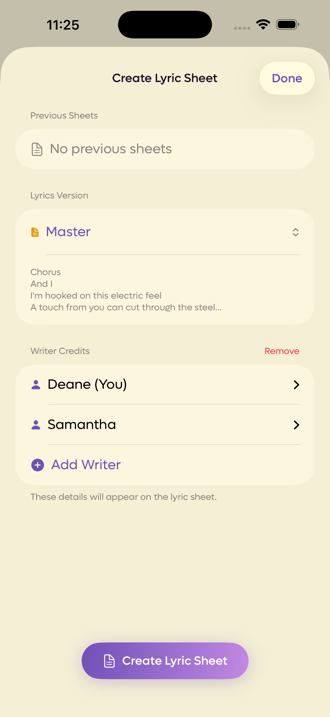
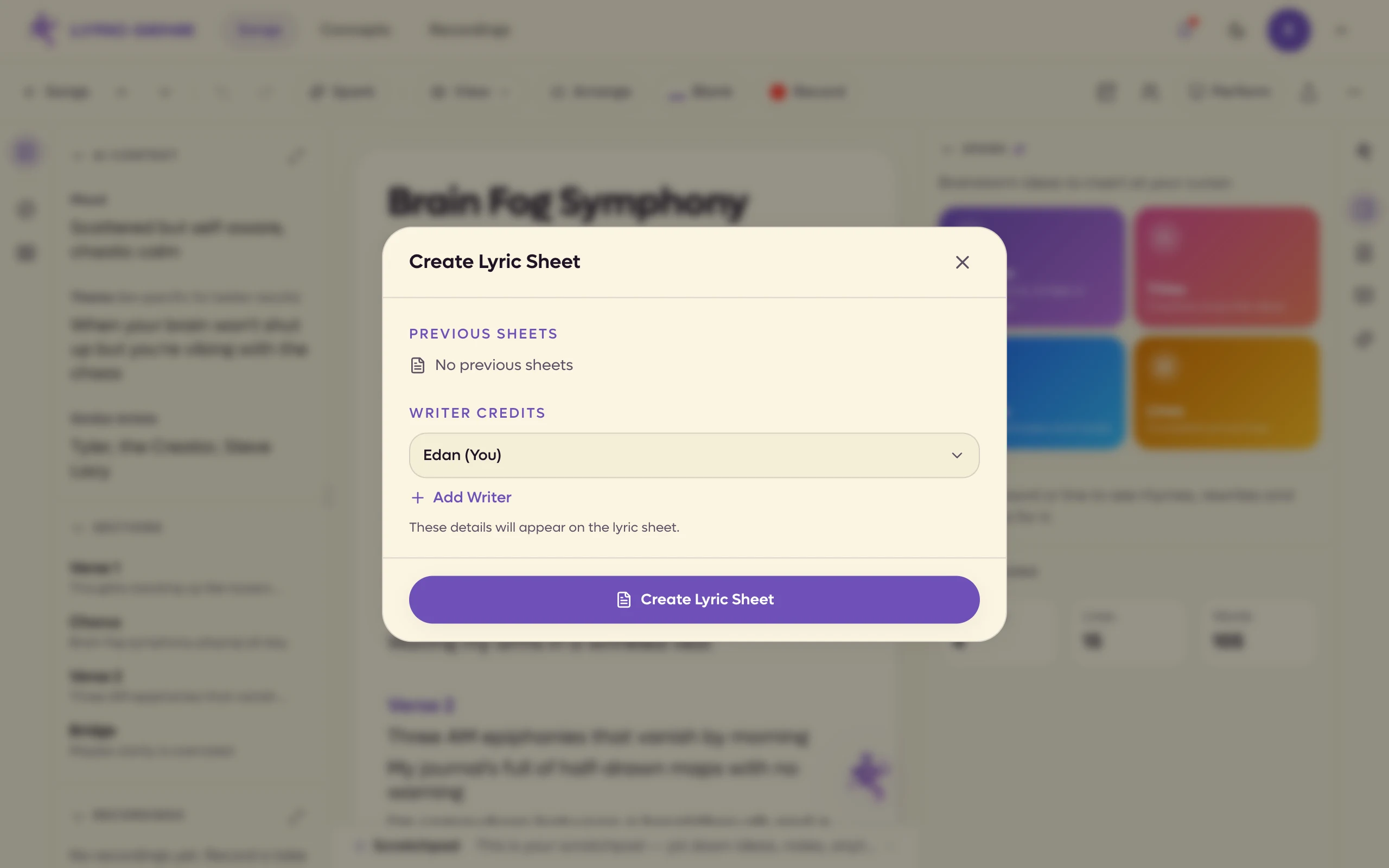
On the web, click the Lyric Sheet button in the song bar (on a phone browser it is in the top bar too). The same Create Lyric Sheet screen opens as a dialog over the editor.
 123
123
- 1Every sheet you have made for this song
- 2Which words go on it, on a shared song
- 3Who wrote it, and how they are credited
 123
123
- 1Sheets you made before
- 2Who wrote it. Click to fill in the details
- 3Makes the page
What your reader sees#
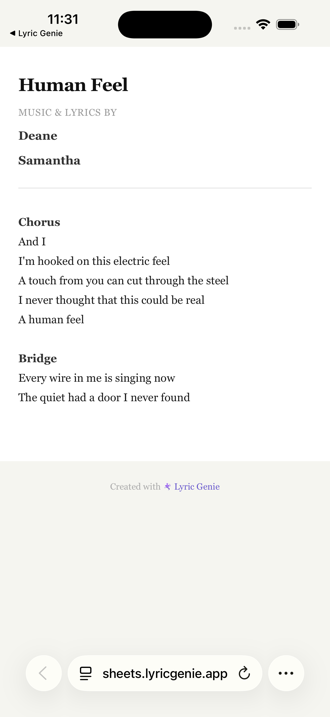
A title, the writers, and the lyrics with their section headings. It reads on a phone or a laptop, and it is the same page whether you send it to a publisher or to a friend.
Writer credits#
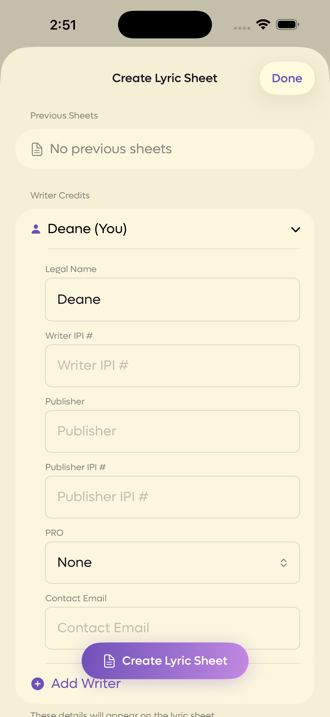
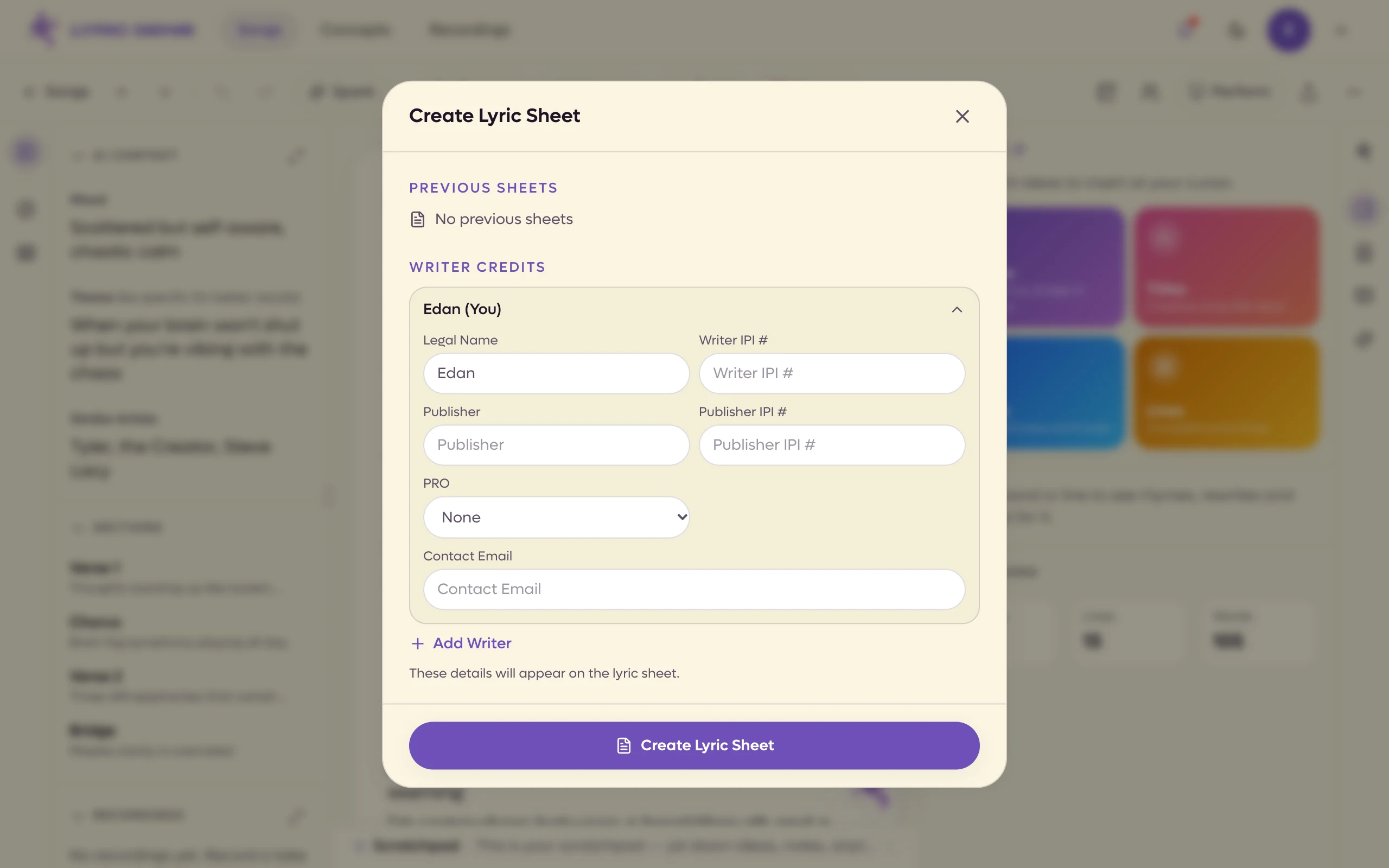
You are added as a writer automatically, with your legal name filled in from your profile. Tap your name to open the rest of the fields.
 12
12
- 1Click the writer to fold it away
- 2Your PRO
| Field | What it is for |
|---|---|
| Legal Name | Your name as it appears on a split sheet, not your artist name. |
| Writer IPI # | Your Interested Party Information number, the identifier your PRO knows you by. |
| Publisher | Your publisher, if you have one. |
| Publisher IPI # | Their number. |
| PRO | Your performing rights organisation: ASCAP, BMI, SESAC, SOCAN, PRS, APRA, or Other. |
| Contact Email | Where business enquiries should go. |
Add Writer adds a collaborator with the same set of fields.
On the web, PRO is a drop-down. Choose Other to type the name of a society that is not listed.
After you create it#
The screen changes to show the finished sheet, with Copy Link and Share Link. Copy Link flips to Copied! so you know it worked.
On the web the link is also copied to your clipboard as soon as the sheet is made. Each row under Previous Sheets has its own copy and delete buttons.
The link lives on sheets.lyricgenie.app, so it is obviously a Lyric Genie
page rather than an anonymous URL.
Every sheet you make is kept under Previous Sheets on this screen, so you can find a link you sent last month without making a new one.
A sheet is frozen#
This is the part worth understanding. A lyric sheet is a snapshot of the lyrics at the moment you created it. Keep writing and the sheet does not change.
That is deliberate. A link you sent a publisher last week should still show them what you sent, not whatever you happen to have typed since.
When you want to share the newer version, make a new sheet.
Taking a sheet down#
Delete a sheet from the Previous Sheets list and the link stops working for everyone who has it. The app says as much before it does it.
On a shared song#
A song with collaborators gains a Lyrics Version picker at the top, so you can choose whose words go on the sheet: the Master, your own tab, or a particular collaborator's.