The song editor
Sections and song structure
How to name a verse, chorus or bridge in Lyric Genie, and what the app does once it knows.
Showing the iOS appweb app
A section header is a line that names the part of the song underneath it. Lyric Genie picks them out, sets them in purple, and then uses them everywhere else.
Naming your sections is optional, and it is the cheapest thing you can do to make the rest of the app work properly.
Making one#
Type the name of a section on its own line. That is the whole technique.
Shorthand is converted when you press Enter at the end of the header line.
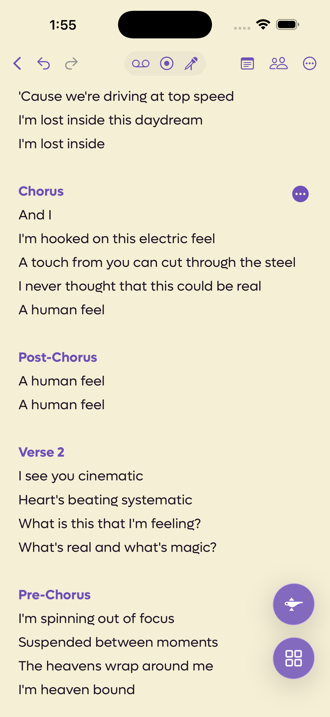 12
12
- 1A header, set in purple automatically
- 2Appears when your cursor is on a header line
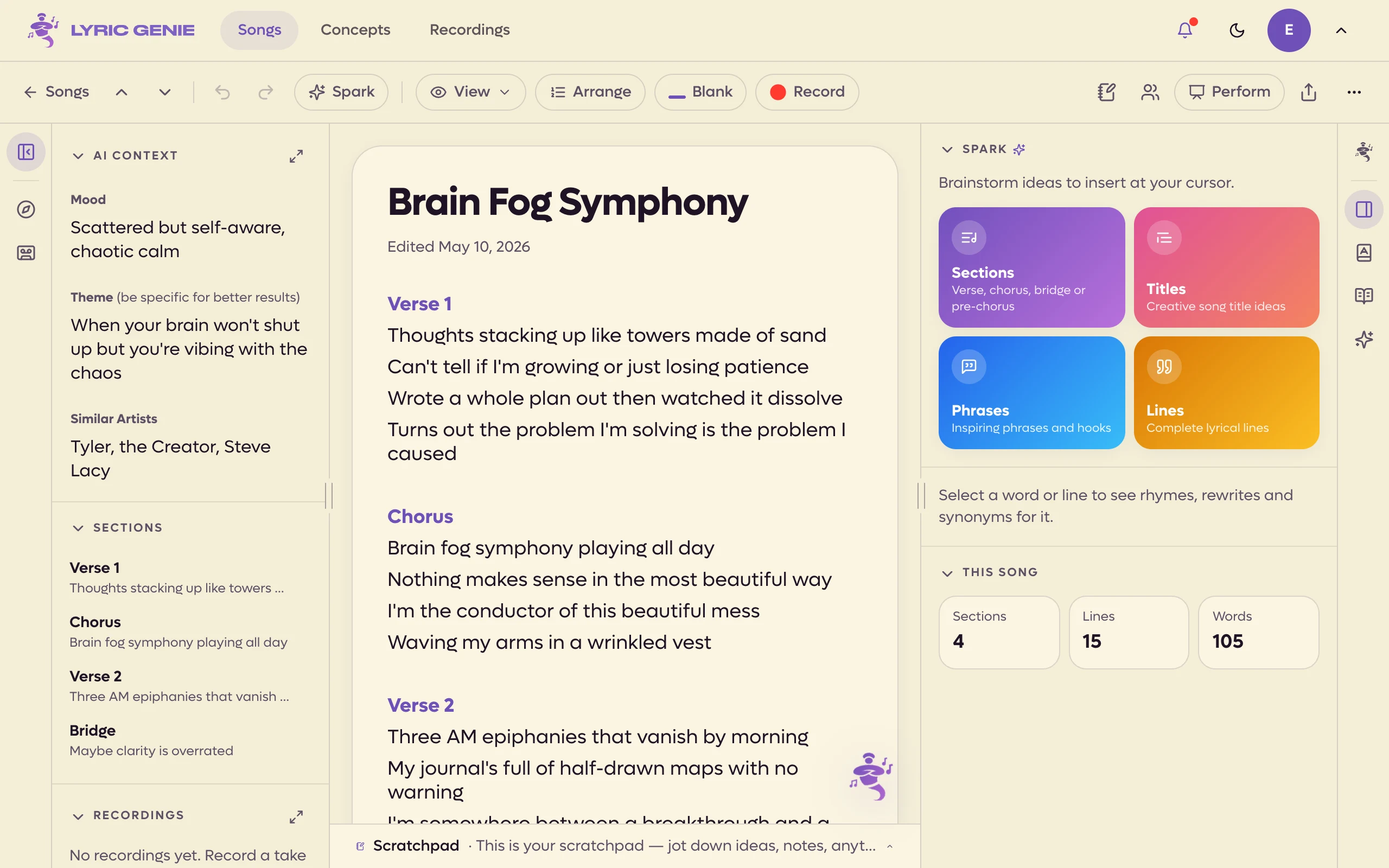 12
12
- 1A section header, in your colour
- 2Click to jump, drag to move a whole section
Brackets are optional. The app strips them, so [Chorus], (Chorus),
**Chorus** and plain Chorus all end up the same. Paste in lyrics from
somewhere else and the headers usually survive the trip.
Shorthand#
You do not have to type the whole word.
| What you type | What you get |
|---|---|
V1, V2 |
Verse 1, Verse 2 |
PC, pre, prechorus, pre chorus |
Pre-Chorus |
HK |
Hook |
post, postchorus |
Post-Chorus |
Repeated sections are numbered for you as the song grows, so a second verse becomes Verse 2 without you counting.
Changing a section's type#
The web has no button for changing a header's type. A header is just a line of text, so to change a Verse into a Chorus, retype the line. The shorthand above works here too.
To move a whole section, use the Sections list in the left panel. It shows every header with the first line under it. Click one to jump to it, or drag one to a new place to move the header and all its lines in one edit. Undo takes it back.
The expand button on the Sections heading, or its icon on the left edge of the window, opens a bigger view that shows every line of each section. Drag a section there to move it, lines and all. On a shared song the heading says whose tab you are looking at: You, Master or a collaborator's name.
Put your cursor anywhere on a header and a button appears at the right of that line. Tap it to swap the section for another type.
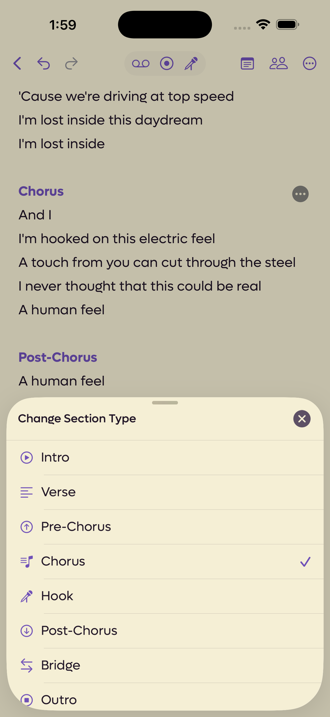
The eight types, in the order the app lists them:
| Type | What it usually is |
|---|---|
| Intro | The way in. |
| Verse | The story, with the details that change each time. |
| Pre-Chorus | The lift that sets up the chorus. |
| Chorus | The hook and the main idea. |
| Hook | The chorus's counterpart in hip-hop. |
| Post-Chorus | The tag that lands after the chorus. |
| Bridge | The contrast, usually once, late. |
| Outro | The way out. |
Why bother#
Sections are not decoration. Four parts of the app read them.
- Arrange mode lets you select a header and take every line under it, which is how you move a whole chorus in one go.
- Perform greys the headers and leaves your lyrics white, so you can see the shape of the song while you sing it.
- Lyric sheets keep the structure when you share the song.
- The Master tab on a shared song files incoming lines by section, and orders them properly rather than in the order they arrived.