Your account
Preferences
Which tab opens, whether suggestions appear as you write, the serif font, and what email you get.
Showing the iOS appweb app
The web app has no separate Preferences screen. Its writing switches are in the Editor section of Settings, and they are shared with the iOS app, so changing one changes it on both. The Editor section also has two Genie switches that are web-only: Floating Genie and Genie can chime in. Default Tab and the two email switches are iOS only.
Preferences is the small set of switches that change how the app behaves for you.
Reach it from Settings, or from the ⋯ menu inside the song editor.
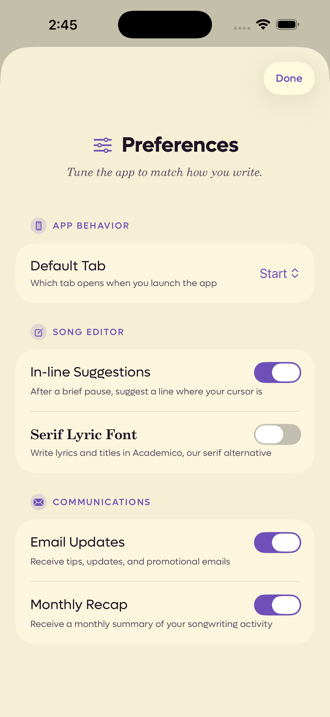 123
123
- 1Which tab the app opens on
- 2Suggestions while you write
- 3Lyrics in a serif face
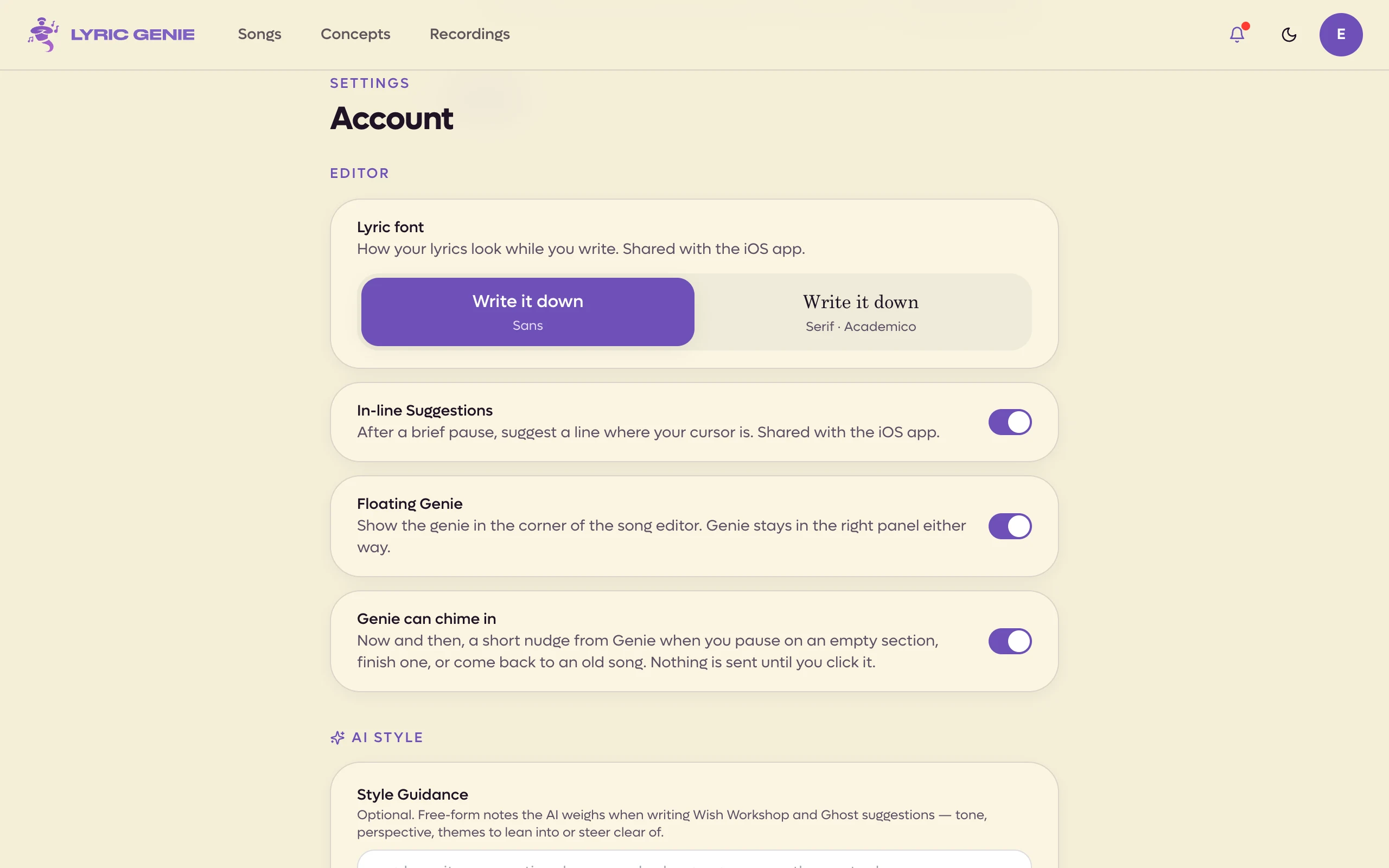 1234
1234
- 1Lyric font
- 2In-line Suggestions
- 3Floating Genie
- 4Genie can chime in
App behaviour iOS app only#
Default Tab decides where the app opens: Start or Songs.
Start is the launch pad, with the four big buttons and your latest songs. Songs is the full list. If you mostly return to work in progress rather than begin something new, Songs saves you a tap every time.
Song editor#
In-line Suggestions offers a line at your cursor after a pause. It has its own page, including what happens when you do not have AI access. See In-line suggestions.
Serif Lyric Font (on the web, Lyric font, a choice between Sans and Serif) sets your lyrics and titles in Academico, a serif face, instead of the default. The label itself is rendered in the serif so you can see what you are choosing before you choose it.
Communications iOS app only#
Two switches, both about email rather than the app.
| Switch | What it sends |
|---|---|
| Email Updates | Tips, updates and occasional promotions. |
| Monthly Recap | A summary of what you wrote that month. |
Push notifications are separate and live in the iOS Settings app under Lyric Genie, because they are a system permission rather than an app preference. What arrives in the app's own bell is covered in Notifications.