The song editor
AI Style
Standing instructions for the AI, including words you never want it to use.
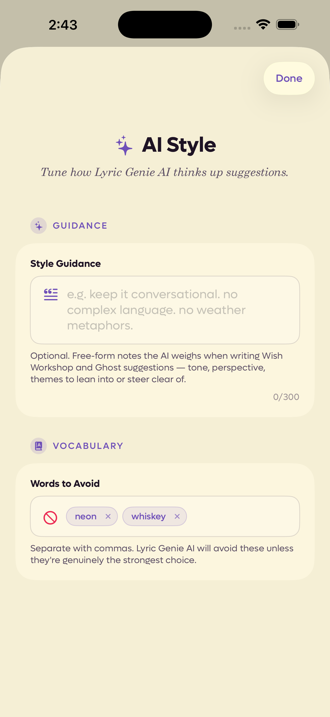
Showing the iOS appweb app
AI Style is where you tell Lyric Genie how you want it to write, once, instead of saying it again in every wish.
Everything here applies to the whole app rather than one song. Open it from the ⋯ menu in the song editor, or from Settings.
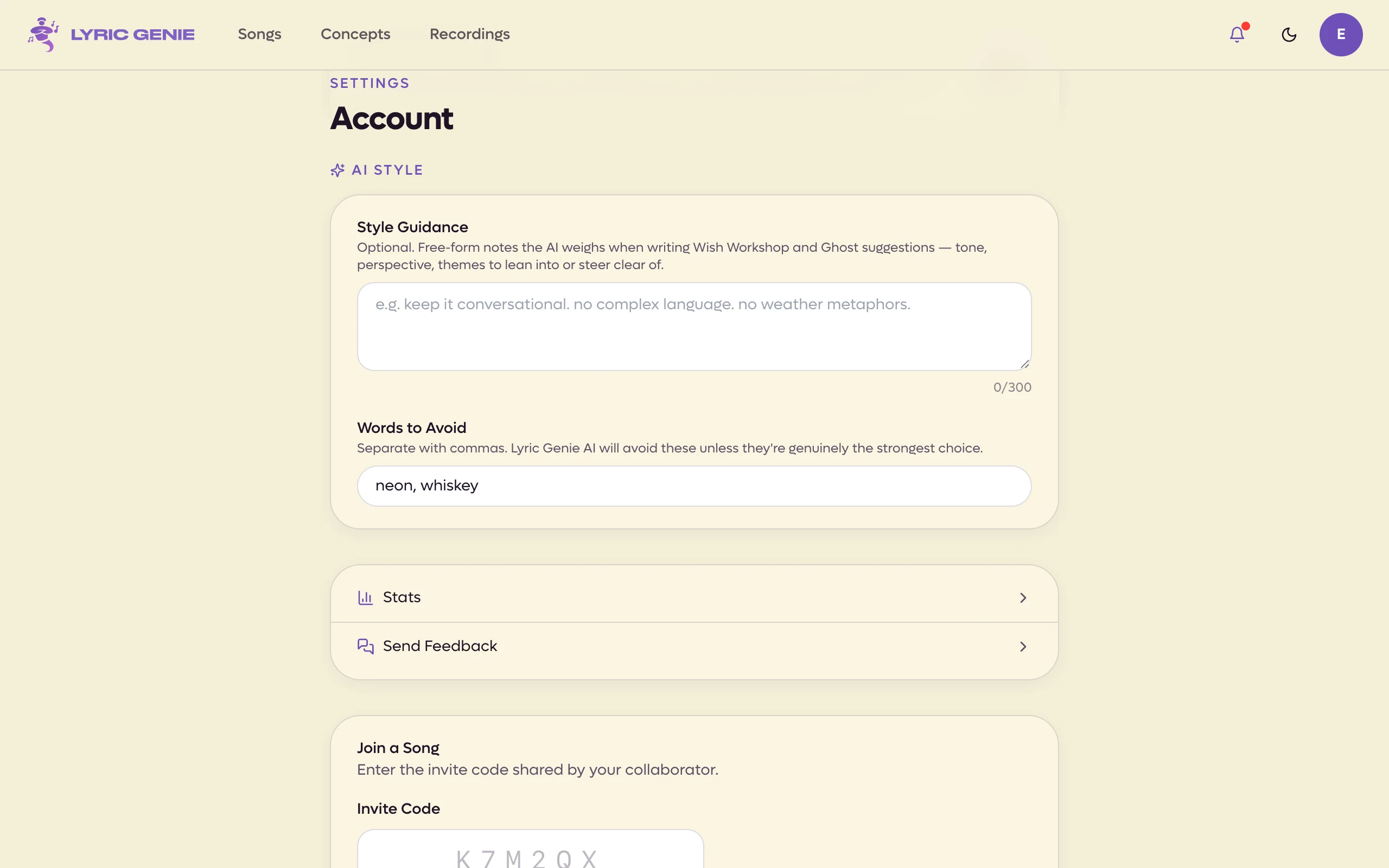
On the web, AI Style is a section at the bottom of Settings, and it saves when you click out of a field.
 12
12
- 1Free-form notes on how you want it to write
- 2Words it will steer around
 12
12
- 1Style Guidance
- 2Words to Avoid
Style Guidance#
A free-form note about how you want suggestions written. Tone, perspective, the things you lean into, the things you are tired of.
The app's own example is a good shape to copy:
keep it conversational. no complex language. no weather metaphors.
Short and blunt works better than a paragraph of theory. You have 300 characters, and the counter turns red as you reach the end.
This is read by Wish Workshop and by in-line suggestions, so it shapes both the things you ask for and the things that appear on their own.
Words to Avoid#
A list of words you do not want to see. Type a word and it becomes a tag; tap the small cross on a tag to remove it.
Songwriters tend to fill this with their own tics, or with the words that every AI reaches for. The app will still use one if it is genuinely the strongest choice, so treat it as a strong preference rather than a ban.
What it does not do#
AI Style is not per song. If you want to steer one song in particular, that is what mood, theme and similar artists are for on the song editor.
It is also not a filter applied after the fact. The guidance goes in before the writing happens, so it shapes the suggestion rather than censoring it.