Your account
Your profile
Your display name and photo, and the writer credits that pre-fill every lyric sheet you make.
Showing the iOS appweb app
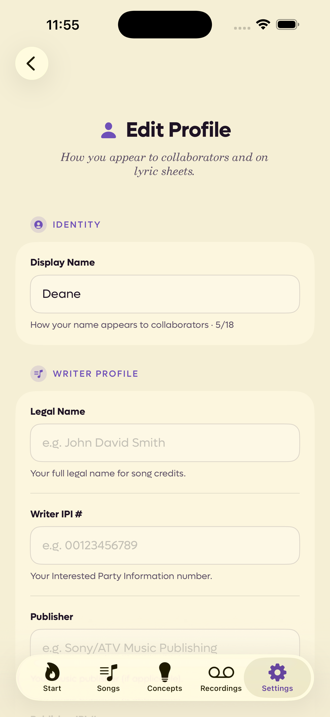
Your profile is two things at once: the name and photo collaborators see, and the paperwork that goes on a lyric sheet.
Open it by tapping your name at the top of Settings.
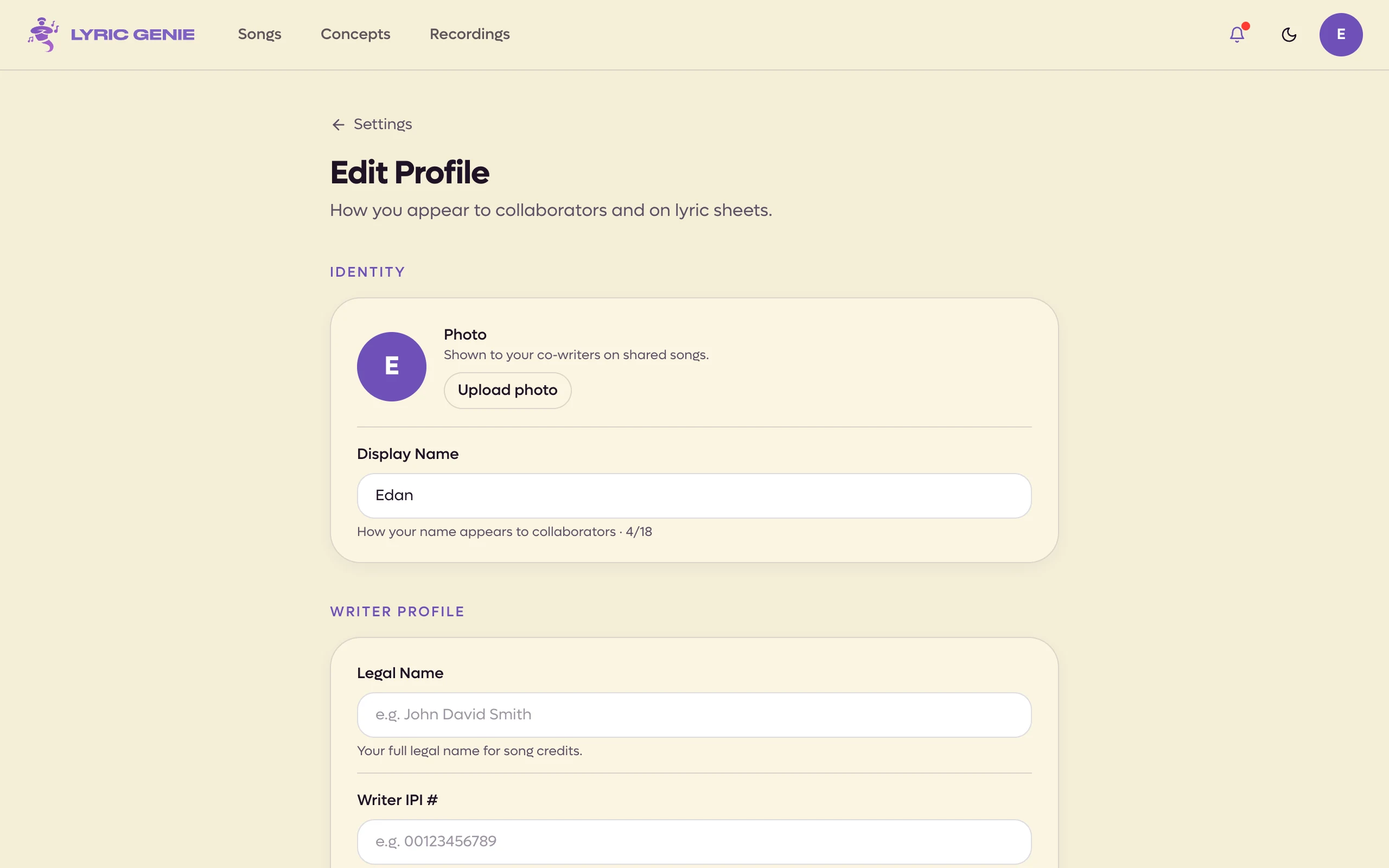
Open it by clicking Profile at the top of Settings, which you reach from the menu under your avatar.
 12
- 1What collaborators see
- 2What a publisher expects
Identity#
Display Name is how you appear on a collaborator tab, in the song's chat and in notifications. Up to eighteen characters, with a counter under the field.
This is your name, not your artist name, unless they are the same thing.
Photo#
Your Photo is what collaborators see beside your name on shared songs. Upload one, use your Google photo, or remove it. When a collaborator changes theirs, the new one shows up straight away.
Photos are in the iPhone app since iOS 2.22. Tap Photo in your profile and choose one from your library. Position your photo opens before anything is saved: drag to move it and pinch to zoom, so it sits in the circle. Tap Save. When you signed in with Google, Use my Google photo is there too.
You can also add a photo during first launch, in the step after your name (iOS 2.23).
When you choose a photo, Position your photo opens before anything is saved. Drag the photo to move it and use the zoom slider to fit it in the circle. Small previews show it at the sizes your collaborators will see. Click Save photo to use it.
Use my Google photo is offered when you signed in with Google, and also when your account has a Google sign-in linked to it, even if you signed in another way this time.
Your photo shows on the Profile row in Settings and on your avatar at the top right of the page. A new account is offered the photo step on its welcome too.
Seeing a collaborator's profile iOS app only#
On a shared song, tap someone in Collaborators to open their profile: their photo and name, their part in the song, what they are doing right now, the roles and experience they gave at first launch, and their email. Their writer details (legal name, IPI, publisher) stay private; those are only for lyric sheets. This needs iOS 2.23.
Writer profile#
These are the details a publisher, a PRO or a split sheet expects. Fill them in once and every lyric sheet you make starts with them already in place.
| Field | What it is |
|---|---|
| Legal Name | Your full legal name, as it appears on a contract. Not your artist name. |
| Writer IPI # | Your Interested Party Information number, the identifier your PRO knows you by. |
| Publisher | Your publisher, if you have one. |
| Publisher IPI # | Their number. |
| PRO Affiliation | ASCAP, BMI, SESAC, SOCAN, PRS, APRA, or Other. |
| PRO Name | Only appears when you choose Other. |
| Contact Email | Where business enquiries should go. |