Start here
First launch
The eight short steps Lyric Genie takes you through the first time you open it, what it does with the answers, and which ones matter later.
The first time you sign in, Lyric Genie takes you through eight short steps before it lets you at the app. Most take a single tap, one is optional, and two of them change how the app behaves afterwards.
The eight steps#
| Step | What it asks | What it does |
|---|---|---|
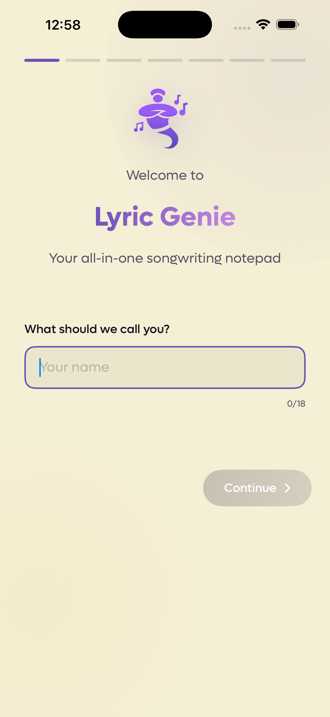
| 1. Your name | What should we call you? | Becomes your display name, which is what collaborators see. Up to eighteen characters. |
| 2. Photo | Add a photo? | Optional. Upload one and crop it, use your Google photo, or skip. Collaborators see it next to your name. |
| 3. Role | What best describes you? | Songwriter, Artist, Producer or Hobbyist. Pick as many as fit. |
| 4. Experience | How much have you written? | From Just Starting to Professional. |
| 5. Where you found us | How did you find us? | Skippable, and the only step that is purely for us. |
| 6. Voice | Enable voice features | The real iOS microphone and speech permissions. |
| 7. Notifications | Stay in the loop | The real iOS notification permission. |
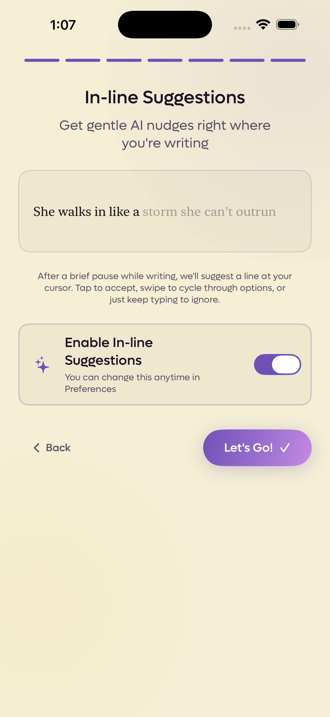
| 8. In-line suggestions | Enable In-line Suggestions | A switch, on by default. |
The Photo step is new in iOS 2.23. Earlier versions have seven steps.
The two that matter later#
Voice. Microphone and speech recognition are system permissions, so this step hands you to iOS. Decline and Freestyle and recording cannot work at all. If you said no and changed your mind, it is in the iOS Settings app under Lyric Genie, not in Lyric Genie itself.
In-line suggestions. The last step is the same switch that lives in Preferences, so whatever you choose here you can change whenever you like. See In-line suggestions.
The ones that do not#
Your role and your experience level are saved to your profile, and that is all they do. They do not steer the writing tools. A professional and a beginner get the same suggestions from the same song.
What actually shapes what the AI writes is the song's AI Context, which is mood, theme and similar artists, and your AI Style settings. Both are per-account or per-song and both can be changed any time.
After the last step#
A new account goes straight into the song wizard, so your first song starts being written rather than you landing on an empty list.
Nothing here is asked again. If you want to change an answer, your name and photo are in your profile, the suggestions switch is in Preferences, and the two permissions are in the iOS Settings app.