The five tabs
The Recordings tab
Every piece of audio you have captured, in one list, whether or not it belongs to a song.
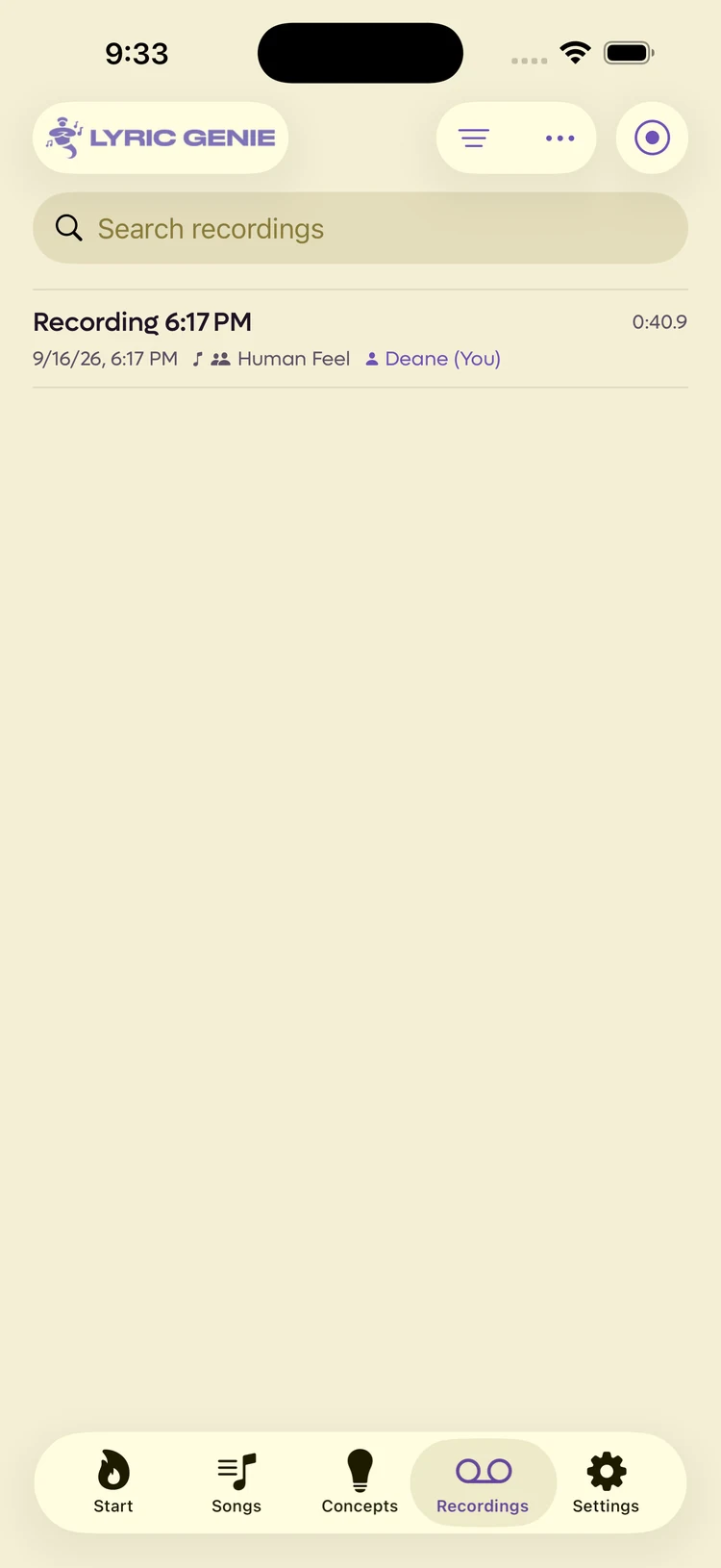
Showing the iOS appweb app
The Recordings tab is a view across all your audio. It is not where recordings are stored, which is the distinction that trips people up: a recording belongs to a song, and this tab lists them all regardless.
 12
12
- 1Filter, sort, and record a new one
- 2The song it belongs to, and who made it
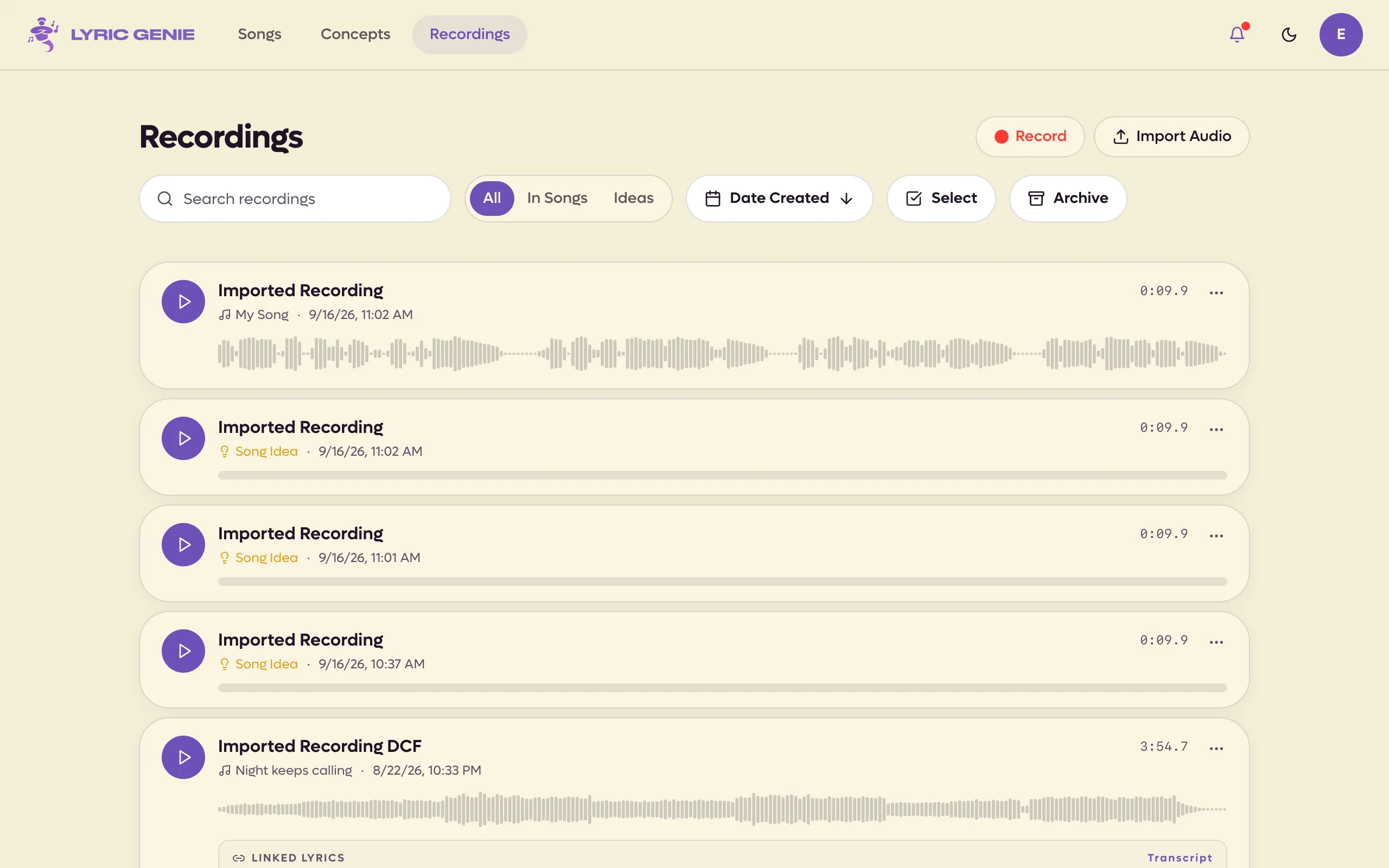
A row shows when it was made, how long it runs, the song it belongs to and the writer who made it. A recording with no song yet says Song Idea instead, and carries buttons for fixing that.
Tap a row to expand it. You get playback, the transcript if there is one, and a ⋯ menu with export, rename, unlink, archive and delete.
Every row shows its waveform straight away, with a play button beside the title. Click anywhere on the waveform to play from that point; starting one recording stops any other that is playing. Click the playing take again to pause it (its row shows a pause icon), and again to carry on. The song name under the title is a link to the song, and a loose recording says Song Idea instead. Click a recording's name to rename it.
Under the waveform, a recording linked to lyrics shows the Linked lyrics it
belongs to, and otherwise its Transcript if it has one, in a small box with
line breaks shown as //. When a recording has both, a switch in the box flips
between them, and a long one opens with Show more. Show in song, beside
the linked lyrics, opens the song on the right tab, scrolls to those lines and
flashes them.
Everything else is in the row's ⋯ menu. For a recording on a song: Open Song, Rename, Download, Archive and Delete. For a loose one: New Song from Idea, Add to Song, Rename, Download, Archive and Delete. On Pro, a take you uploaded also has Download Original, for the file exactly as you uploaded it. See Original files. On a shared song you can only rename, archive or delete your own takes.
Along the top are Record and Upload Audio, a search field that also searches transcripts, an All / In Songs / Ideas filter, a sort menu (date, title or song name, either direction), Select and Archive. Archive is a toggle: while it is on, the button stays purple and a banner says you are looking at archived recordings, with Back to Recordings to leave. Recording and importing in the browser need Chrome, Edge or Safari. See Supported formats.
Several at once#
Press Select (or ⌘-click or Ctrl-click a recording) to pick several. Click rows to add or remove them, Shift-click to take a whole run, and press ⌘A or Ctrl+A for everything the list is showing. A bar at the bottom offers Archive (or Unarchive in the archive), Download, Add to Song when loose recordings are picked, and Delete. Anything an action can't touch, such as a collaborator's take on a shared song, is left alone and counted. Press Esc or Done to stop selecting.
Where to go from here#
- Recordings for the object itself: attaching audio to a song, transcription, formats and storage.
- Recordings in a song for recording while you write, and for tying a take to particular lines.
- Freestyle for singing first and getting lyrics back.