The song editor
Rhymes
The rhyme sheet in Lyric Genie finds multisyllabic rhymes for a whole phrase, not just the last word.
Showing the iOS appweb app
Most rhyming dictionaries take one word and give you words that rhyme with it. Lyric Genie takes your phrase, works out which syllables carry the rhyme, and then looks for words and phrases that match both of them.
That is the difference worth understanding before you use it. It is built for internal and multisyllabic rhyme, not just the word at the end of the line.
Opening it#
Select a line or a word, then tap Rhyme in the row of actions along the bottom of the editor. See Selecting and editing lines.
Select a line or a word and click Rhyme on the selection toolbar. The rhymes open in the Rhymes section of the right-hand panel, beside your lyrics, and a button in the section expands it to full height with every column side by side. On a phone browser it opens as a sheet, as in the app.
With nothing selected, the panel offers rhymes for the last word of the line your cursor is on, and Insert puts the one you pick at your cursor.
The sheet works on one line or less. If Rhyme is greyed out, the selection is too big.
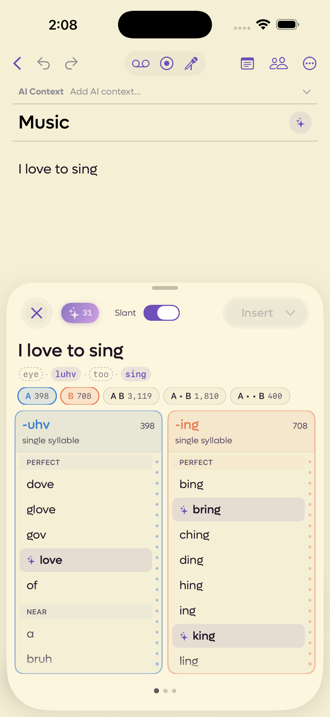 1234
1234
- 1How many of the results the AI picked out for you
- 2Slant loosens what counts as a rhyme
- 3The syllables it is rhyming on. Tap one to move the anchor
- 4Each tab is a different way of combining the two anchors
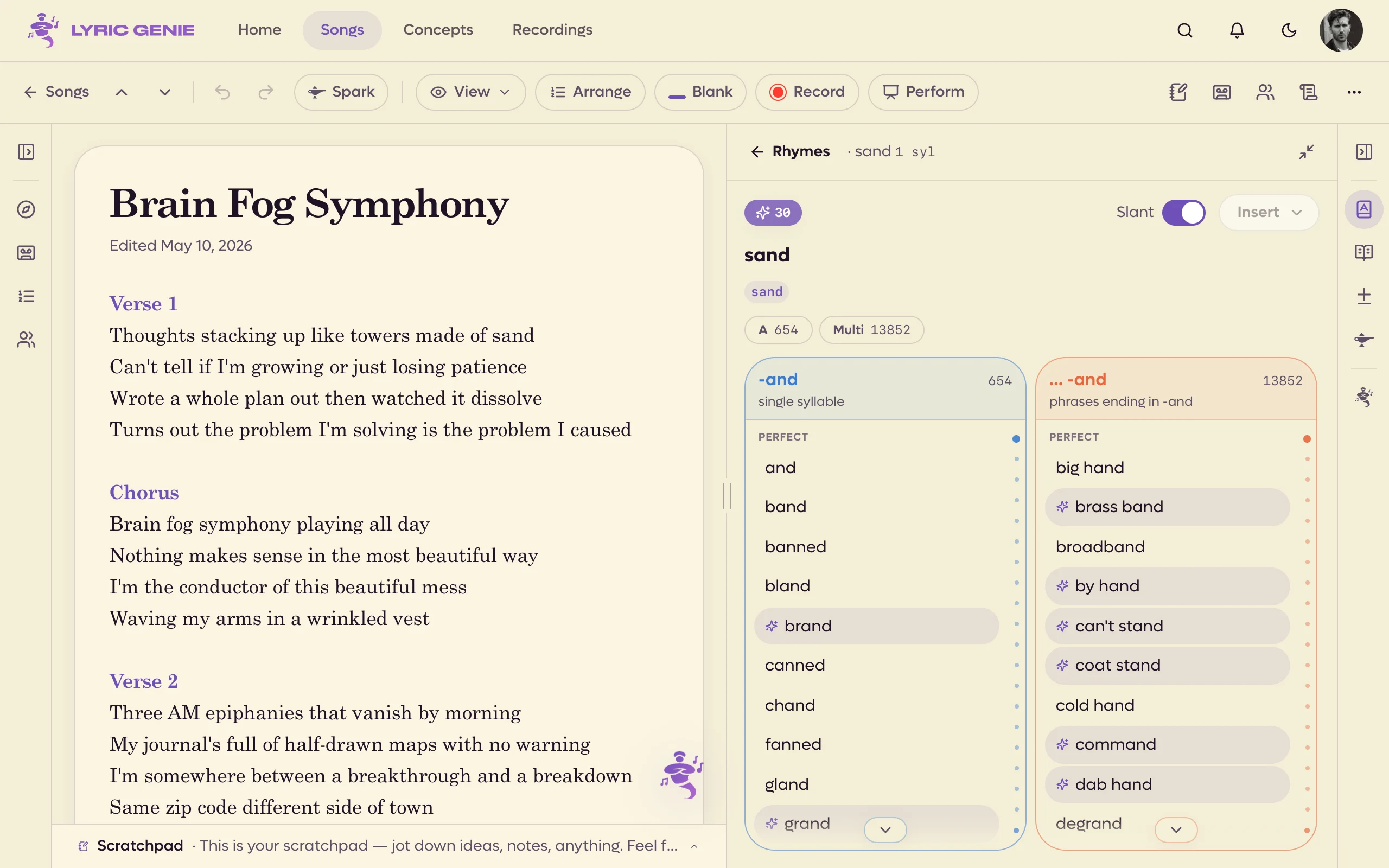 1234
1234
- 1How many of the results the AI picked out. They load by themselves
- 2Slant loosens what counts as a rhyme
- 3The syllables it rhymes on. Click one to move the anchor
- 4Each tab combines the anchors differently
The anchors#
Under your phrase is a row of chips, one per syllable, written the way they sound rather than the way they are spelled. In "I love to sing" they read eye · luhv · too · sing.
Two of them are highlighted. Those are the anchors, the syllables the app thinks carry the rhyme. Everything else on the screen is built from them.
If it picked the wrong ones, tap the chip you want instead. A small reset chip appears so you can put it back.
The columns#
Each tab across the middle is a different relationship between the two anchors, and the number on it is how many results it found.
| Tab | What it finds |
|---|---|
| A | Rhymes for the first anchor on its own. |
| B | Rhymes for the second anchor on its own. |
| A B | Words containing both, adjacent, with no weak syllable between them. |
| A · B | Both, with one weak syllable between them. |
| A · · B | Both, with two or more syllables between them. |
| Multi | Longer phrases ending on the anchor. |
The combination tabs are the interesting ones. Asked for "love" and "sing" adjacent, it returns single words that carry the whole rhyme, like bluffing and blushing. Given a syllable of space it finds abiding and accepting.
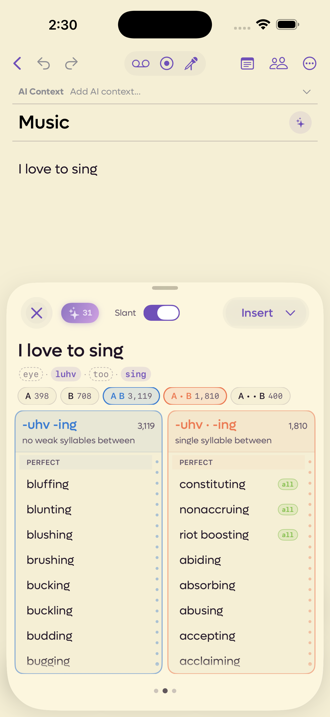 12
12
- 1Both rhymes, back to back
- 2Both rhymes, one syllable apart
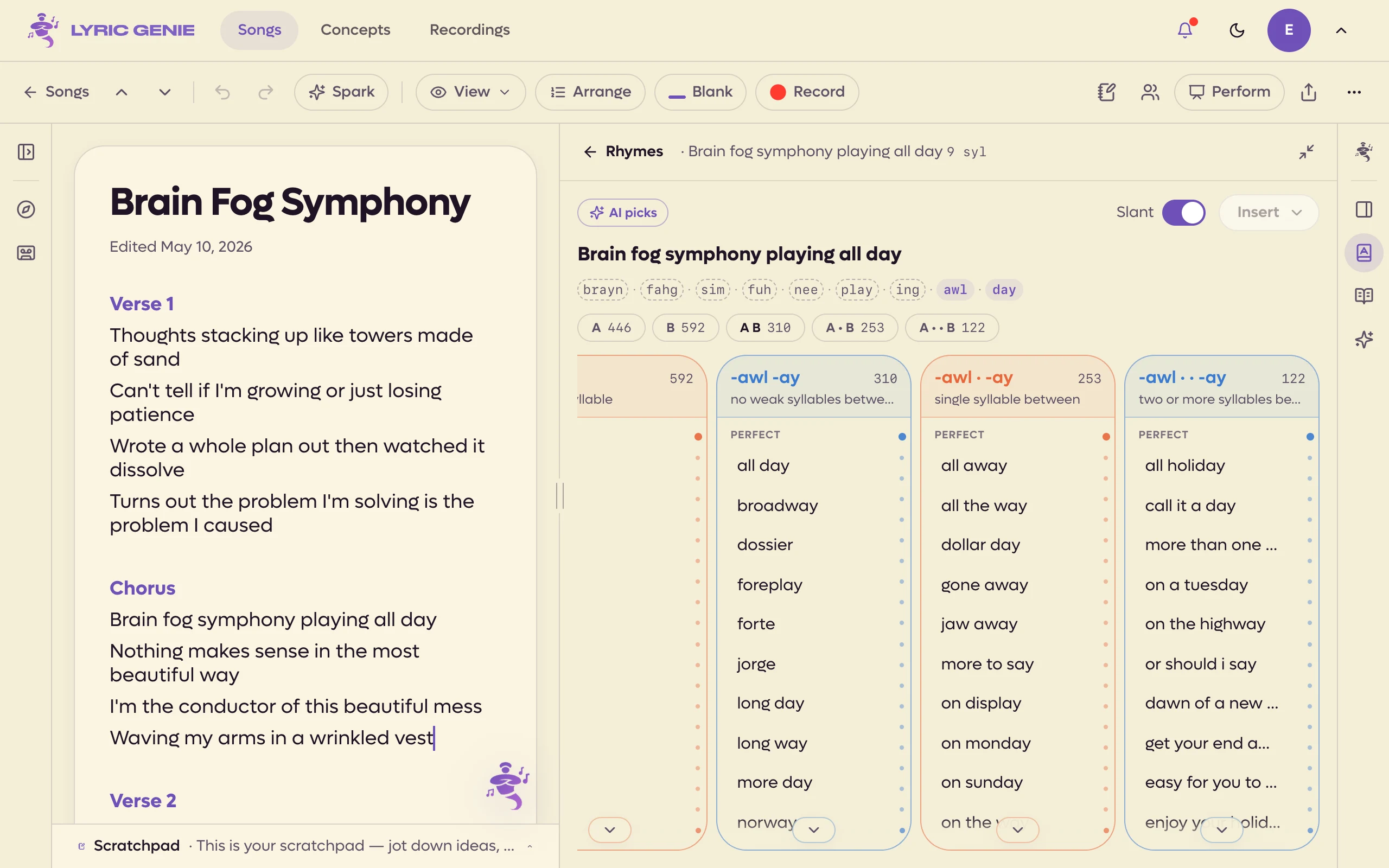 12
12
- 1Both rhymes, back to back
- 2Both rhymes, one syllable apart
How close a rhyme is#
Results are grouped into Perfect and Near within each column, so the exact matches are at the top and the approximate ones below.
The Slant switch at the top widens the net further, letting in rhymes that share a vowel shape without matching cleanly. Turn it off when you want only the tight matches.
AI picks#
The sparkle badge at the top left counts the results the AI thought were worth your attention, and those words are highlighted in the lists. Tap the badge to filter the columns down to just those picks, and tap it again for the full list.
It is a way through a column of three thousand results. The ordering is a suggestion, not a verdict, and the full list is still there underneath.
Since web 0.8 the picks load by themselves, about three seconds after the rhymes show, in the right-hand panel as well as the phone sheet. There is no button to press.
Trying it without the app#
RhymeGold is a free web version of this rhyme sheet, and it is the quickest way to get a feel for how the anchors and the columns behave before you commit to a line. It runs the same engine over the same dictionary: type a phrase and you get the same syllable anchors, the same Slant switch, and the same combination columns with their counts.
The one thing it does not do is AI picks. Those read your song's mood, theme and lyrics to decide what is worth your attention, and none of that exists on a web page, so they stay in the app.
No sign-up, and it works on a desktop browser, which makes it handy for a writing session where the phone is not the thing you are typing into.
RhymeGold is a free, no-sign-up web version of this rhyme sheet, handy when you only want to look up a phrase and not open a song.
Taking a word#
Tap a word to pick it, and the Insert button at the top right wakes up. The chevron beside it opens the other options.
- Insert at Top and Insert at Bottom put it in without replacing anything.
- Add to Scratchpad parks it for later.
- Copy takes it out of the app.
Looking up more than one word#
You do not have to close the sheet to try something else. Tap the phrase at the top and type a different word or phrase.