What you make
Recordings
Audio, where it lives, and how it attaches to a song.
Showing the iOS appweb app
A recording is a piece of audio. You make one by recording in the app, or by importing a file you already have.
Every recording either belongs to a song or does not yet. Both kinds appear in the Recordings tab, which is a list of all your audio regardless of where it came from.
See The Recordings tab for that list and its controls.
The two ways audio gets created#
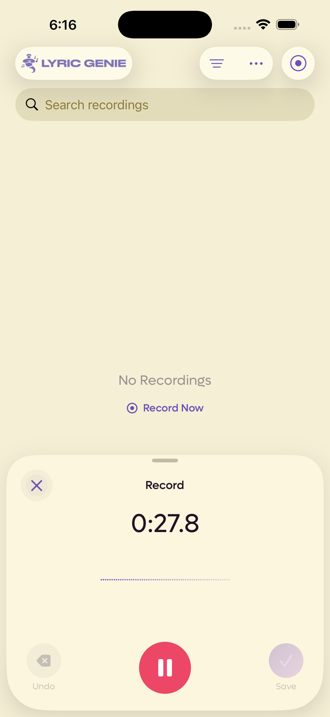
Recorded inside a song. Open a song, record, and the audio is attached to that song from the moment you stop. It also shows up in the Recordings tab.
Recorded or imported on its own. Record from the Start tab, import a file into the Recordings tab, or say "Hey Siri, record an idea in Lyric Genie", and there is no song to attach it to yet. It sits in Recordings unattached, as an idea. See Siri and the Action Button.
Recorded or imported on its own. Click Record or Upload Audio at the top of the Recordings page, and there is no song to attach it to yet. It is saved as an unattached recording, which the web app calls an Idea. A record bar docks at the bottom of the page while you record.
Recording on the web needs Chrome, Edge or Safari. Firefox cannot record or import audio, because it cannot make the AAC audio Lyric Genie stores. See Supported formats.
Telling the two apart#
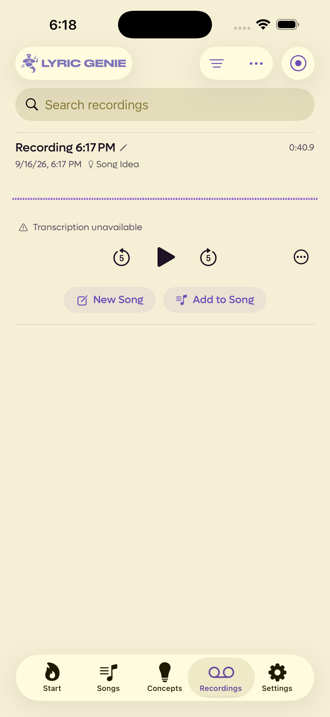
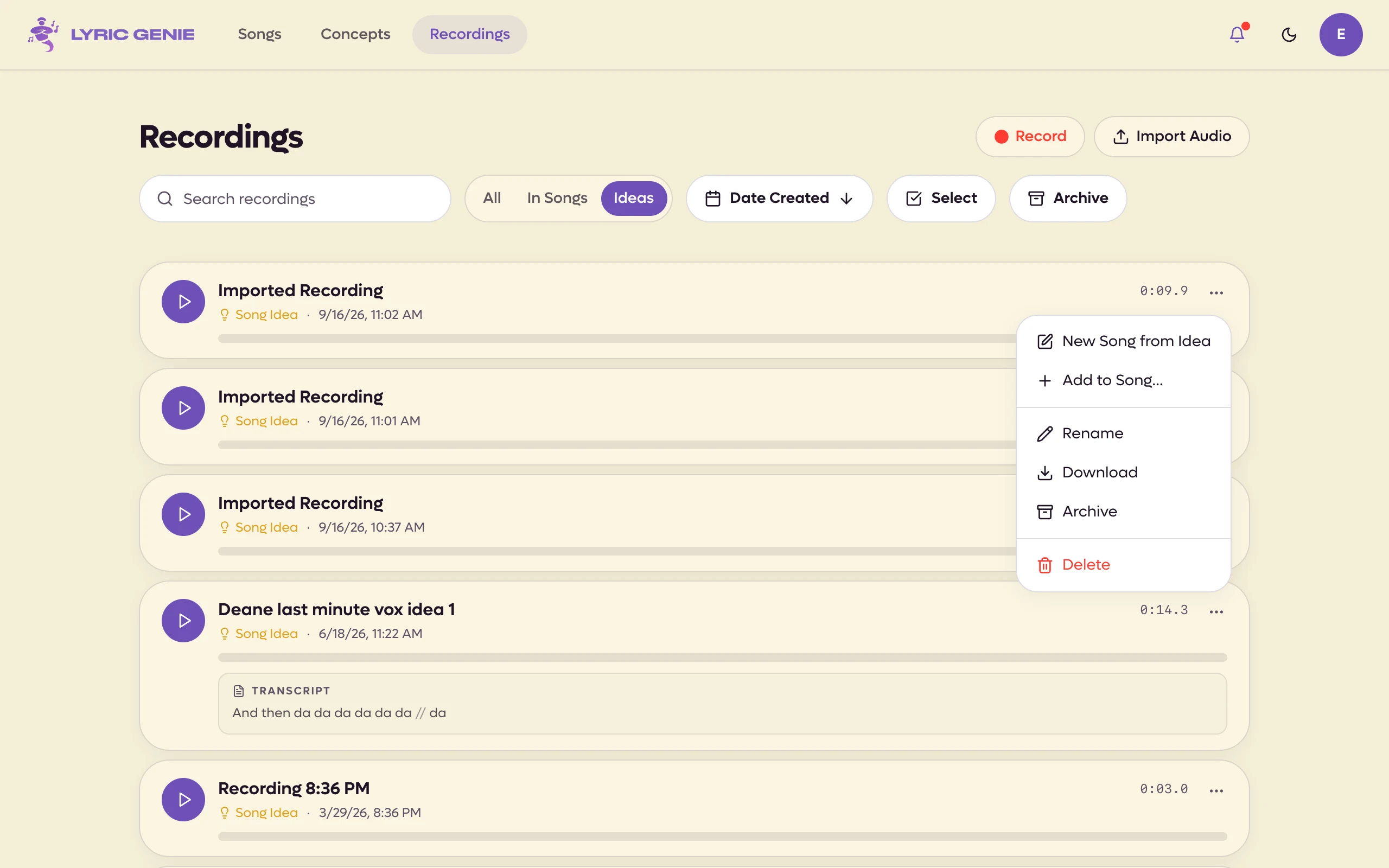
The label on a row is the fastest way to know which kind you are looking at.
 12
12
- 1No song yet
- 2Two ways to give it one
 12
12
- 1Song Idea: not in a song yet
- 2New Song from Idea, Add to Song
An unattached recording says Song Idea and offers New Song and Add to Song. Once it belongs to a song, the label becomes the song's name and both buttons disappear, because there is nothing left to decide.
Attaching one to a song#
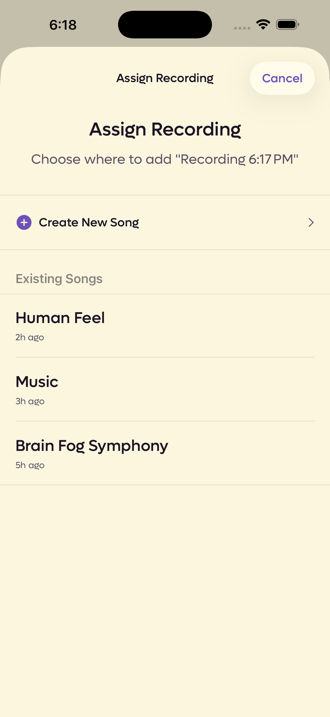
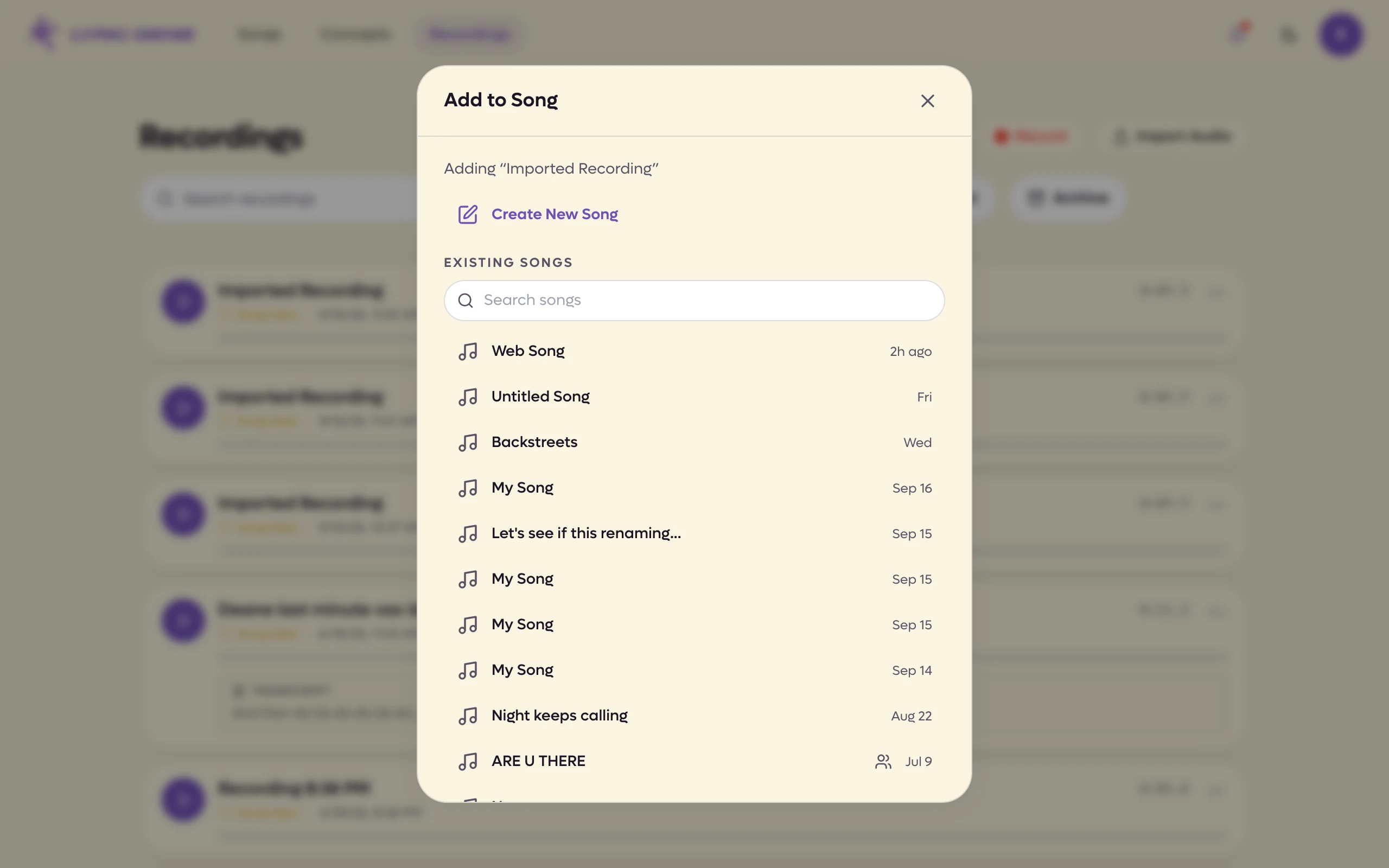
Add to Song opens a picker of everything you have written.
 12
12
- 1Create New Song
- 2Search your songs
What you can do to a recording#
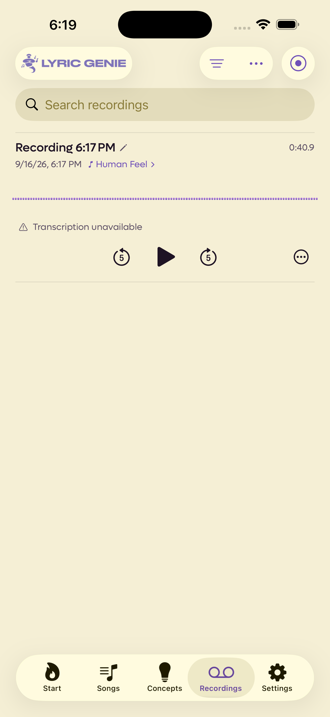
Tap a recording to expand it, and a ⋯ button appears with everything you can do to it. The pencil beside the title renames it.
| Action | What it does |
|---|---|
| Export | Sends the audio out of the app, through the iOS share sheet. This is the only way to get a take onto your computer. |
| Unlink from Lyrics | Breaks the tie between a take and the specific lines it was anchored to. Only appears when there is a link to break. |
| Download Original | Pro. Saves the file you imported, exactly as it was. Only appears when one was kept. See Original files. |
| Archive | Takes it out of the list without deleting it. Becomes Unarchive afterwards. |
| Delete | Permanent, and it asks first. |
Archived recordings live in their own list, the same way archived songs do. An empty one says No Archived Recordings.
On the Recordings page every row's ⋯ menu holds its actions, for a take on a song as well as a loose one.
| Action | What it does |
|---|---|
| Open Song | Opens the song the take belongs to. |
| New Song from Idea | Loose takes only. Starts a song named after it, with the take attached. |
| Add to Song | Loose takes only. Moves it onto a song you pick. |
| Rename | Edits the title in place. Clicking the name does the same. |
| Download | Saves the audio to your computer as an M4A file. |
| Download Original | Pro. Saves the file you uploaded, exactly as it was, such as a WAV. Only appears when one was kept. See Original files. |
| Archive | Takes it out of the list without deleting it. Becomes Unarchive afterwards. |
| Delete | Permanent, and it asks first. |
On a shared song you can rename, archive and delete only your own takes. The Archive button at the top of the page switches to the archived list and stays highlighted until you switch back. Inside a song, the Recordings section also links a take to the lines it belongs to, with Link to Lyrics and Unlink from Lyrics in its ⋯ menu, and on a shared song Send to Chat shares it in the collaborator chat. To do the same to many takes at once, use Select on the Recordings page (see The Recordings tab).
Transcription#
Recordings can be transcribed to text. That is what Freestyle is built around: you sing or speak, and the words come back as lyrics you can edit.
The web app does not transcribe yet. It shows the transcript of a recording that was transcribed on iOS, and lets you Copy it or Insert into Lyrics.
Transcription needs a network connection and recording does not, so a network problem costs you the words and not the audio. A recording made with nothing to hear says Transcription unavailable, which is honest rather than broken.
What gets stored#
Audio is stored as M4A. Files you import in other formats are converted to M4A during import, which is why a large WAV becomes a much smaller file once it is in the app. The conversion happens on your device.
On the web it happens in your browser, and recordings you make there are saved as M4A too, so they play on your iPhone.
Recording length is capped per recording, and total storage is capped per account. The free plan holds 60 minutes in total with each take capped at 5 minutes. Current numbers for both plans are on Plan limits.
Deleting recordings you no longer need frees the space back up.
The web app stops a take at the per-recording cap and says so, but it does not show the iOS low-storage alerts. Usage & Stats in Settings shows how much you have used.
Original files#
When you import an audio file, Lyric Genie converts it to M4A so it plays everywhere. On Pro, the file you imported is also kept exactly as it was, so a WAV or AIFF bounce of your demo is still there at full quality when you need it.
- Up to 250 MB a file. A bigger file still imports as usual, but the original isn't kept.
- 10 GB in total. Once you reach it, new imports aren't kept until you delete some originals.
- Collaborators can download them too. On a shared song, everyone on it can save the original of any take that has one, so a collaborator gets your full-quality WAV without you sending it. In the web app that's Download Original on the take; the iPhone app shows it on your own takes only, for now.
The import screen tells you whether the original is being kept. Audio you send in the collaborator chat is kept the same way.
To get one back, choose Download Original in the take's ⋯ menu. It names the file type, such as Download Original (WAV).
Settings, then Original Files under Library, lists every original with its size and date, and how much of the 10 GB you are using. Tap the download button on one to save or share it, or swipe left to delete it.
Original Files in Settings opens a page listing every original with its size, how much of the 10 GB you are using, and a search box and sort. Download or delete them one at a time, or use Select to delete several.
Deleting an original never deletes the recording. The playable copy stays.