Collaboration
Inviting a collaborator
Share a song with another writer using a one-time invite code. No email required, it does not need Pro, and a song holds up to eight collaborators.
Showing the iOS appweb app
Collaboration in Lyric Genie works on invite codes. You generate one, your collaborator types it in, and the song appears in their app with both of you on it.
Nothing is emailed. The screen is called Add Collaborator, so people expect an email to go out, and it does not.
How many people#
A song can have up to eight collaborators, you included. Invites that nobody has used yet count too, so with six writers on a song and two codes out, it is full until someone uses a code or an invite is cancelled.
When a song is full, inviting stops with a message saying so: A song can have up to 8 collaborators, and with the collaborators and open invites it has, this one is full. A ninth person trying to join is turned away the same way.
Sending an invite#
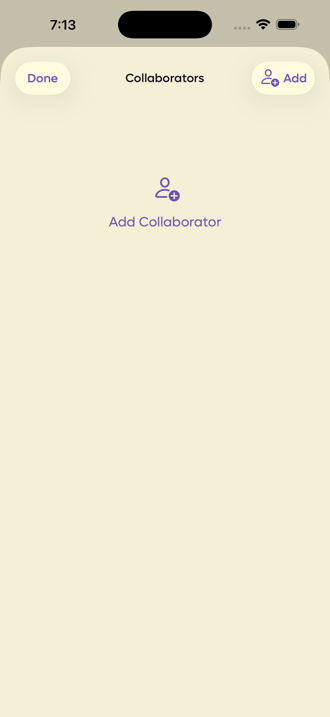
Open the song, tap Collaborators in the toolbar, then Add Collaborator.
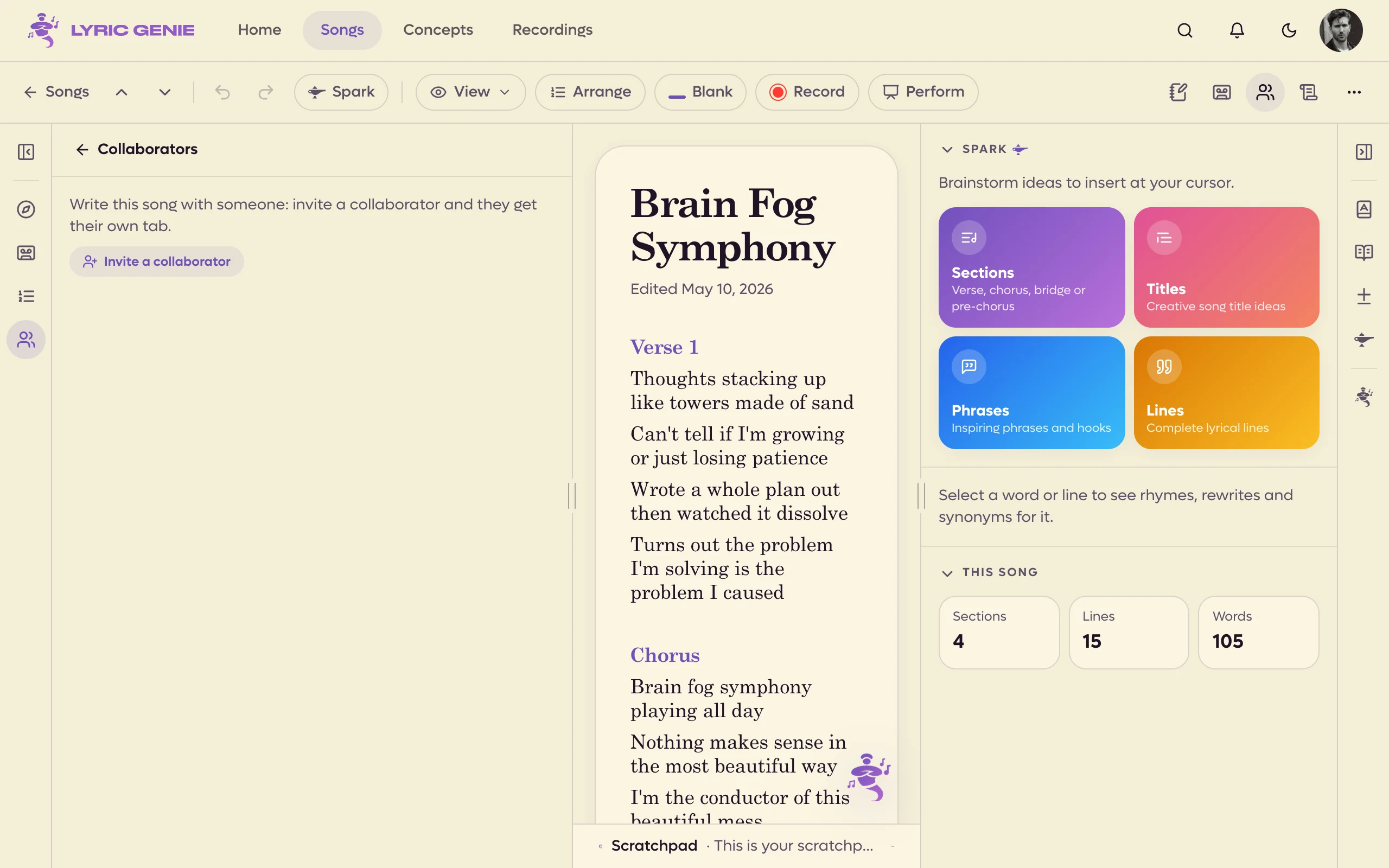
Open the song and find the Collaborators section of the left panel (at the top, once the song is shared). Click Invite a collaborator, or Another invite if you have made one already. A picker titled Invite Collaborators opens. Tick what you want and click Invite:
- New collaborator gets an invite code to share with anyone.
- Previous collaborators lists people you have shared songs with, with how many songs you have together. Ticking one emails them an invitation to this song. They accept it from their notifications. Until they do, the invitation shows under Collaborators as Invited, with a Cancel button.
 12
12
- 1Invite a collaborator
- 2Collaborators, from the song bar
Pick + New Collaborator and confirm, and the app generates a code.
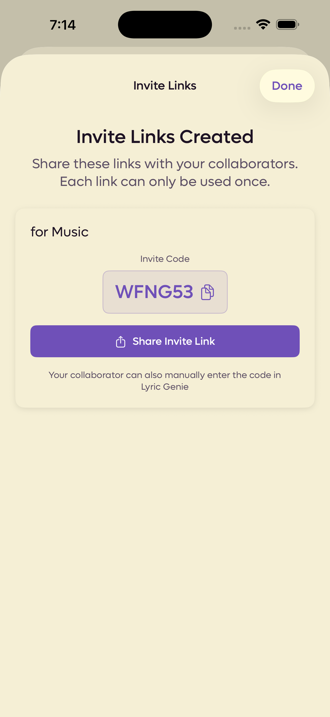
On the web, a code appears as a card under Collaborators. It has a copy button, Share Invite Link and Copy link. Several people can be invited at once, and each gets their own numbered code.
 12
12
- 1Six characters, good for one use
- 2Or send the link instead
Share Invite Link hands it to any messaging app you like. The code on its own works too, if you would rather read it down the phone.
Each code can only be used once. Inviting two people means generating two codes.
Joining a song#
The person you invited goes to Settings, then Song Invite Code.
On the web there are several ways to the same Join a Song box:
- Join with code at the top of the Songs page, or press
Jthere. - Got a code from a collaborator? on Home, shown until you have a shared song. Click Join a song.
- Joining a collaborator? Enter their code, under the choices on the last step of the welcome a new account sees.
- Join a song with a code in the command palette (
⌘KorCtrlK). - Settings, then Join a Song.
Type the code and the invitation appears once you have entered all six characters, showing who invited you. Click Join Song to accept.
Opening an invite link#
An invite link (lyricgenie.app/invite?...) opens a small page that asks where
you want to open the song, and shows the invite code.
- On an iPhone or iPad, choose Open in the iPhone app or Continue on the web.
- On a computer, choose Open in your browser. On a Mac, which can run the iPhone app, Open in the Lyric Genie app is offered too.
It is the same account either way. On the web, the code is already filled in, so you only have to click Join Song. If the code came from a session, or the song has a session going, the web takes you straight to the session's camera and microphone check. See Sessions. If you do not have the app yet, the page links to the App Store.
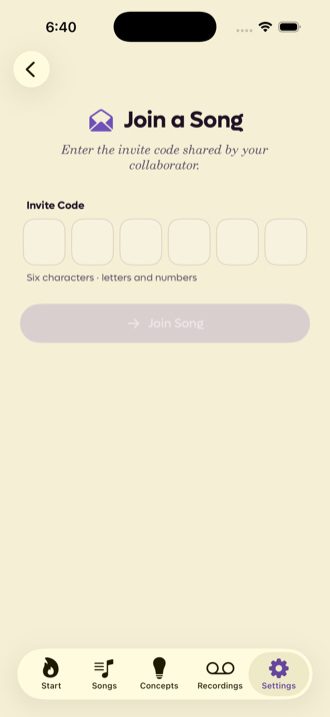
Type the code, tap Join Song, and the song opens with both writers on it. It also lands in their Songs list from then on.
A person invited by email sees the invitation as a card at the top right of the app, with Accept and Decline, and at the top of their notifications, under Invitations. See Notifications.
When a code is refused#
The person joining gets a specific message rather than a generic failure, and each one means something different.
| What it says | What happened |
|---|---|
| Invalid invite code format | It is not six characters. Usually a typo or a missing character. |
| Invite code not found or already used | Codes are single use. Someone has already joined with it, or it was never real. |
| This invite code has expired | Codes do not last forever. Generate a fresh one. |
| You're already a collaborator on this song | They are on it. It will be in their Songs list. |
| You must be signed in to use invite codes | They opened the screen before signing in. |
| A message that the song is full | It already has eight collaborators. See How many people. |
In every case the fix is the same on your side: generate another code and send it again. Nothing is consumed by a failed attempt.
Who is on the song#
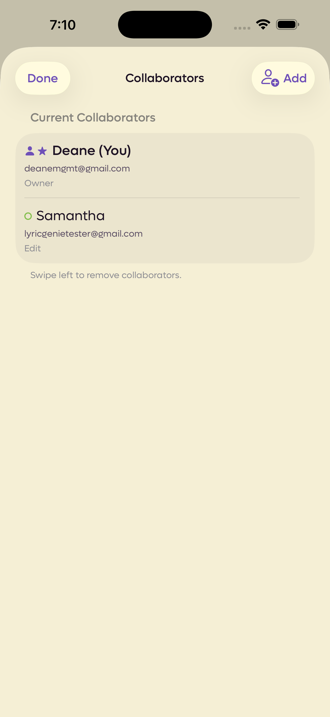
Back on the Collaborators screen you can see everyone.
On the web it is the Collaborators section of the left panel, and a row of avatars in the song bar shows who is in the song right now. Each writer has a live status there, such as what section they are writing in. See Collaborator tabs.
 12
12
- 1The owner, marked with a star
- 2A collaborator, in the colour they get on their tab
The owner is the person who made the song, marked with a star. Everyone else has Edit, which lets them write, arrange, record and send lines.
Each collaborator is given a colour here, and it is the same colour their tab carries in the editor. See Collaborator tabs.
Removing someone#
Swipe left on their row. The app asks before it does anything.
Only the song's owner can remove a collaborator. In the Collaborators section, open the ⋯ beside their name and choose Remove from song. It asks first.
Stop sharing#
If you shared a song and nobody has joined it yet, you can make it a solo song again. Only the owner can do this.
Open the Collaborators screen, tap ⋯ at the top right, and choose Stop sharing.
Click the ⋯ button on the Collaborators section's header and choose Stop sharing.
It asks first. Any invite codes nobody has used, and any email invitations still waiting, stop working, and the Master tab goes away.
If the Master tab has lyrics on it, you choose what happens to them: Add to my lyrics puts them in your lyrics, and Move to scratchpad puts them in your scratchpad.
You can share the song again whenever you like. Once someone has joined, Stop sharing is no longer offered.
Deleting a shared song#
You cannot. A song with collaborators on it refuses to be deleted, and archive is offered instead. That is deliberate: deleting it would take the song away from people who have been writing in it.
The one exception is a shared song of yours that nobody has joined yet. Its ⋯ menu, in the song list or the song itself, offers Stop Sharing & Delete in place of Delete. It asks first, then its invite codes and invitations stop working and the song is deleted, for good.