The song editor
Arrange mode
Reorder, duplicate and delete whole lines of a song without editing the words.
Showing the iOS appweb app
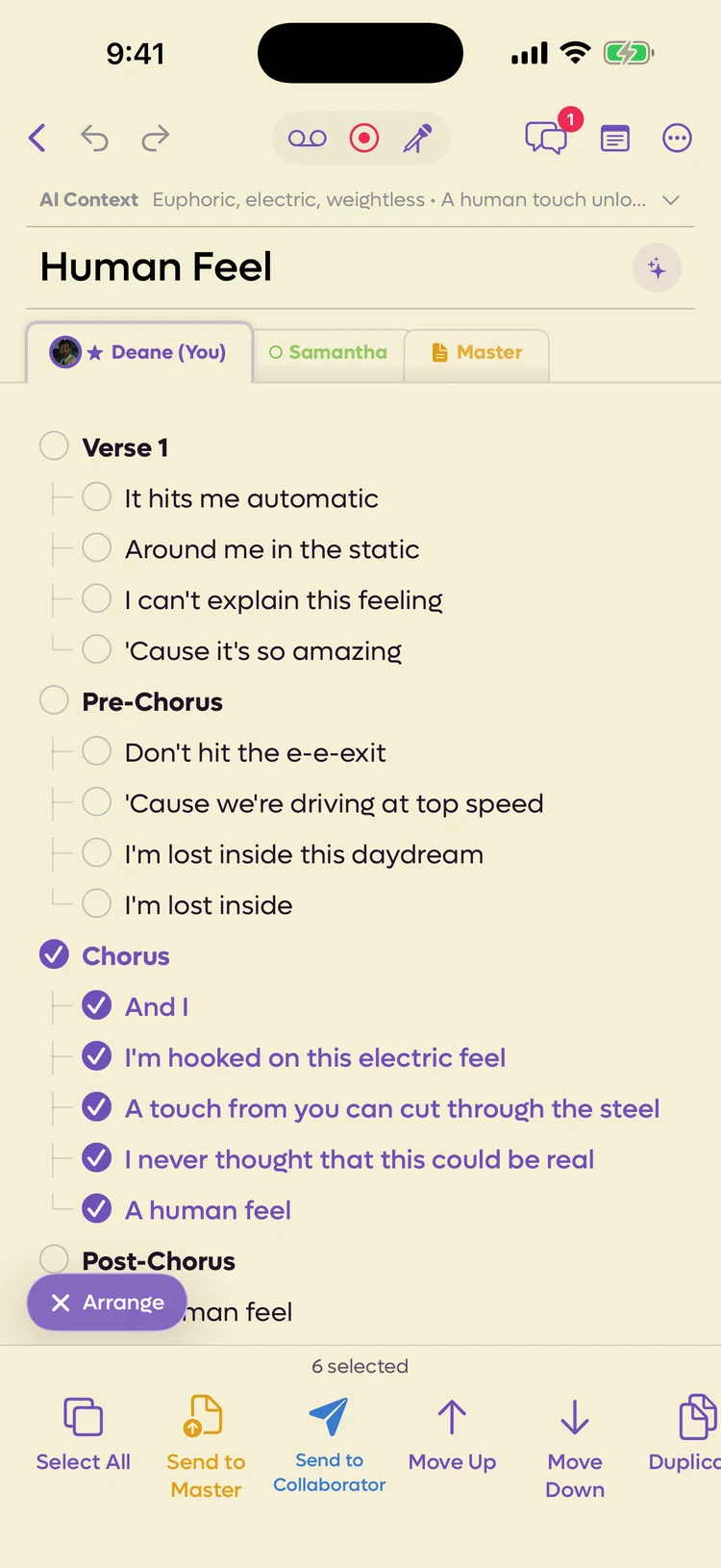
Arrange mode turns your lyrics into a checklist. Instead of a cursor and a keyboard you get a checkbox on every line, and a row of actions that move those lines around.
It is for structure. Use it when the words are right but they are in the wrong order, or when a verse needs to become two.
Getting in and out#
Tap Arrange at the left of the bar along the bottom of the editor. You can also select some text and choose Arrange Lines from the bar, which opens Arrange mode with those lines already ticked.
To leave, tap the ✕ Arrange pill that sits just above the Arrange bar (✕ Arrange Master on the Master tab). This is iOS 2.23; before that, the same button sat at the bottom right.
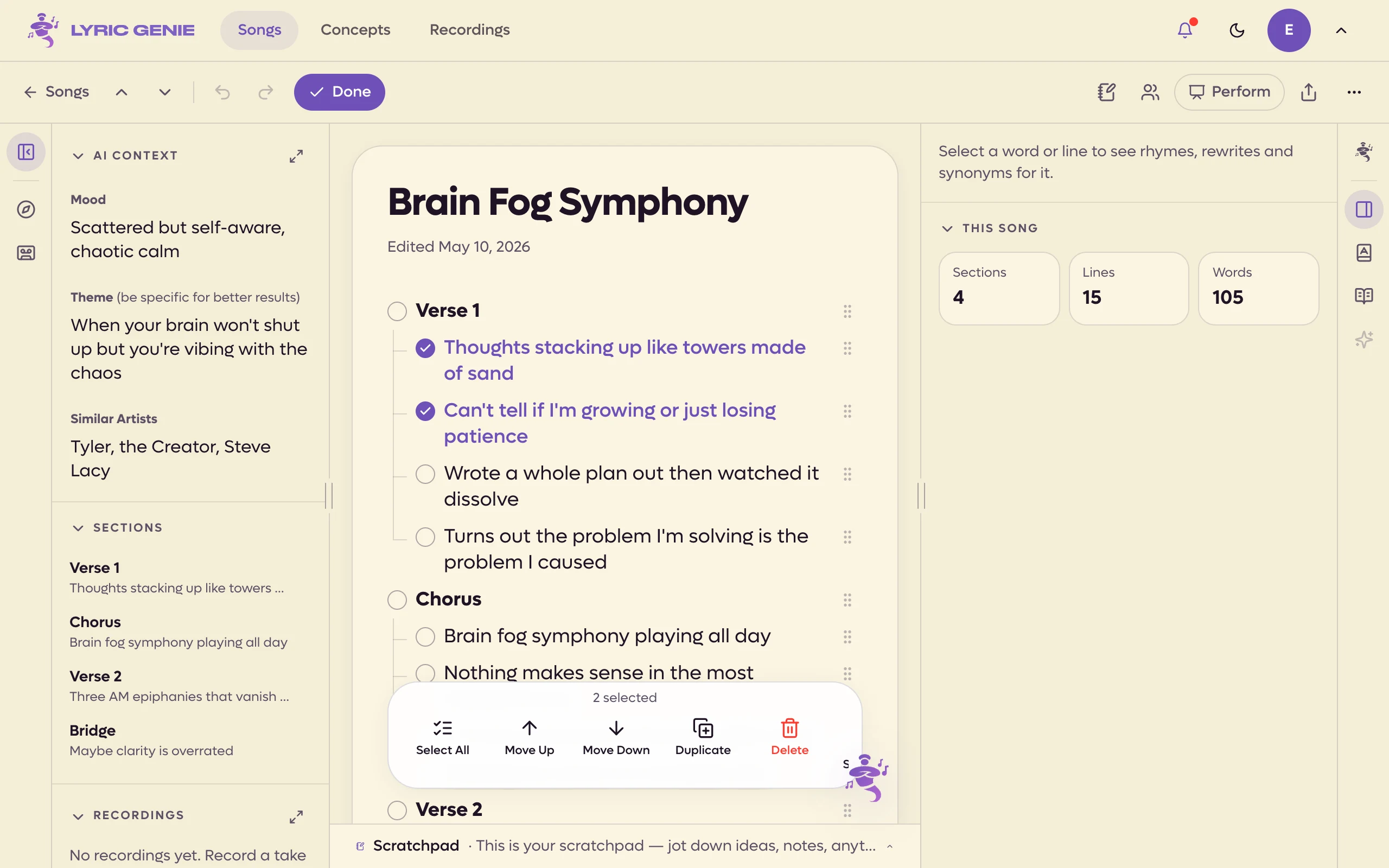
Click Arrange in the song bar. The pill turns into Done, and clicking that takes you back to writing. On a phone browser, Arrange is in the bar along the bottom of the editor.
 1234
1234
- 1Tap a line to select it
- 2Tap a section header and the whole stanza comes with it
- 3✕ Arrange: back to typing
- 4What to do with the selected lines
 12345
12345
- 1Click to tick a line
- 2A header ticks its whole section
- 3Arrange becomes Done while it's on
- 4What to do with the ticked lines
- 5Drag to move a line
Selecting#
Tap any line to select it, and tap it again to let it go. The count in the middle of the bottom bar tells you how many you have.
Click a line or its checkbox to select it, and click again to let it go. The actions sit in a bar along the bottom of the lyrics.
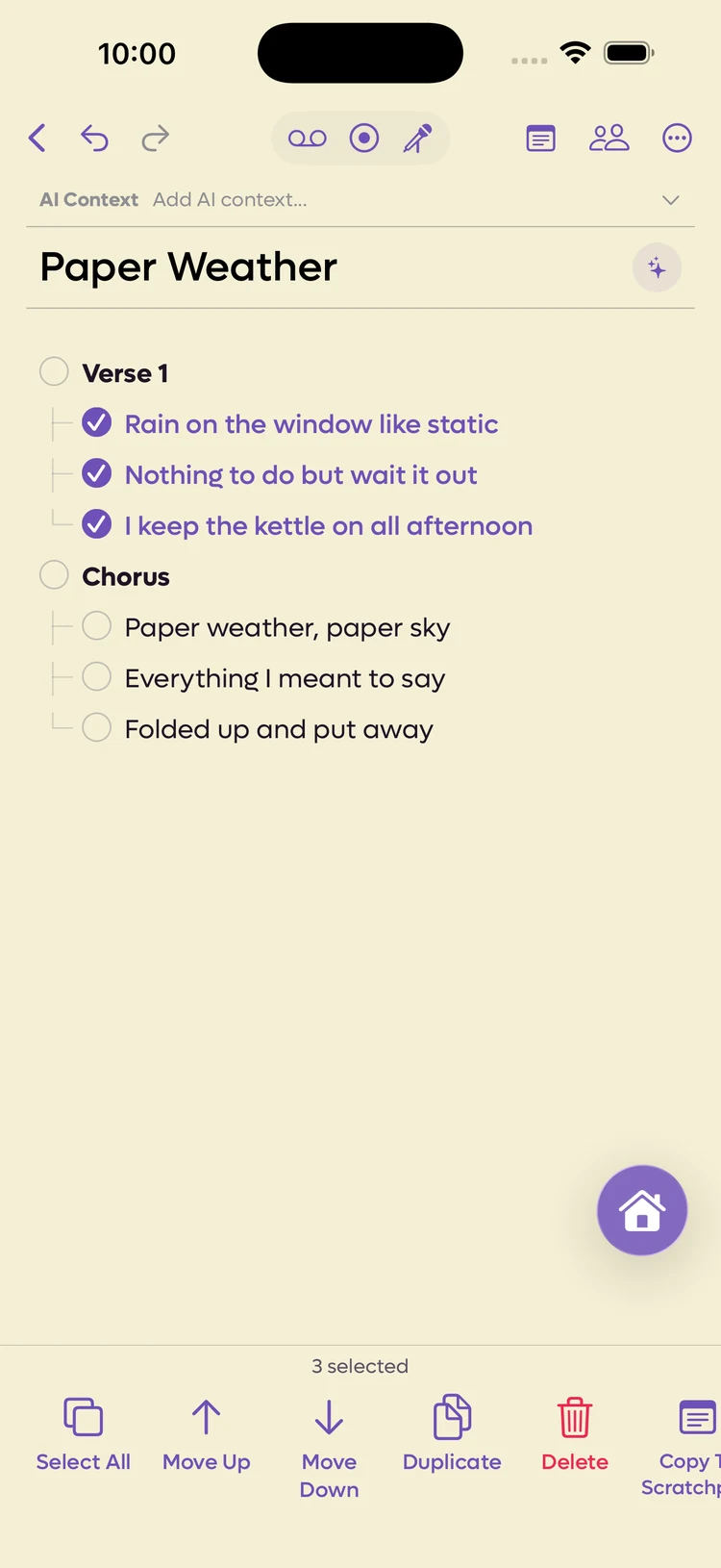
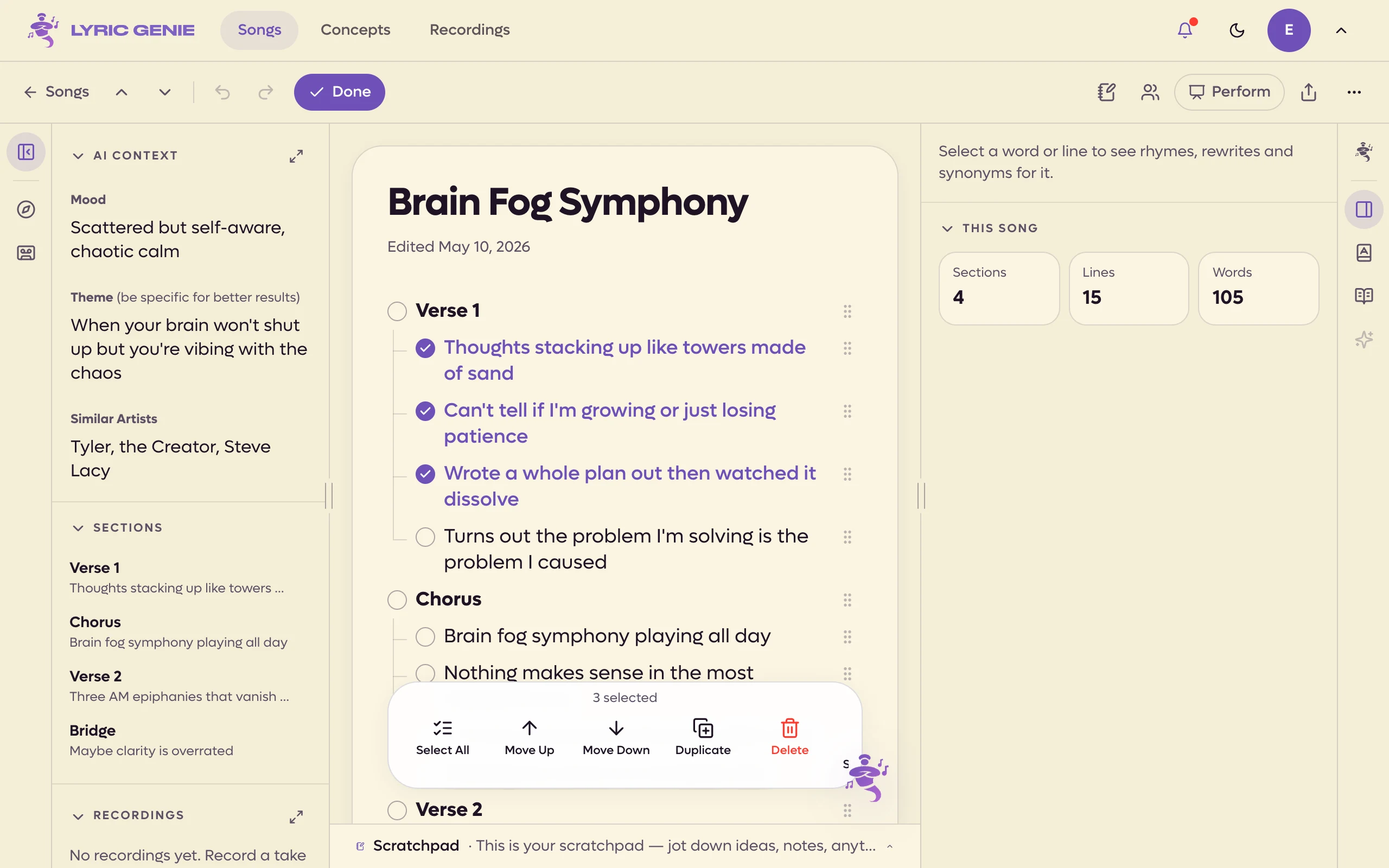
Press and drag down the column of checkboxes and every line you pass is selected. It is much faster than tapping a run of lines one at a time, and it is the fastest way to take a block that does not line up with a section.
 1
1
- 1Drag down this column
 1
1
- 1The tick column
Tapping a section header selects that header and every line under it. That is the quick way to move a whole chorus, and it is the thing most people do not discover on their own.
Select All takes the entire song, and becomes Deselect All once everything is picked.
Dragging a single line#
Each line has a grip on its right. Drag the grip to pick that line up and drop it somewhere else, without selecting anything or using the arrows. Unlike the app, dragging the line's text does not move it. Dragging down the checkbox column still selects a run of lines.
Press and drag a line anywhere except its checkbox and you pick that line up and drop it somewhere else. It is the direct way to move one line, without selecting anything or using the arrows.
What you can do with a selection#
| Action | What it does |
|---|---|
| Move Up, Move Down | Shifts the selected lines one position. Greyed out at the top and bottom, because there is nowhere further to go. |
| Duplicate | Copies the selection in directly below itself. The fast way to turn one chorus into two. |
| Delete | Removes the selected lines. It asks first. |
| Copy To Scratchpad | Sends a copy to the Scratchpad and leaves the song alone. |
Move, Duplicate and Delete only appear on your own tab. On a collaborator's tab you can still select lines, and copy or send them.
The same four actions, plus Select All, are in the web's bar. On a shared song you also get Send to Me and Send to Master; see below.
On a shared song#
A song with collaborators gains three more actions, all about moving lines between people rather than around the page.
| Action | Where it sends the lines |
|---|---|
| Send to Me | From a collaborator's tab into your own. Only appears when you are looking at someone else's tab. |
| Send to Collaborator iOS app only | From your tab to a collaborator you pick. They get the lines in the song's chat. |
| Send to Master | Into the agreed version of the song. |
These belong to the collaboration side of the app. See Sending lines to a collaborator and The Master.
Arrange on the web has no Send to Collaborator. To send lines to someone, select them in the lyrics and click Send to… on the selection toolbar.
When a collaborator sends you lines and you click Add to my lyrics on their card in the chat, Arrange opens on your tab with the new lines already ticked, ready to move into place.
Arranging the Master#
The Master tab has its own, shorter bar: Select All, Send to Me, Move Up, Move Down and Delete. Tapping a section header selects the whole section, so you move the Master a section at a time.
Only one person can change the Master at once. If someone else is editing it, Arrange on the Master tells you to try again in a moment. See The Master.
Empty states#
Arrange mode needs something to arrange. If the tab is empty it says No lyrics to arrange, and on a collaborator's empty tab it tells you they have not written anything yet.
Blank lines show as (empty line) rather than an unlabelled gap, so you can select and delete the spacing as well as the words.
Not the same as selecting text#
Both involve picking lines, and they do different jobs.
- Selecting text points a writing tool at your words. See Selecting and editing lines.
- Arrange mode moves your words without changing a character of them.
If you want a line rewritten, select the text. If you want it somewhere else, use Arrange mode.